API Key Authentication
API key authentication is the simplest form of machine-to-machine authentication: a client proves its identity by presenting a shared secret string — the API key — with each request. It is widely used for public APIs, webhook endpoints, and developer tooling where the simplicity of a static credential outweighs the overhead of OAuth2 flows.
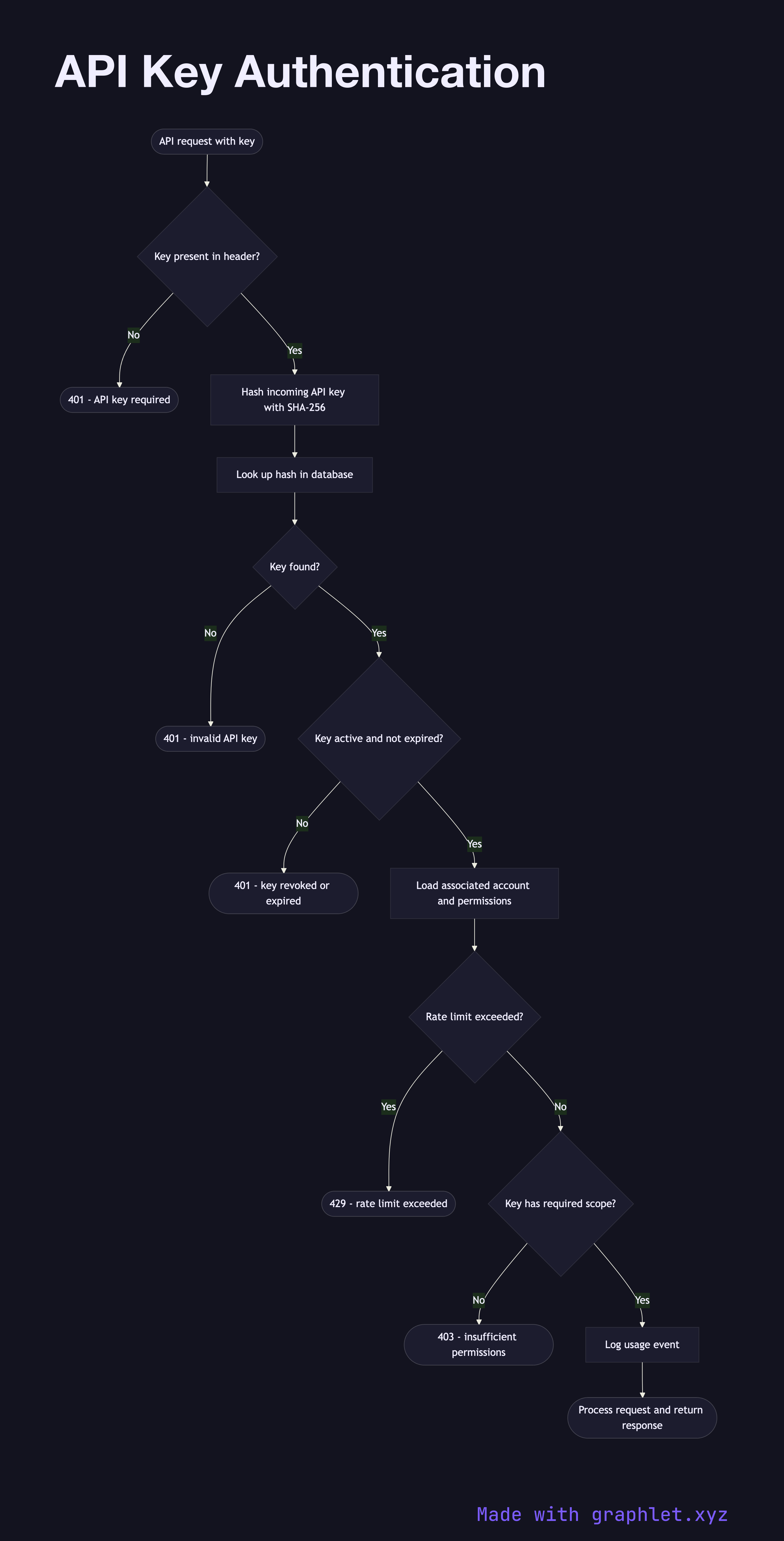
API key authentication is the simplest form of machine-to-machine authentication: a client proves its identity by presenting a shared secret string — the API key — with each request. It is widely used for public APIs, webhook endpoints, and developer tooling where the simplicity of a static credential outweighs the overhead of OAuth2 flows.
An API key is a long, random string (typically 32–64 bytes encoded as hex or Base64) generated by the API provider and given to the client. The client includes the key on every request, typically via an Authorization: Bearer header, an X-API-Key header, or a query parameter (query parameters are discouraged as keys appear in access logs and browser history).
On the server side, the key is never stored in plaintext. Instead, the server stores a hash of the key (using SHA-256 or a similar fast hash — bcrypt is too slow for per-request use). When a request arrives, the server hashes the incoming key and compares it to the stored hash. This means a database breach does not immediately expose all API keys.
After validation, the server looks up the key's associated account, checks whether the key is active and not expired, and verifies that the key has the required permissions or scope for the requested endpoint. Rate limiting is typically applied per key. Usage events are logged for audit and billing purposes.
Key rotation is an operational challenge: unlike OAuth2 Client Credentials Flow which issues short-lived tokens automatically, API keys are long-lived secrets that must be rotated manually. Best practice is to support multiple active keys per account simultaneously, allowing clients to transition to a new key before the old one is revoked. For richer permission models, see RBAC Authorization Model.