Rate Limiting Architecture
Rate limiting is a traffic control mechanism that restricts how many requests a client can make within a given time window, protecting backend services from overload, abuse, and denial-of-service conditions.
Rate limiting is a traffic control mechanism that restricts how many requests a client can make within a given time window, protecting backend services from overload, abuse, and denial-of-service conditions.
What the diagram shows
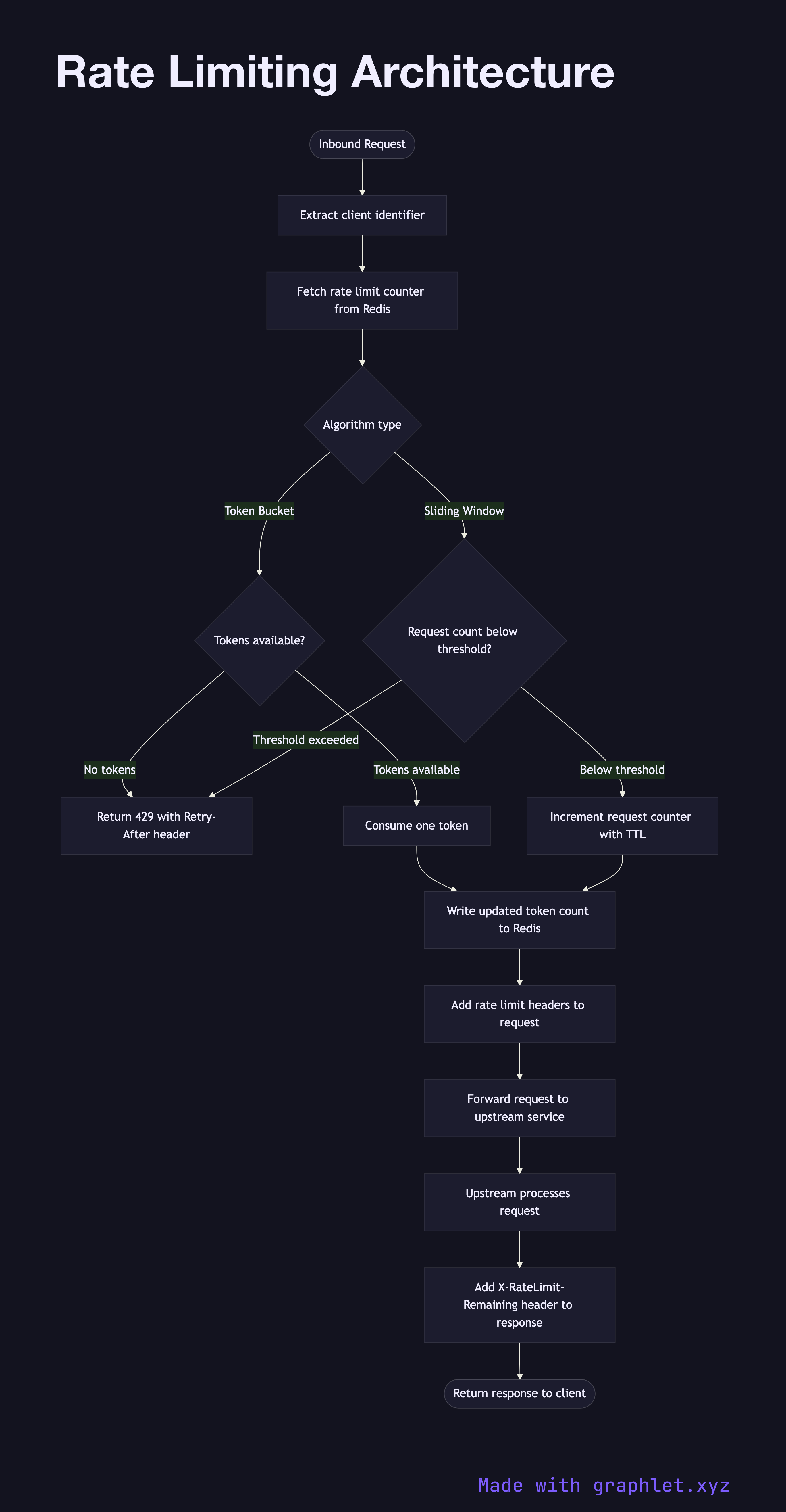
This flowchart describes the decision path a request takes through a rate limiting layer, covering two common algorithm choices — Token Bucket and Sliding Window — and the system components involved:
1. Identify client: the rate limiter extracts a client key — usually an API key, user ID, or IP address — from the request. 2. Fetch counter from shared store: rate limit state is stored in a fast shared data store (Redis is the canonical choice) so that all gateway replicas apply the same limits. 3. Algorithm check: the limiter checks whether tokens remain (token bucket) or whether the request count in the current window is below threshold (sliding window). 4. Allow or reject: requests within limits are forwarded with updated counter state written back to the store. Requests that exceed the limit receive a 429 Too Many Requests with a Retry-After header. 5. Limit headers: allowed requests include X-RateLimit-Limit, X-RateLimit-Remaining, and X-RateLimit-Reset headers so clients can self-throttle.
Why this matters
A single misbehaving client — whether a buggy script or a deliberate attacker — can saturate backend resources and degrade the experience for all users. Rate limiting isolates that impact at the edge. It also enforces fair use policies in multi-tenant SaaS platforms.
For what happens after the rate limit check passes, see API Gateway Request Flow. For the client-side response to a 429, explore Request Retry Logic. The Bulkhead Pattern complements rate limiting by isolating resource pools per tenant.