Microservice Architecture
A microservice architecture decomposes a monolithic application into a set of small, independently deployable services, each owning its own data store and communicating over well-defined APIs.
A microservice architecture decomposes a monolithic application into a set of small, independently deployable services, each owning its own data store and communicating over well-defined APIs.
What the diagram shows
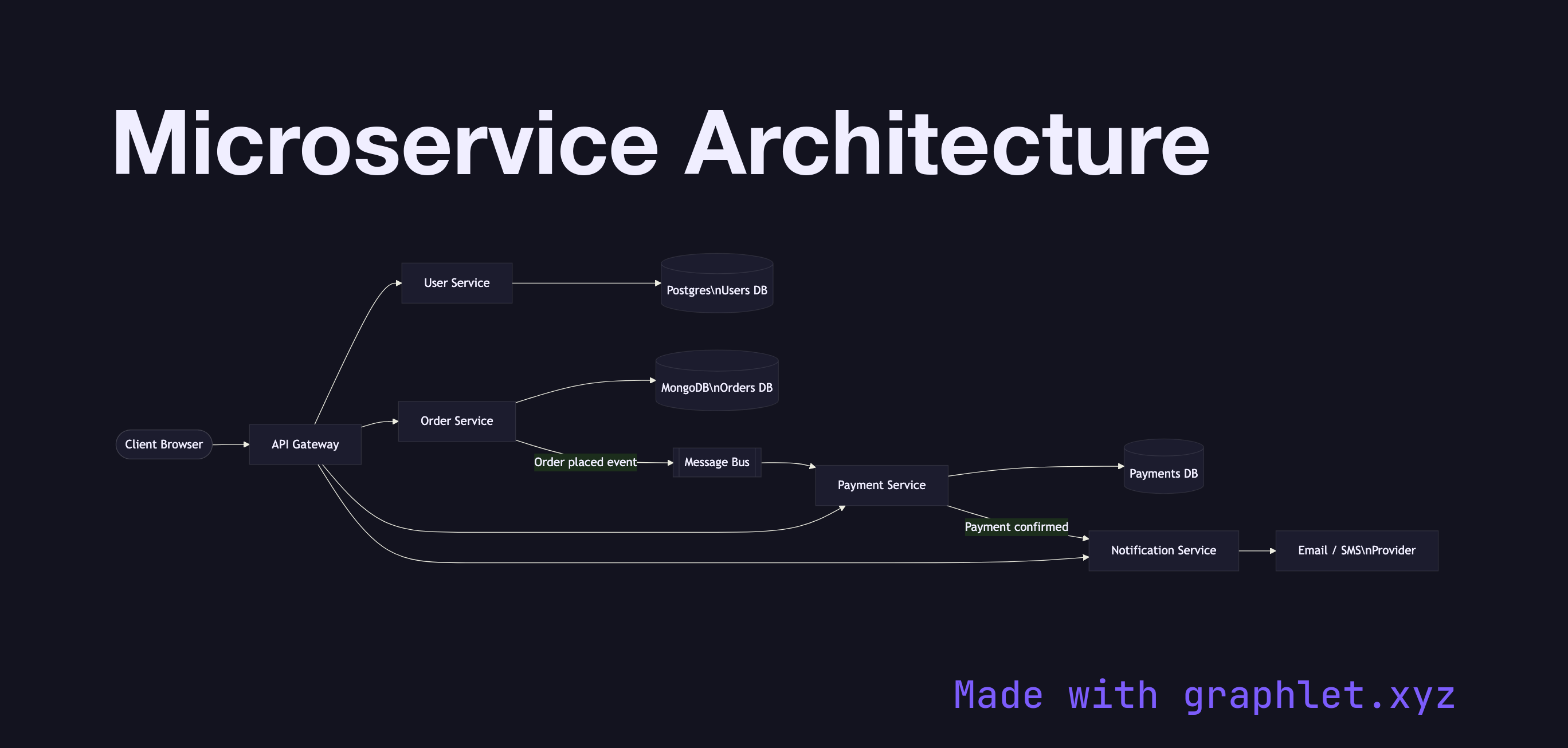
This diagram traces a client request from the browser through an API Gateway that acts as the single entry point for all external traffic. The gateway routes calls to one of four specialized services: the User Service, Order Service, Payment Service, and Notification Service. Each service owns a private database — a Postgres instance for users, MongoDB for orders, and a Payments DB for financial records — enforcing the database-per-service pattern that prevents tight coupling at the data layer.
The Notification Service sits downstream of the Payment Service and is triggered after a successful transaction, illustrating event-driven inter-service communication. A shared Message Bus connects the Order and Payment services for asynchronous coordination, decoupling their execution timelines.
Why this matters
Microservices enable independent scaling: if the Order Service is under load during a sale, you scale only that container without touching the User or Payment services. Independent deployments mean a bug fix in the Notification Service ships without a full-system release cycle.
The trade-off is operational complexity. Each service boundary introduces network latency, requires its own CI/CD pipeline, and demands distributed tracing to debug cross-service failures. Understanding the topology upfront — which this diagram makes explicit — is the first step toward managing that complexity effectively.
For the gateway layer in detail, see API Gateway Architecture. To understand how services discover each other at runtime, explore Service Mesh Architecture. For the async communication backbone, see Event Driven System.