API Gateway Architecture
An API gateway is a single entry-point server that sits between external clients and backend services, handling cross-cutting concerns like authentication, rate limiting, routing, and protocol translation.
An API gateway is a single entry-point server that sits between external clients and backend services, handling cross-cutting concerns like authentication, rate limiting, routing, and protocol translation.
What the diagram shows
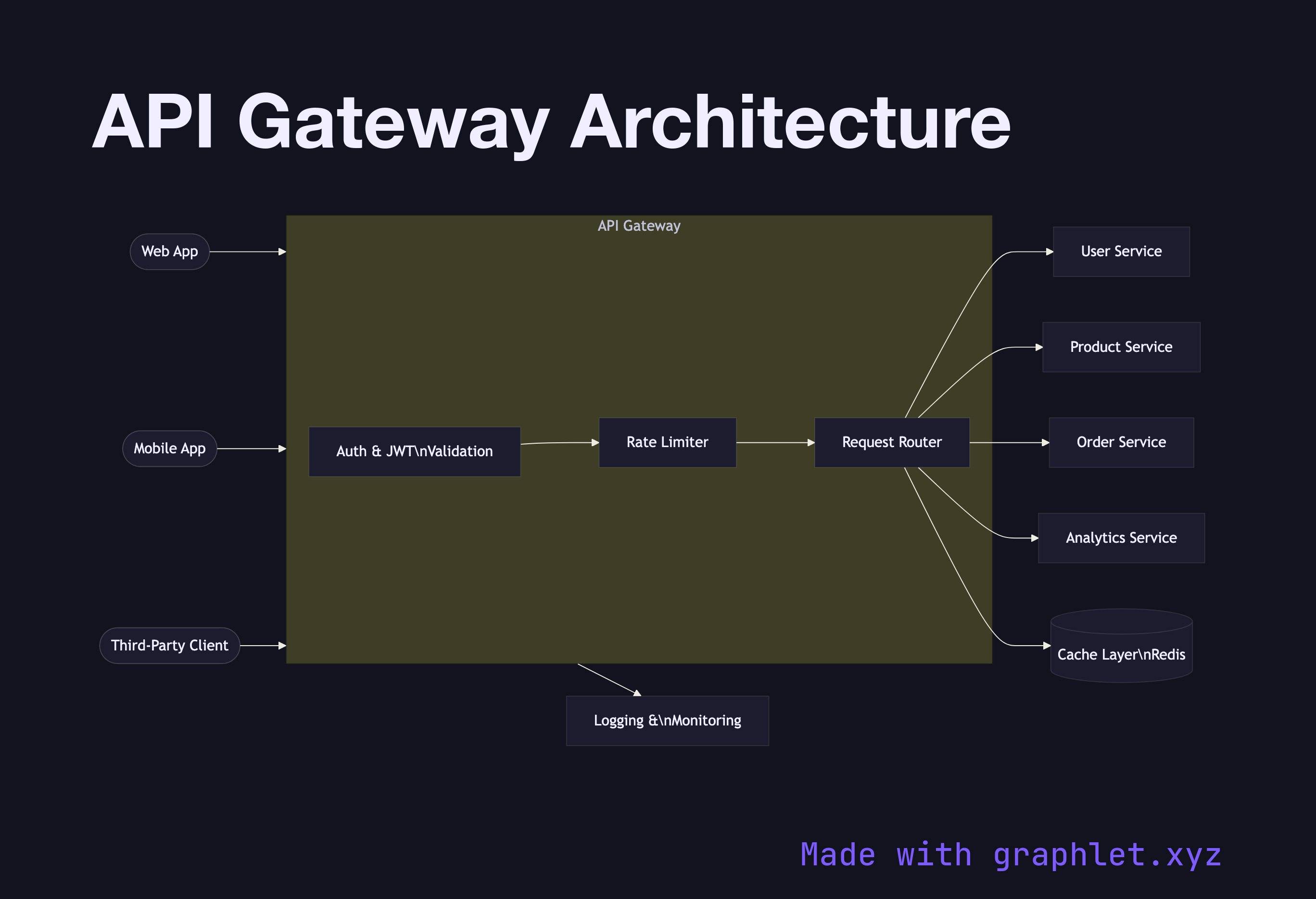
The diagram shows three client types — a Web App, Mobile App, and Third-Party Client — all sending requests to a central API Gateway. Within the gateway, the request passes through a pipeline of middleware: first Auth & JWT Validation rejects unauthenticated requests early; then Rate Limiter enforces per-client quotas; and finally Request Router inspects the path and method to select the correct upstream service.
Downstream, the gateway fans out to four backend services: User Service, Product Service, Order Service, and Analytics Service. The gateway also integrates with a Cache Layer to serve repeated read requests without hitting upstream services, and forwards logs to a Logging & Monitoring system.
Why this matters
Without a gateway, every client would need to know the address of every service and implement auth and rate-limiting logic independently. The gateway pattern centralizes that complexity, presenting clients with a single stable hostname while the backend topology evolves freely behind it. It also enables A/B routing, canary traffic splitting, and request transformation without touching application code.
For a step-by-step trace of a single request through the gateway, see API Gateway Request Flow. For the full microservice topology the gateway sits in front of, see Microservice Architecture. Rate limiting specifics are in Rate Limiting Architecture.