Backup and Restore Flow
A database backup and restore flow describes the complete process of creating durable copies of database data and the steps required to recover from those copies in the event of data loss, corruption, or disaster.
A database backup and restore flow describes the complete process of creating durable copies of database data and the steps required to recover from those copies in the event of data loss, corruption, or disaster.
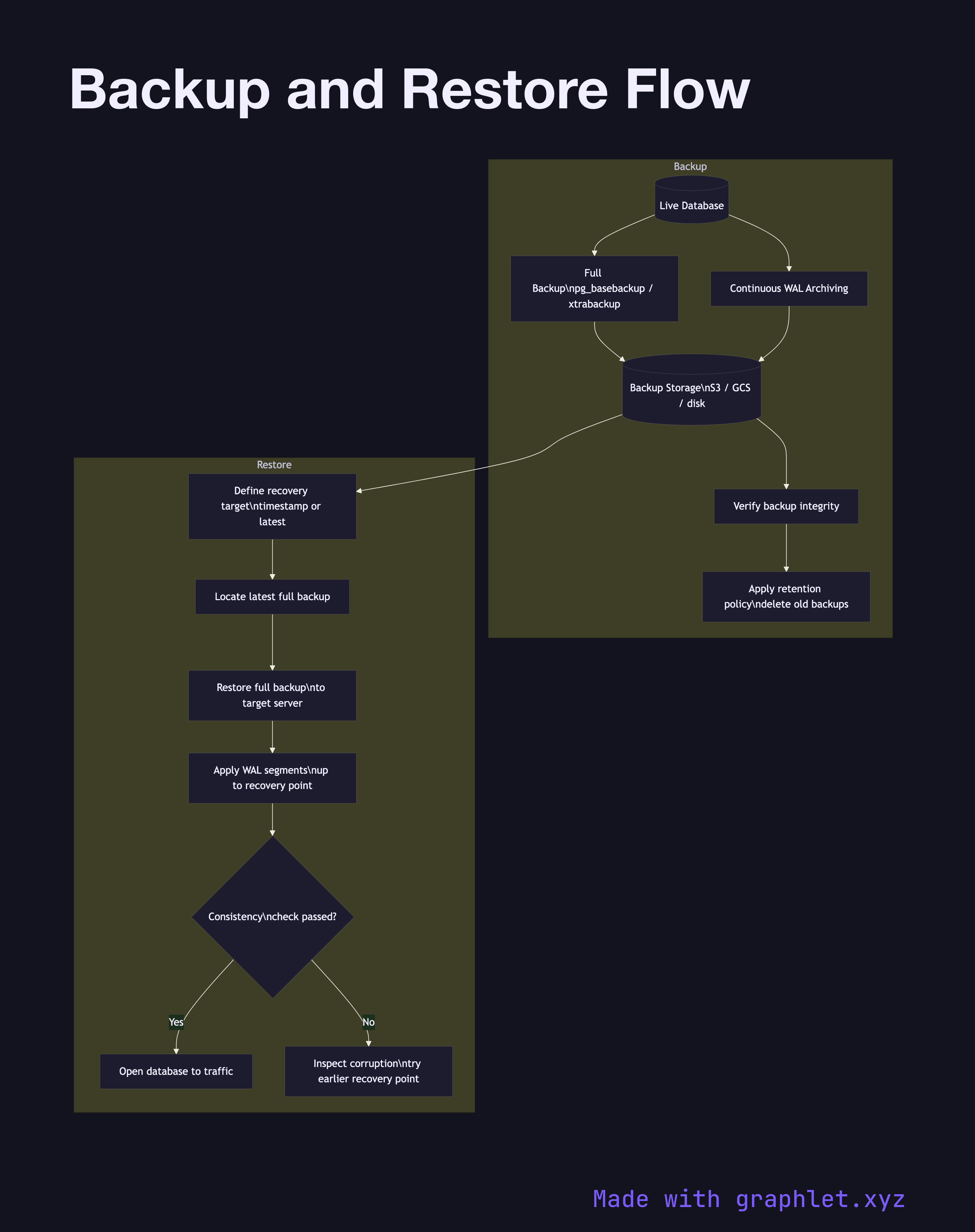
This diagram covers both the backup creation path and the restore path. Backups fall into two categories. A full backup captures the entire database — every data file, table, and index — at a consistent point in time. Because the database is live during the backup, a mechanism is needed to ensure consistency: PostgreSQL uses pg_basebackup with a WAL segment checkpoint; MySQL uses mysqldump with a flush lock or xtrabackup for hot backups.
An incremental backup captures only the changes since the last full or incremental backup, using the database's Write-Ahead Log (WAL) or binary log. Incremental backups are small and fast to create but require the full backup plus every incremental in sequence to restore. Many production setups combine weekly full backups with continuous WAL archiving to object storage (S3, GCS), enabling point-in-time recovery (PITR) — restoring to any moment, not just the last backup.
The restore path begins by identifying the desired recovery target: either a specific timestamp or the latest backup. The restore process applies the full backup first, then replays incremental WAL segments up to the recovery point. After recovery, a consistency check validates that the data is intact before the database is opened to traffic.
For developers, understanding this flow is critical when designing RTO (Recovery Time Objective) and RPO (Recovery Point Objective) targets. A system with continuous WAL archiving can achieve a near-zero RPO. The Database Failover process is different — it promotes a live replica rather than restoring from backup — but backups provide the safety net when the replica is also lost.