Mobile App Authentication
Mobile app authentication describes the OAuth 2.0 Authorization Code flow with PKCE (Proof Key for Code Exchange) — the recommended pattern for authenticating users in native mobile applications without exposing a client secret.
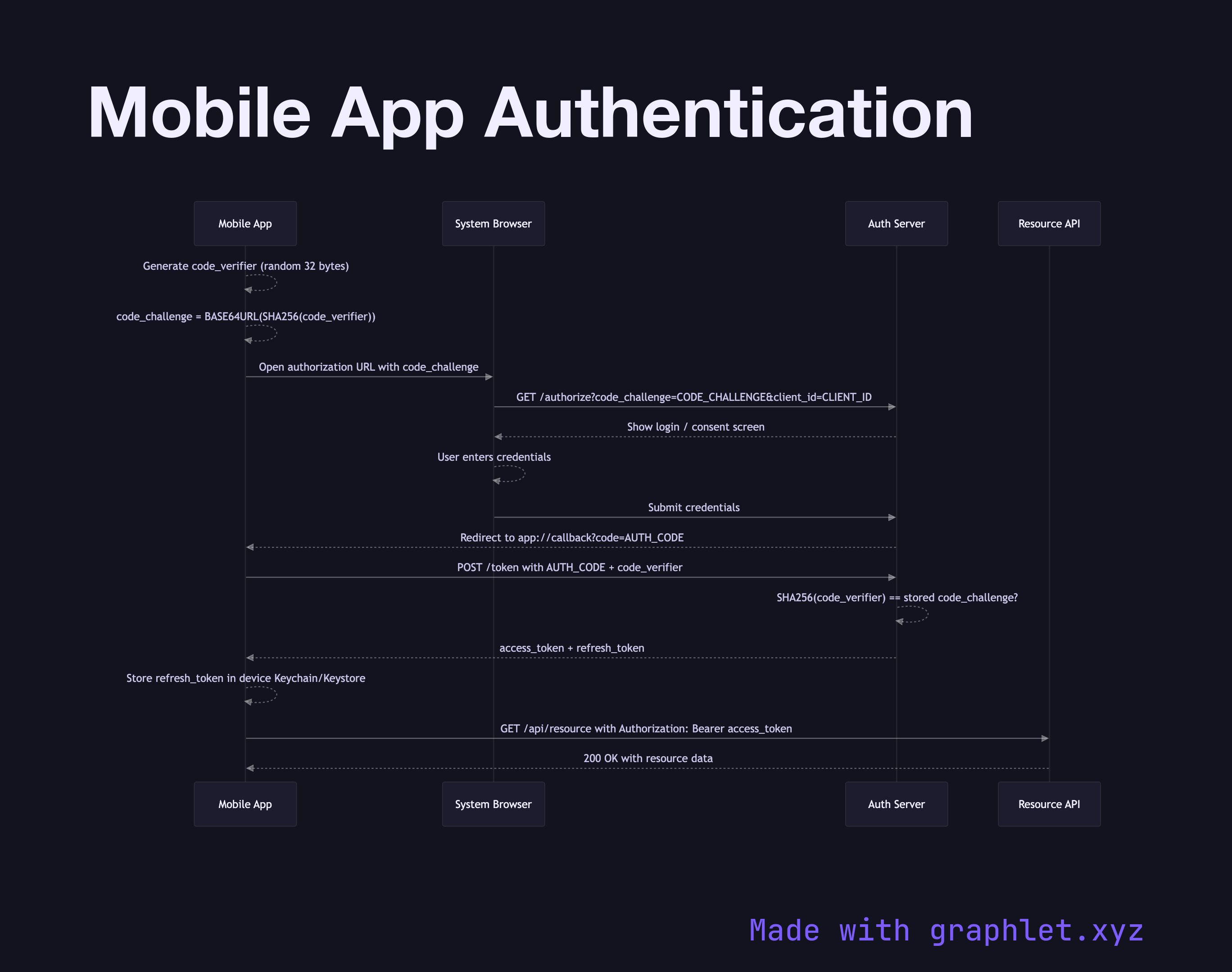
Mobile app authentication describes the OAuth 2.0 Authorization Code flow with PKCE (Proof Key for Code Exchange) — the recommended pattern for authenticating users in native mobile applications without exposing a client secret.
Unlike server-side web apps, native mobile apps cannot safely store a client secret in their binary. PKCE solves this by having the app generate a cryptographically random code_verifier before the auth request. It then derives a code_challenge by hashing the verifier with SHA-256. Only the challenge — not the verifier — is sent to the authorization server, so intercepting the challenge is not sufficient to complete the exchange.
The flow begins when the user taps "Sign In." The app opens a system browser (ASWebAuthenticationSession on iOS, Custom Tabs on Android) and navigates to the authorization endpoint, passing the code_challenge, client_id, redirect_uri, and requested scopes. The user authenticates in the browser — entering credentials or approving a social login — and the server redirects back to the app via a registered URI scheme or universal link, delivering a short-lived authorization_code.
The app immediately exchanges this code at the token endpoint, sending the original code_verifier. The server hashes it, compares it against the stored code_challenge, and if they match, returns an access_token and refresh_token. The access token is used to call protected API endpoints; the refresh token is stored securely in the device keychain (iOS) or Keystore (Android) and used to obtain new access tokens silently when the current one expires.
For related patterns, see JWT Authentication Flow for token structure details and Mobile API Sync for how authenticated requests flow to the backend.