Blue Green Deployment
Blue-green deployment is a release strategy that runs two identical production environments — Blue and Green — and switches all traffic from one to the other atomically, enabling instant rollback and zero-downtime releases.
Blue-green deployment is a release strategy that runs two identical production environments — Blue and Green — and switches all traffic from one to the other atomically, enabling instant rollback and zero-downtime releases.
What the diagram shows
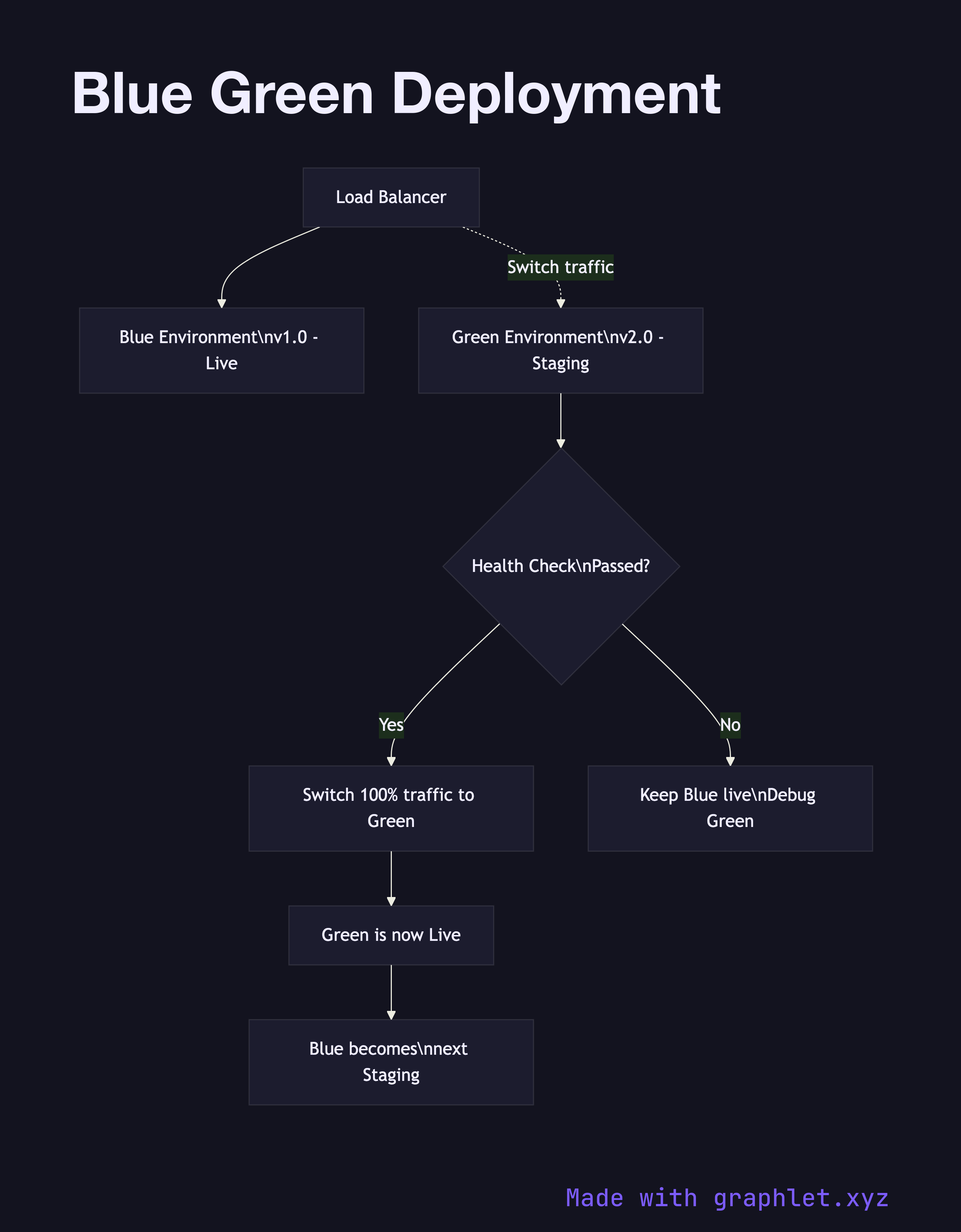
The diagram shows a Load Balancer initially routing 100% of traffic to the Blue Environment (v1.0 — currently live). The Green Environment (v2.0) runs in parallel but receives no live traffic while deployment and smoke tests execute. A Health Check gate evaluates Green: if all checks pass, the Load Balancer is reconfigured to send 100% of traffic to Green in a single atomic switch. Green is now live. Blue is kept running as a warm standby — it becomes the staging environment for the next release cycle.
If the health check fails, traffic stays on Blue and the Green environment is debugged without any user impact.
Why this matters
The defining property of blue-green is the instant cutover: because you flip traffic at the load balancer level, there is no period where both old and new code are serving production requests simultaneously. This eliminates mixed-version bugs that plague rolling deployments. Rollback is equally instant — point the load balancer back to Blue. The cost is running two full production environments simultaneously, which doubles infrastructure spend during deployment windows. For a more cost-efficient gradual alternative, see Canary Deployment. For a comparison of all approaches, see Rolling Deployment.