CD Pipeline
A CD (Continuous Delivery/Deployment) pipeline automates the process of delivering a validated build artifact through staging environments and into production, ensuring every release is consistent, auditable, and reversible.
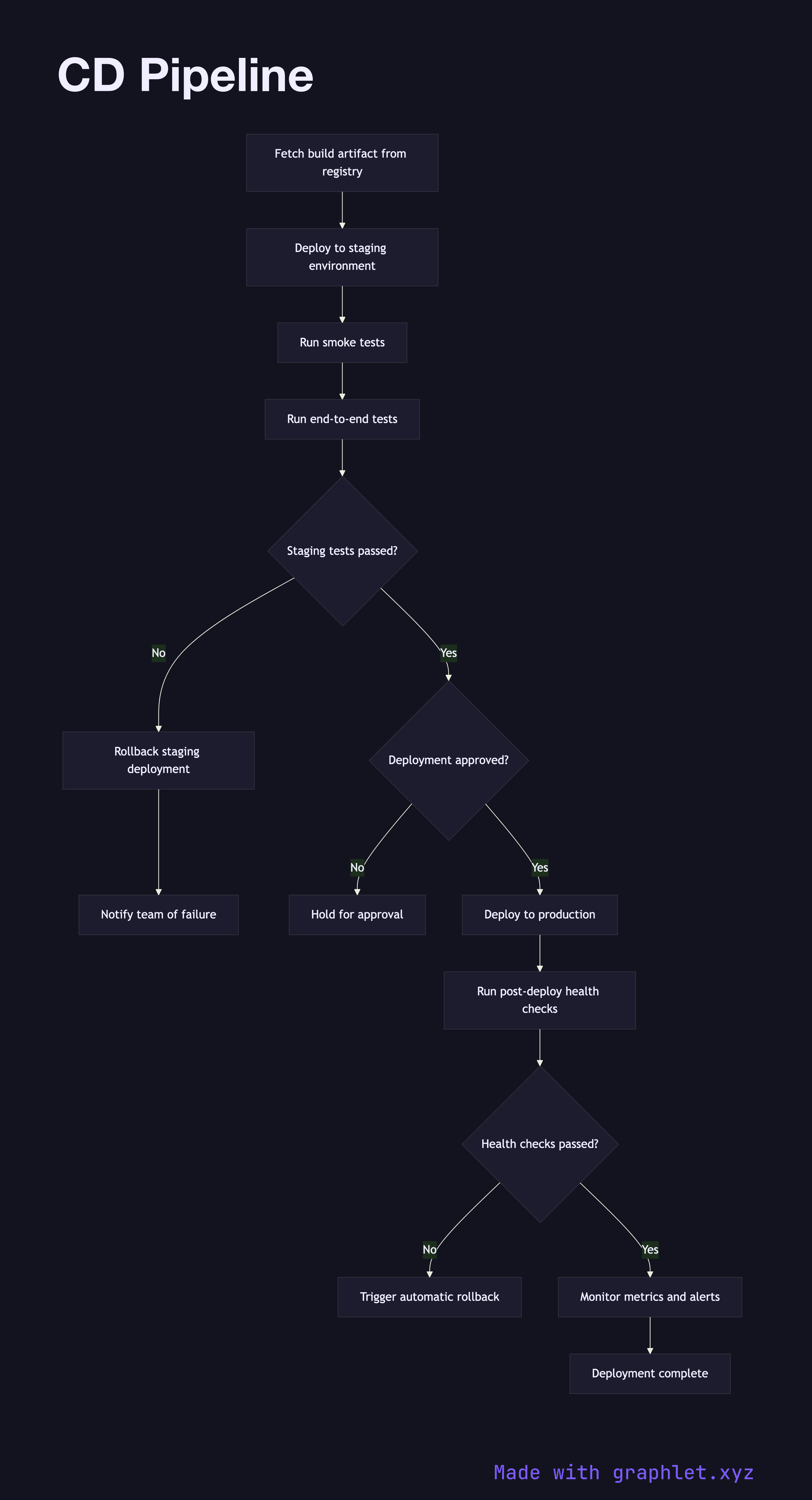
A CD (Continuous Delivery/Deployment) pipeline automates the process of delivering a validated build artifact through staging environments and into production, ensuring every release is consistent, auditable, and reversible.
How the pipeline works
The CD pipeline begins once a CI Pipeline successfully publishes a build artifact. The first step is to fetch that artifact from the registry and deploy it to a staging environment — an environment that mirrors production configuration as closely as possible.
In staging, a suite of smoke tests and end-to-end acceptance tests run automatically. These verify that the application starts correctly, key user journeys work, and integrations with downstream services are healthy. If tests fail at this stage, the pipeline halts and the deployment is rolled back in staging before any production traffic is affected.
When staging tests pass, the pipeline pauses at an approval gate. Depending on the team's maturity, this gate may require explicit sign-off from a release manager or automatically proceed if the change is flagged as low-risk. The Deployment Approval Flow covers this decision logic in detail.
Once approved, the artifact is deployed to production. A deployment strategy — blue/green, canary, or rolling — controls how traffic is shifted to the new version. Post-deployment health checks verify that error rates, latency, and key business metrics remain within acceptable thresholds. If metrics degrade, the pipeline triggers an automatic rollback, reverting traffic to the previous version.
Why CD matters
Manual deployments are slow, error-prone, and hard to audit. CD pipelines encode the release process as code, making every deployment traceable and reproducible. Combined with Environment Promotion Flow and Rollback Deployment, CD pipelines give teams the confidence to deploy frequently and safely.