Rolling Deployment
A rolling deployment updates a fleet of servers one batch at a time, replacing old instances with new ones incrementally until the entire fleet runs the new version — maintaining capacity throughout the process without requiring a separate standby environment.
A rolling deployment updates a fleet of servers one batch at a time, replacing old instances with new ones incrementally until the entire fleet runs the new version — maintaining capacity throughout the process without requiring a separate standby environment.
What the diagram shows
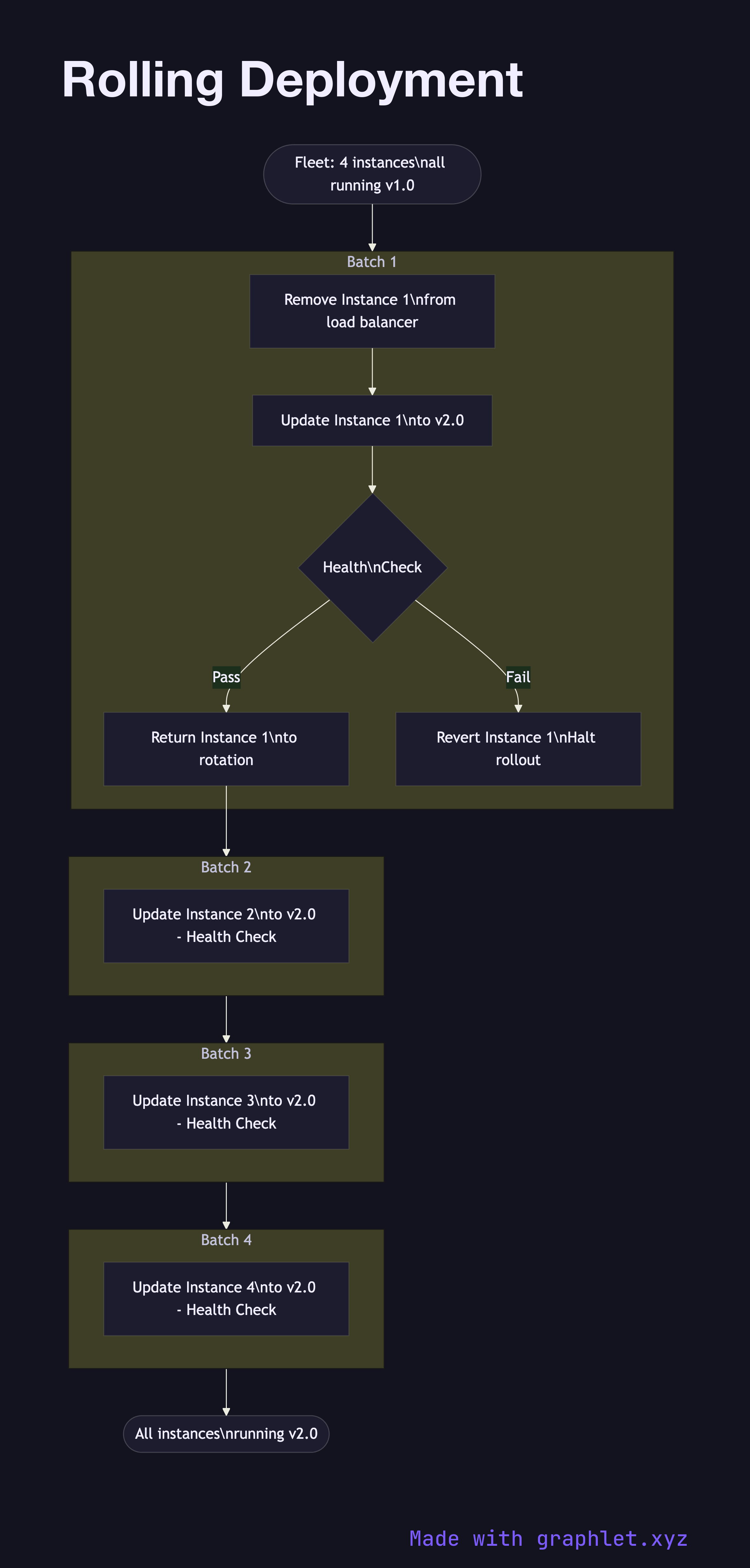
The diagram shows a fleet of four server instances initially all running v1.0. The deployment orchestrator begins with Batch 1: Instance 1 is taken out of the load balancer rotation, updated to v2.0, health-checked, and returned to service before the next batch starts. This process repeats for Batch 2 (Instance 2), Batch 3 (Instance 3), and Batch 4 (Instance 4).
During each batch update, the remaining instances at v1.0 continue serving traffic, so total serving capacity is reduced by 25% per batch but never drops to zero. If a health check fails on a newly updated instance, the orchestrator halts the rollout and the failed instance is reverted to v1.0.
Why this matters
Rolling deployments are the simplest zero-downtime strategy to operate because they require no extra infrastructure — you update the fleet you already have. The challenge is that during the rollout window, both v1.0 and v2.0 are serving production traffic simultaneously. This means your API must be backward-compatible with requests from both versions, and database schema migrations must be additive rather than destructive. For a strategy that avoids mixed-version production, see Blue Green Deployment. For gradual traffic shifting with metric gates, see Canary Deployment.