Social Login Flow
Social login (also called federated login or "Sign in with X") lets users authenticate to your application using an existing account at a trusted identity provider — Google, GitHub, Apple, Facebook, or any OIDC-compatible provider — instead of creating and managing a separate password.
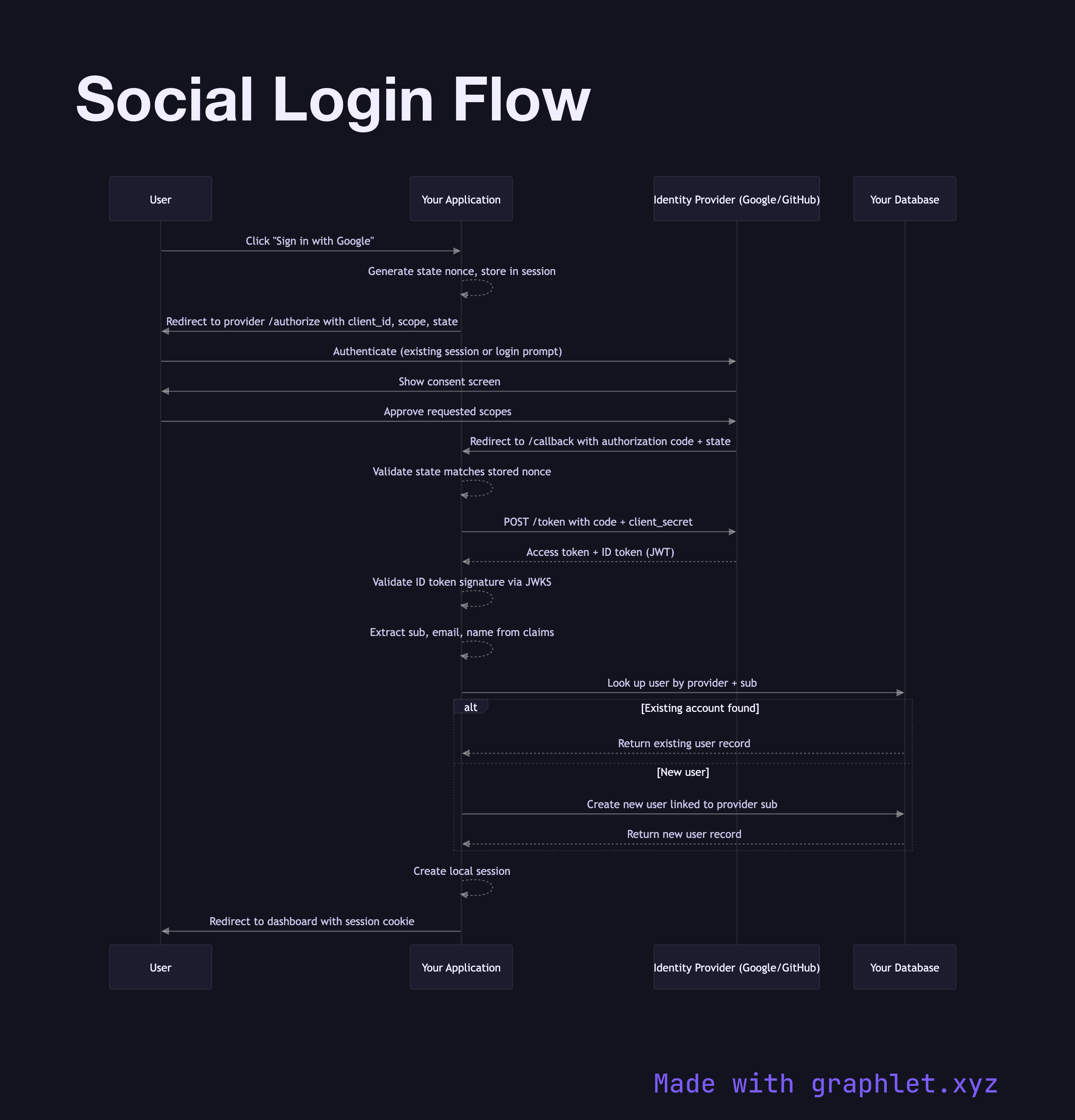
Social login (also called federated login or "Sign in with X") lets users authenticate to your application using an existing account at a trusted identity provider — Google, GitHub, Apple, Facebook, or any OIDC-compatible provider — instead of creating and managing a separate password.
Under the hood, social login is the OAuth2 Authorization Code Flow combined with OpenID Connect Flow. The application acts as the OAuth2 client (relying party), the social platform acts as both the authorization server and the identity provider, and your backend links the provider's user identity to a local user account.
The flow starts when a user clicks "Sign in with Google" (or any provider). Your server generates a state parameter (anti-CSRF nonce) and optionally a nonce (anti-replay), stores them in a short-lived cookie or server session, and redirects the user to the provider's authorization endpoint with scope=openid email profile.
The provider handles authentication entirely — the user may be silently signed in (existing session) or prompted for credentials and consent. After approval, the provider redirects back to your redirect_uri with an authorization code. Your server exchanges the code for tokens at the provider's /token endpoint. You validate the ID token's signature (using the provider's JWKS), extract the sub claim (a stable provider-scoped user ID), and either link it to an existing account or create a new one.
The critical account linking logic must handle edge cases: what if the same email exists from a different provider or from a password signup? Most applications match on email with the user's explicit confirmation, or require users to link accounts from settings. After linking, a local session is created. Subsequent logins skip account creation and directly match on the sub claim.
This flow is the foundation of SSO Architecture in consumer-facing applications.