SSO Architecture
Single Sign-On (SSO) is an authentication architecture that allows users to authenticate once with a central Identity Provider (IdP) and gain access to multiple applications — called Service Providers (SPs) or Relying Parties — without logging in again for each one.
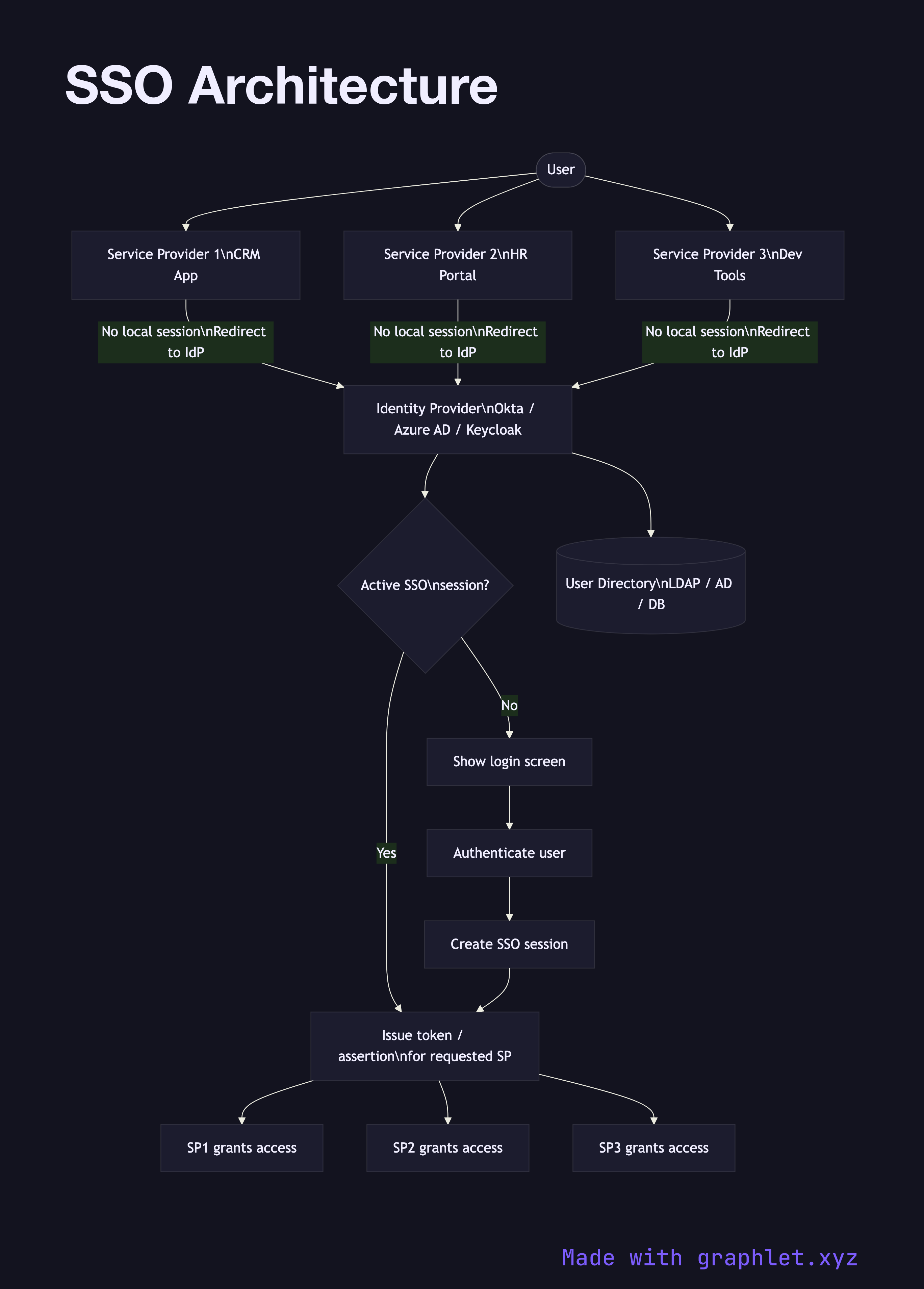
Single Sign-On (SSO) is an authentication architecture that allows users to authenticate once with a central Identity Provider (IdP) and gain access to multiple applications — called Service Providers (SPs) or Relying Parties — without logging in again for each one.
The core insight of SSO is separation of concerns: applications delegate the responsibility of authenticating users to a dedicated identity service. Each application only needs to trust the IdP and know how to validate the tokens or assertions it issues. User credentials are never shared with individual applications — only the IdP ever sees them.
When a user accesses any SP for the first time, the SP detects they have no local session and redirects them to the IdP. The IdP checks whether the user has an active SSO session (typically tracked via a session cookie on the IdP's domain). If they do, the IdP issues the appropriate token or assertion immediately — transparent SSO — without prompting for credentials again. If they don't, the IdP presents a login screen. After authentication, the SSO session is established and all subsequent SP accesses in that session are seamless.
The protocol between SP and IdP is typically OpenID Connect Flow (for modern web apps and APIs) or SAML Authentication Flow (for enterprise/legacy systems). Many organizations run an IdP like Okta, Azure AD, or Keycloak that supports both protocols simultaneously.
SSO also centralizes logout: a single-logout (SLO) request to the IdP can propagate session termination to all active SPs, though many implementations only support local logout per SP. In multi-tenant systems, SSO is a per-tenant configuration — each customer brings their own IdP. This pattern is detailed in Multi Tenant Auth.