Git Branch Strategy
A Git branch strategy establishes a set of long-lived and short-lived branch types with defined rules about what gets merged where — enabling parallel development, stable releases, and rapid hotfixes without conflicts.
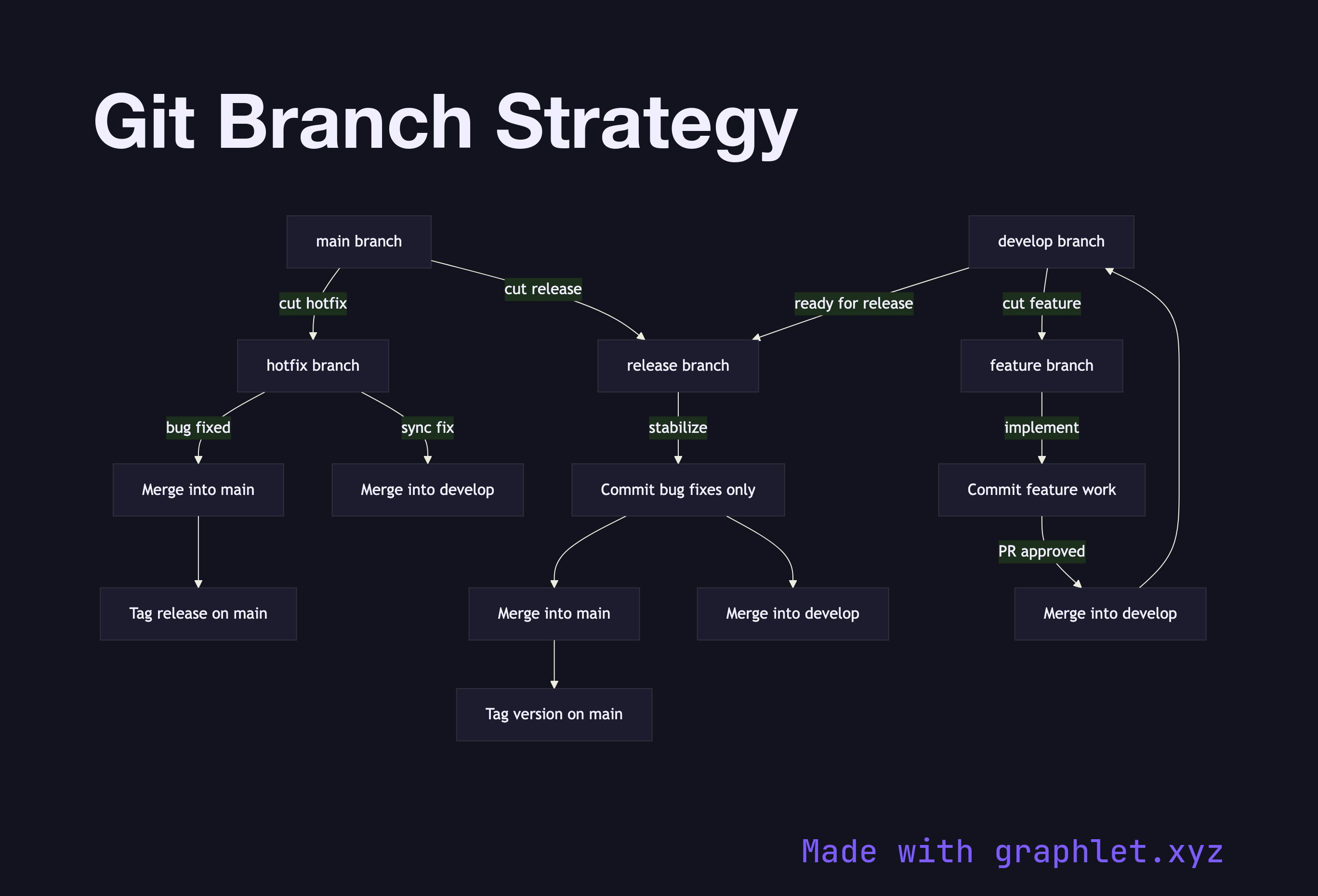
A Git branch strategy establishes a set of long-lived and short-lived branch types with defined rules about what gets merged where — enabling parallel development, stable releases, and rapid hotfixes without conflicts.
How the strategy works
The strategy is built around two long-lived branches: main (or master) and develop. The main branch always reflects production-ready code; it is never committed to directly. The develop branch serves as the integration target for all completed features.
Feature branches are created from develop and named after the issue or ticket they address. When a feature is complete and passes review (see Pull Request Workflow), it is merged back into develop. Feature branches are ephemeral and deleted after merging.
Release branches are cut from develop when the team is ready to stabilize a release. Only bug fixes are committed to a release branch — no new features. Once the release is stable and tested, it is merged into both main and develop to keep both branches in sync. A version tag is applied to main.
Hotfix branches are created directly from main when a critical production bug must be patched immediately. After fixing, the hotfix is merged into both main and develop (or the active release branch), ensuring the fix is not lost in future releases.
This strategy, popularized as Gitflow, provides a clear structure for teams shipping regular versioned releases. Teams shipping continuously may prefer a simplified trunk-based model represented by the Git Workflow diagram.