DevOps bridges software development and IT operations through automation, collaboration, and continuous feedback. Mastering the pipelines and workflows at the heart of DevOps is essential for shipping reliable software at speed.

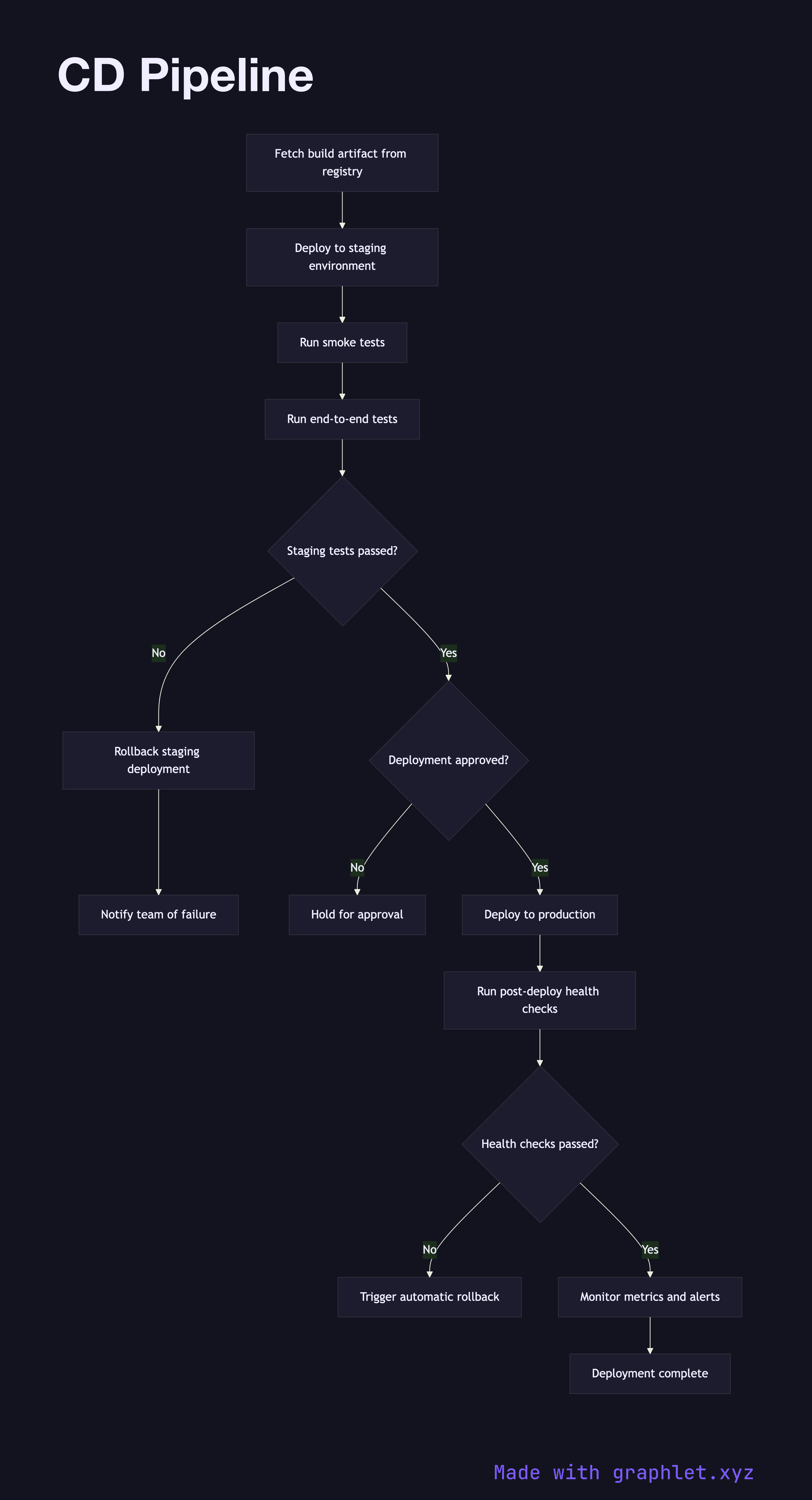
This collection covers the full DevOps lifecycle. The delivery path starts with CI Pipeline — triggered on every commit — and continues through Build Pipeline, Artifact Storage Pipeline, and the CD Pipeline that carries builds to production. The Deployment Approval Flow and Environment Promotion Flow show how changes move through dev, staging, and production gates safely.

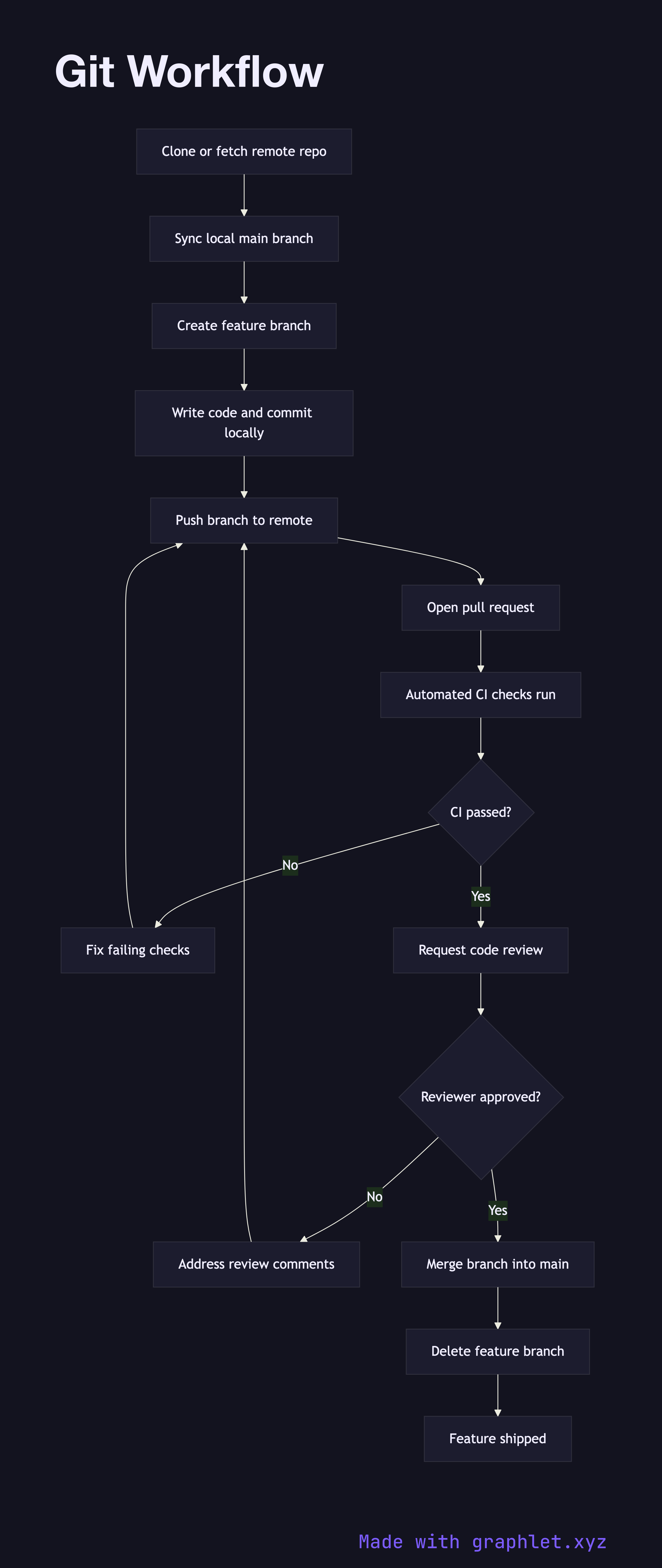
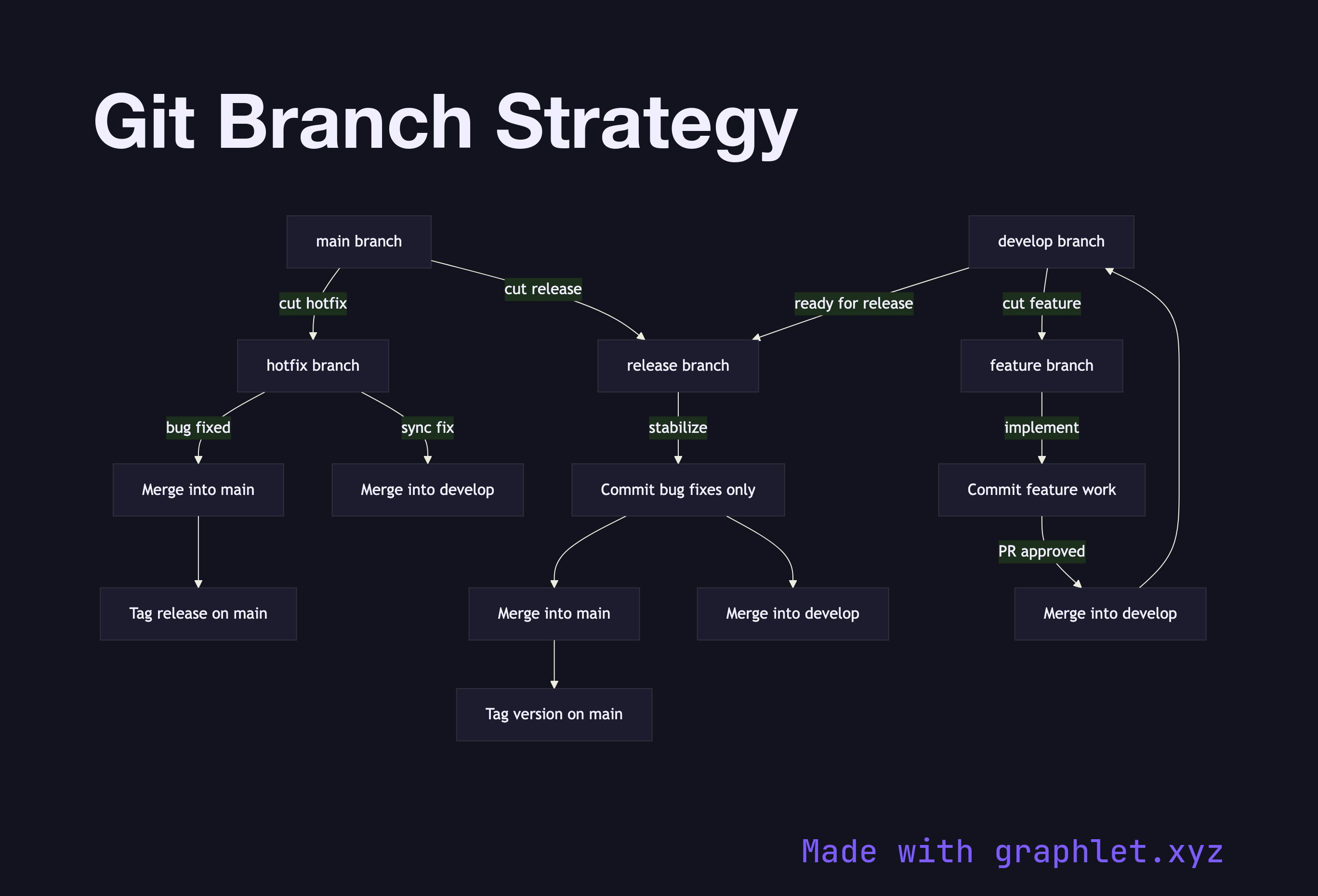
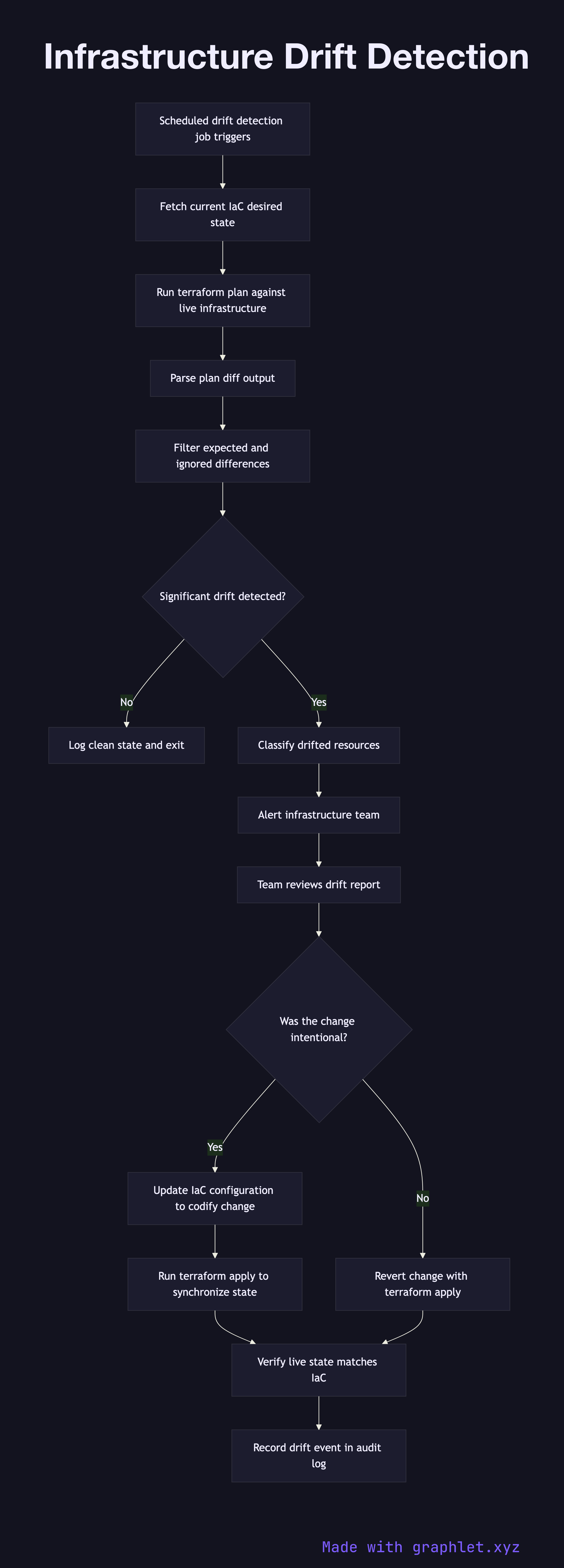
Source control workflows are covered by Git Workflow, Git Branch Strategy, and Pull Request Workflow. Infrastructure patterns include Infrastructure Provisioning, Infrastructure Drift Detection, and Rollback Deployment for when things go wrong.

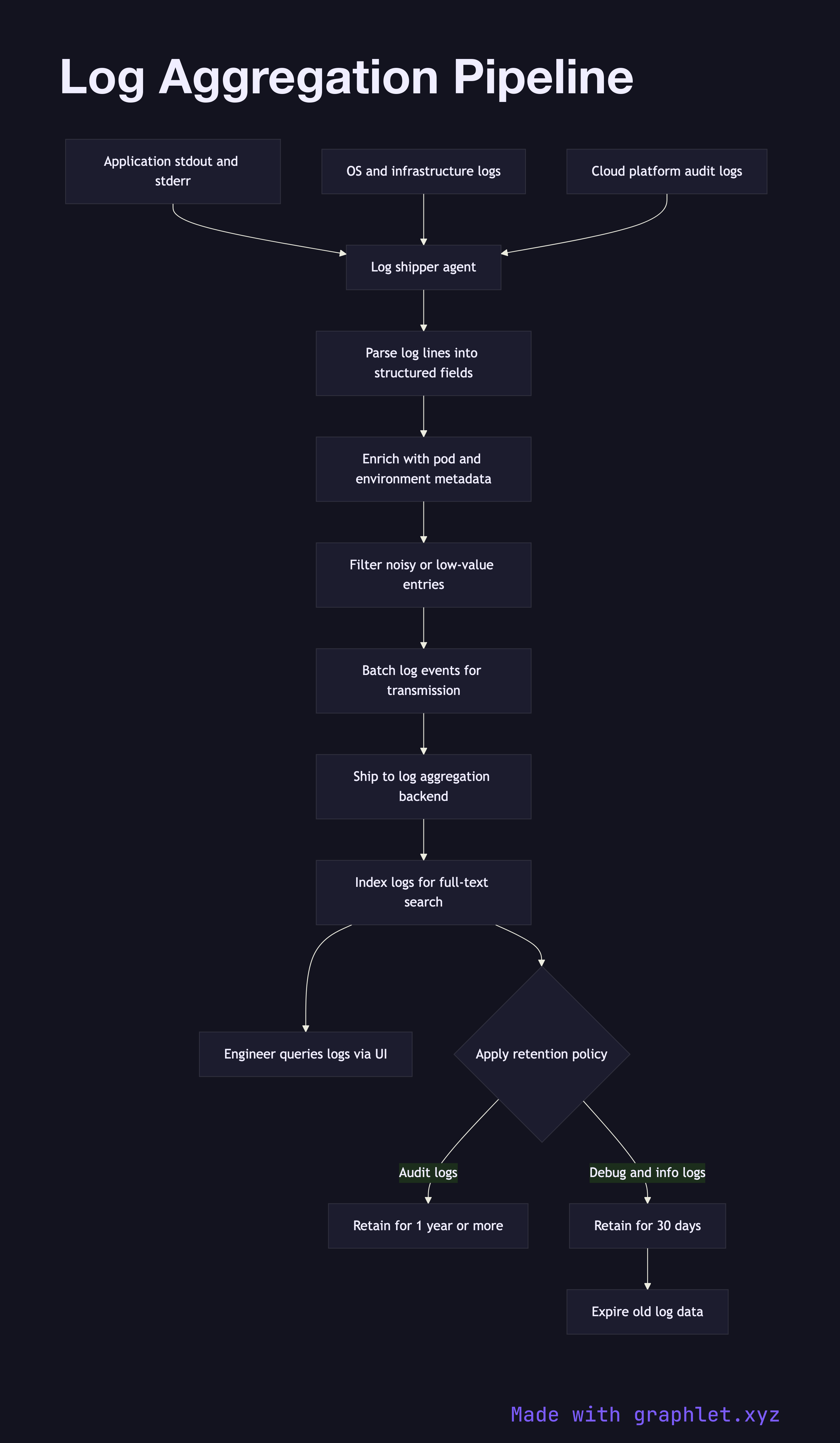
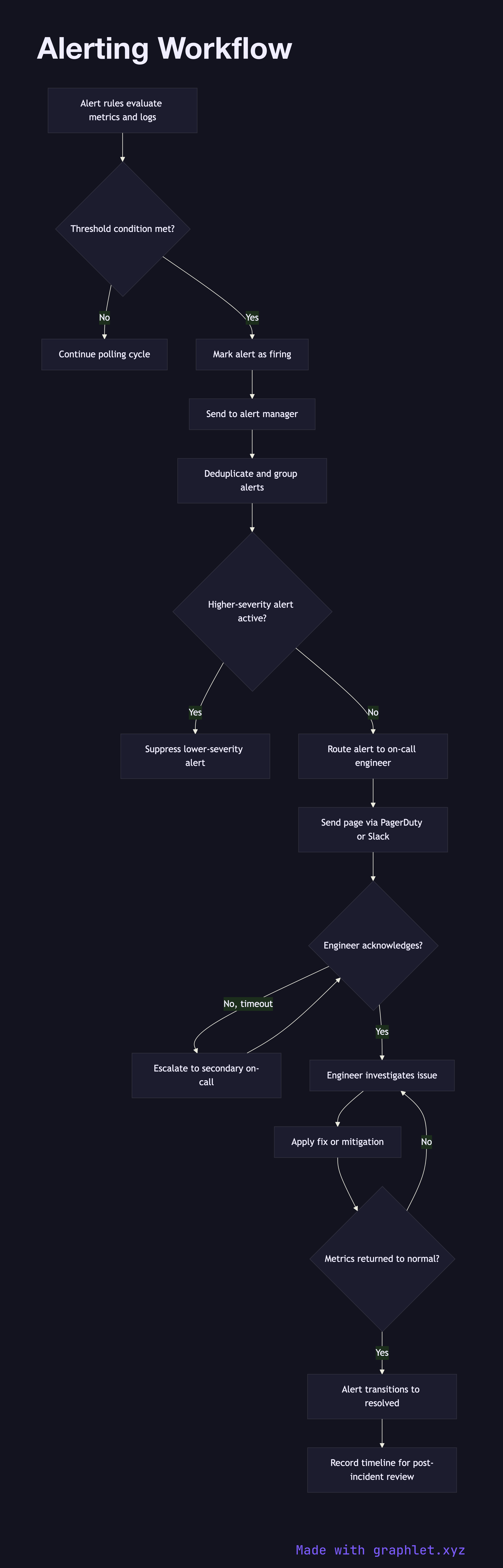
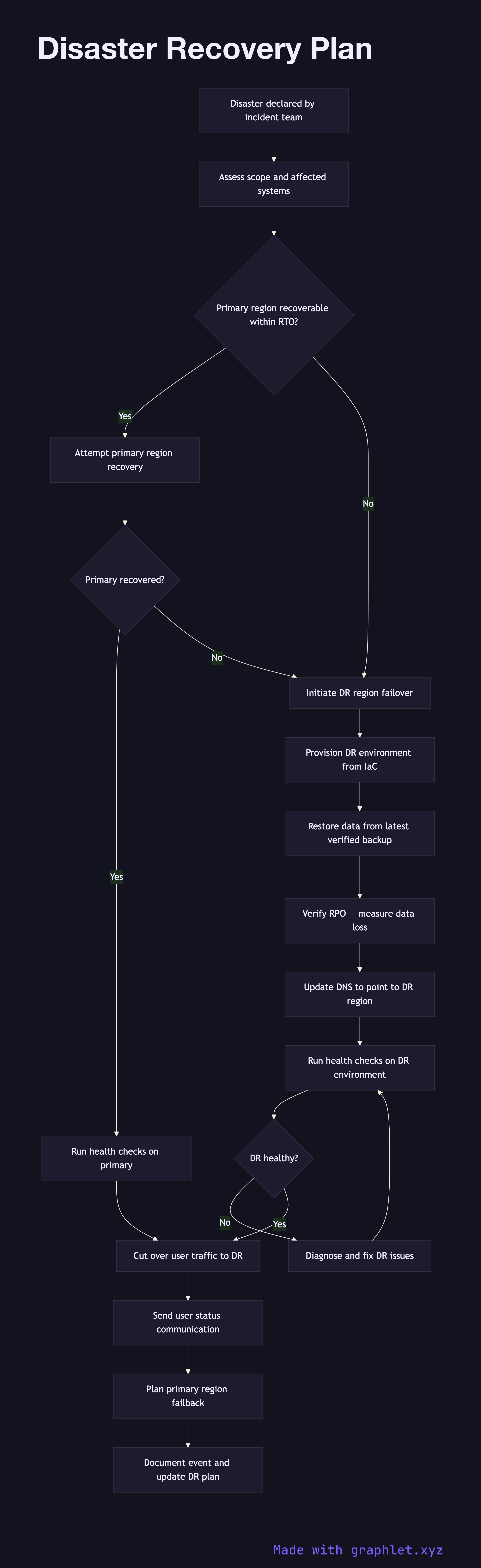
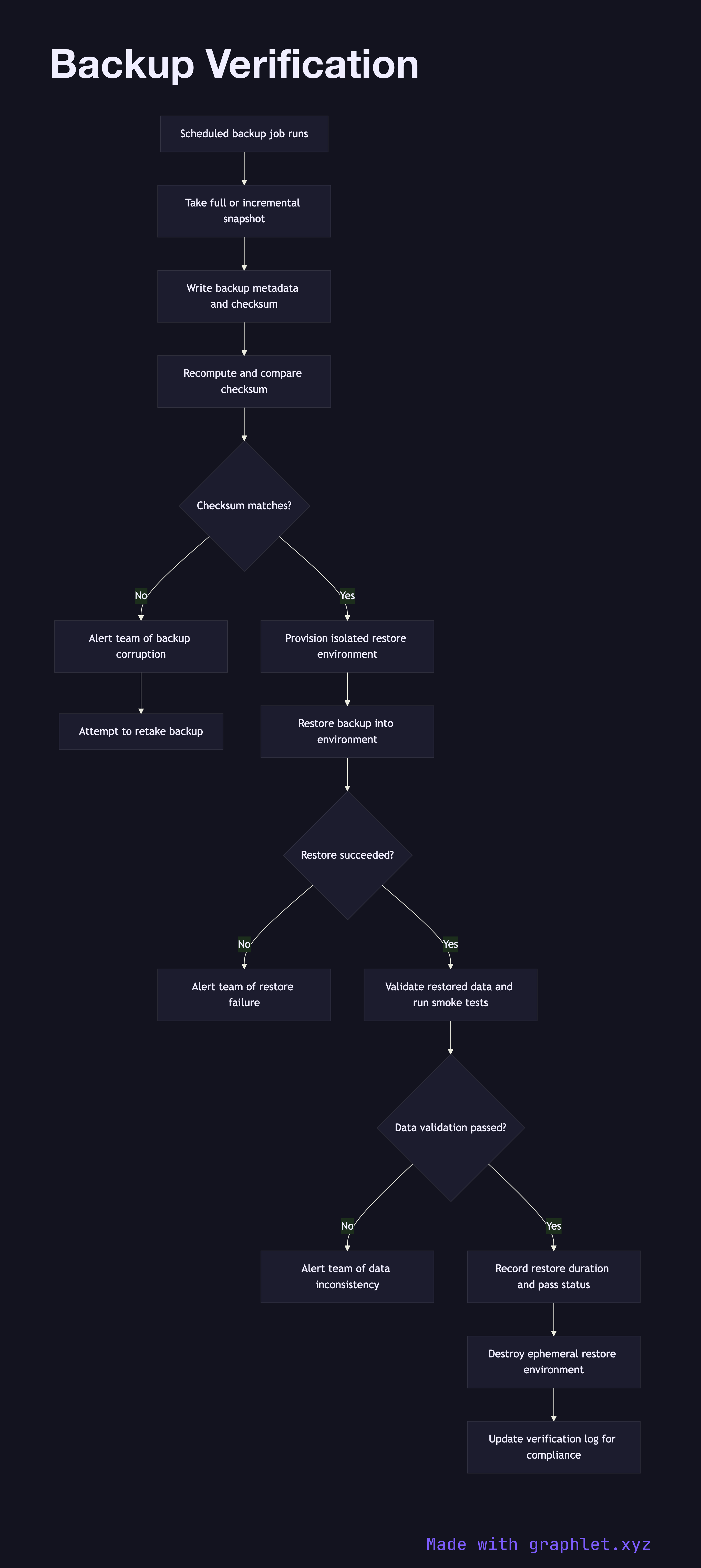
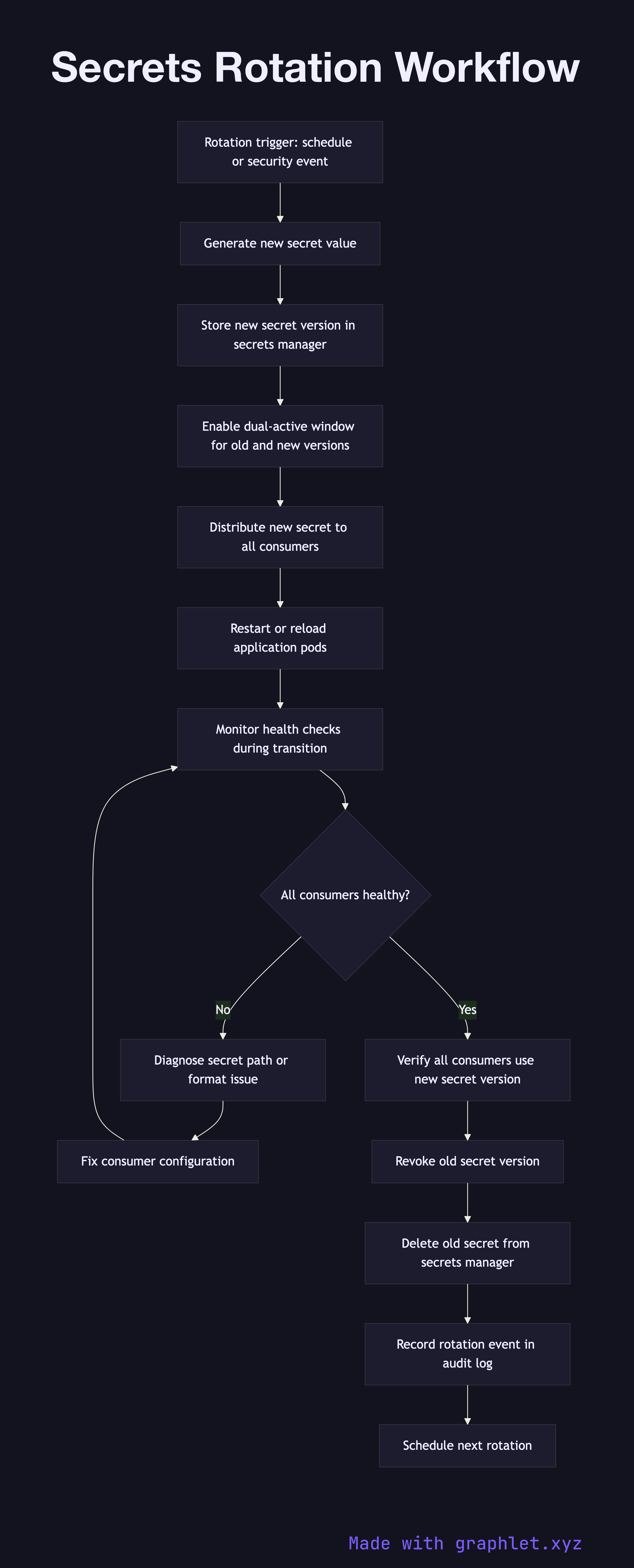
On the operational side, the observability triad is covered by Observability Pipeline, Metrics Collection, and Log Aggregation Pipeline. Incident workflows — Alerting Workflow, Incident Management Flow, and Disaster Recovery Plan — complete the reliability picture. Security is addressed through Backup Verification and Secrets Rotation Workflow. Every diagram is free to edit and export in Graphlet.

All diagrams 20 examples
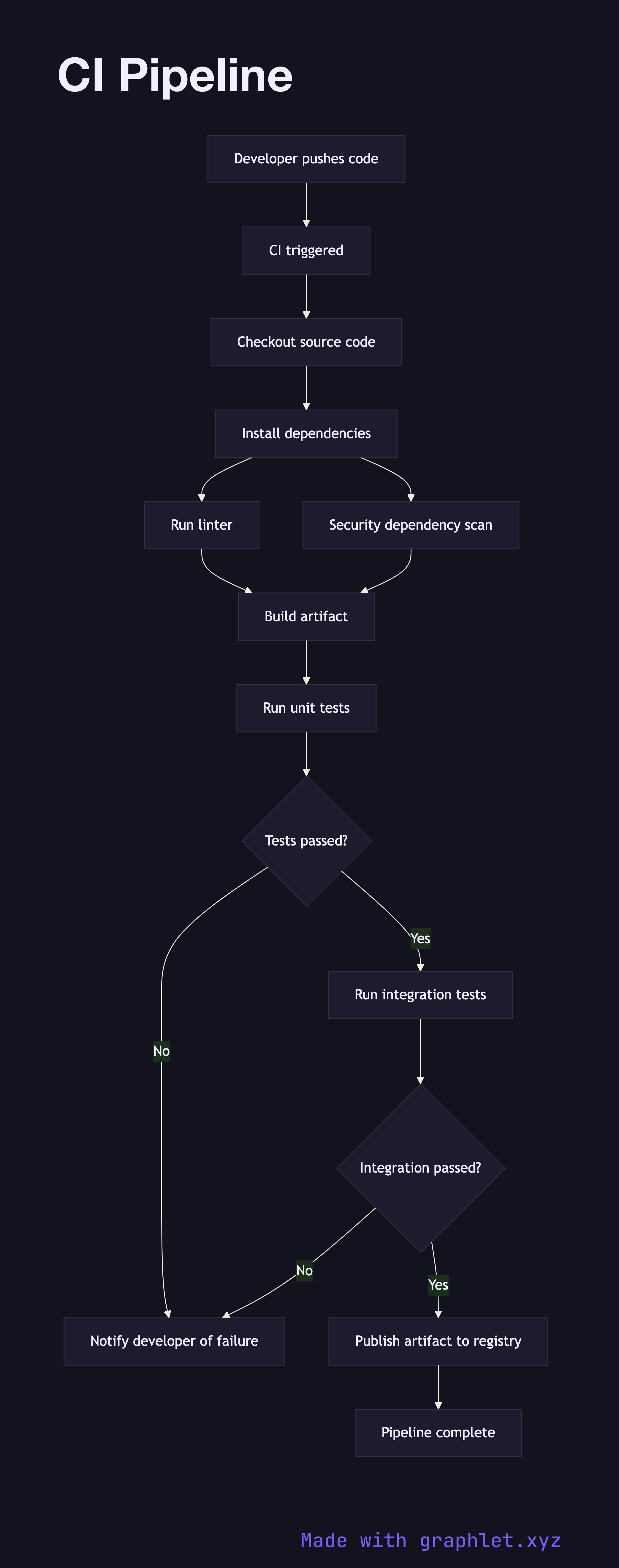
CI Pipeline flowchart diagram
CI Pipeline
flowchart
CD Pipeline flowchart diagram
CD Pipeline
flowchart
Git Workflow flowchart diagram
Git Workflow
flowchart
Git Branch Strategy flowchart diagram
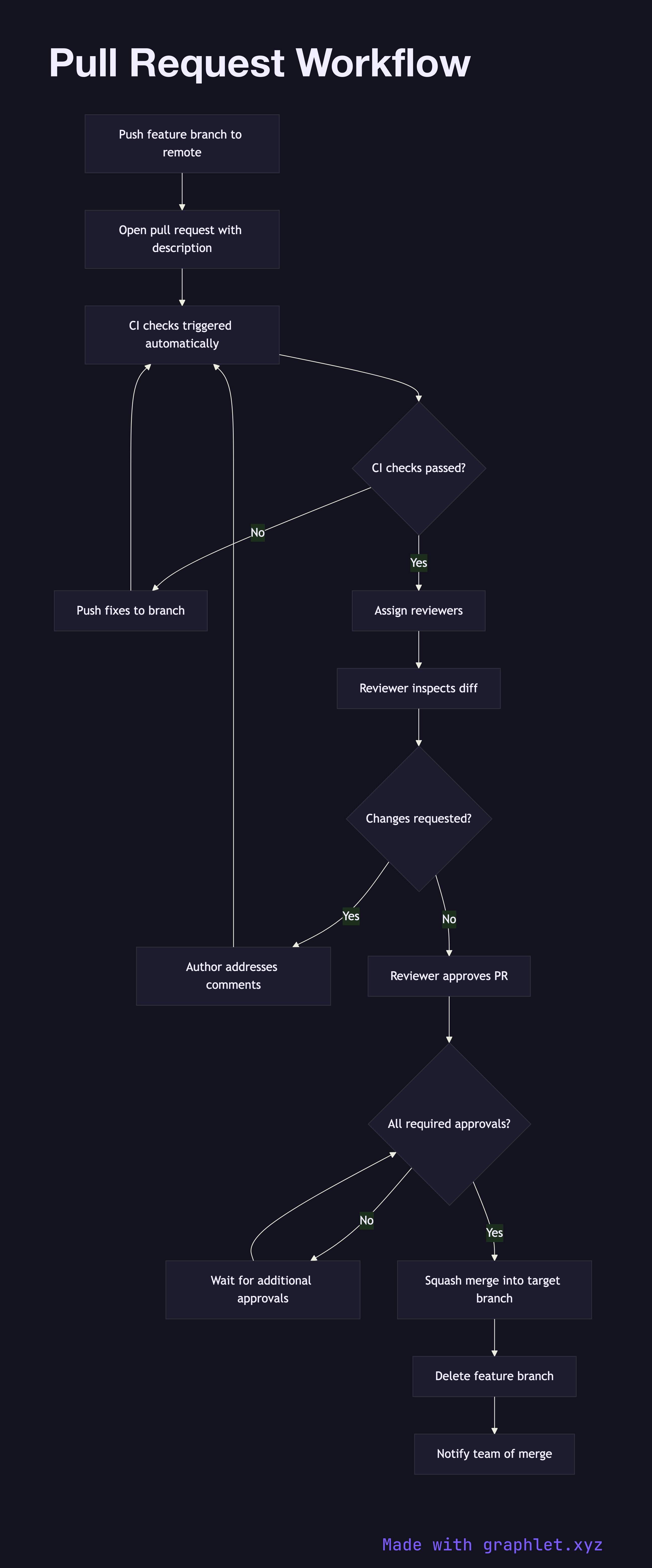
Git Branch Strategy
flowchart
Pull Request Workflow flowchart diagram
Pull Request Workflow
flowchart
Build Pipeline flowchart diagram
Build Pipeline
flowchart
Artifact Storage Pipeline flowchart diagram
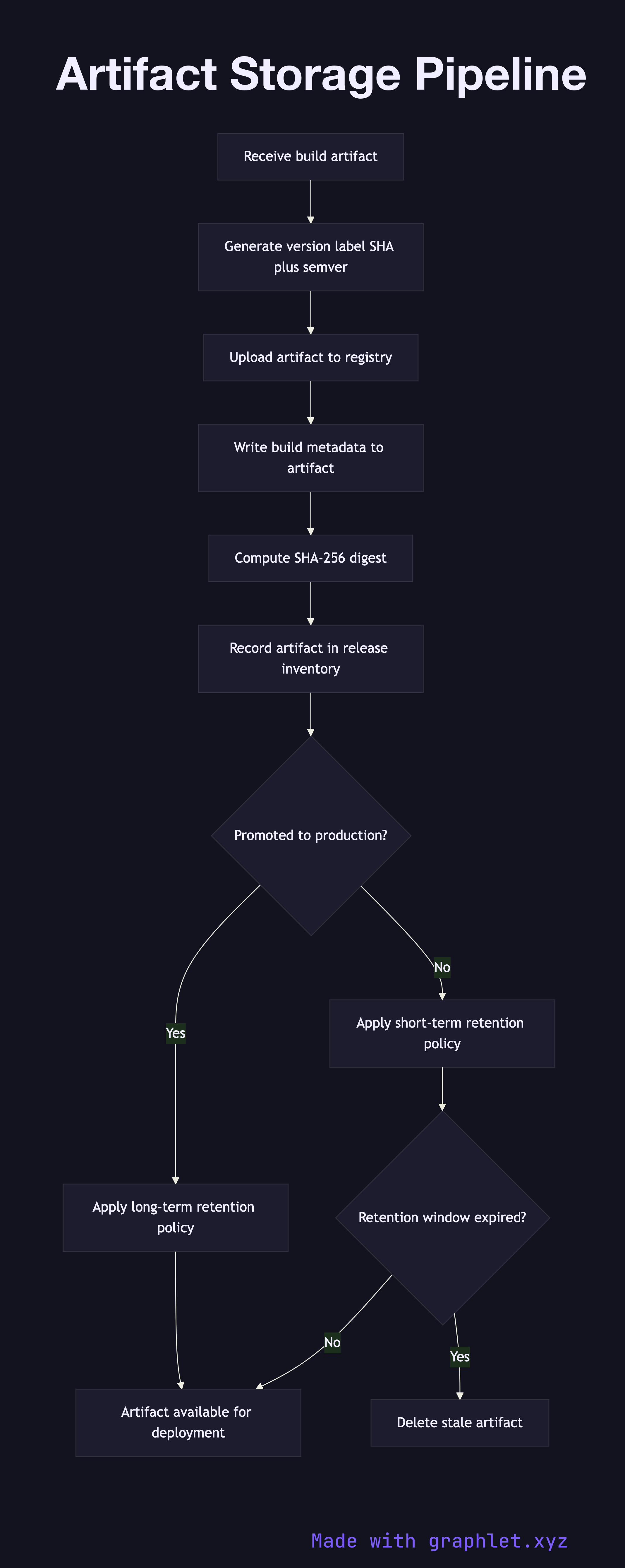
Artifact Storage Pipeline
flowchart
Deployment Approval Flow flowchart diagram
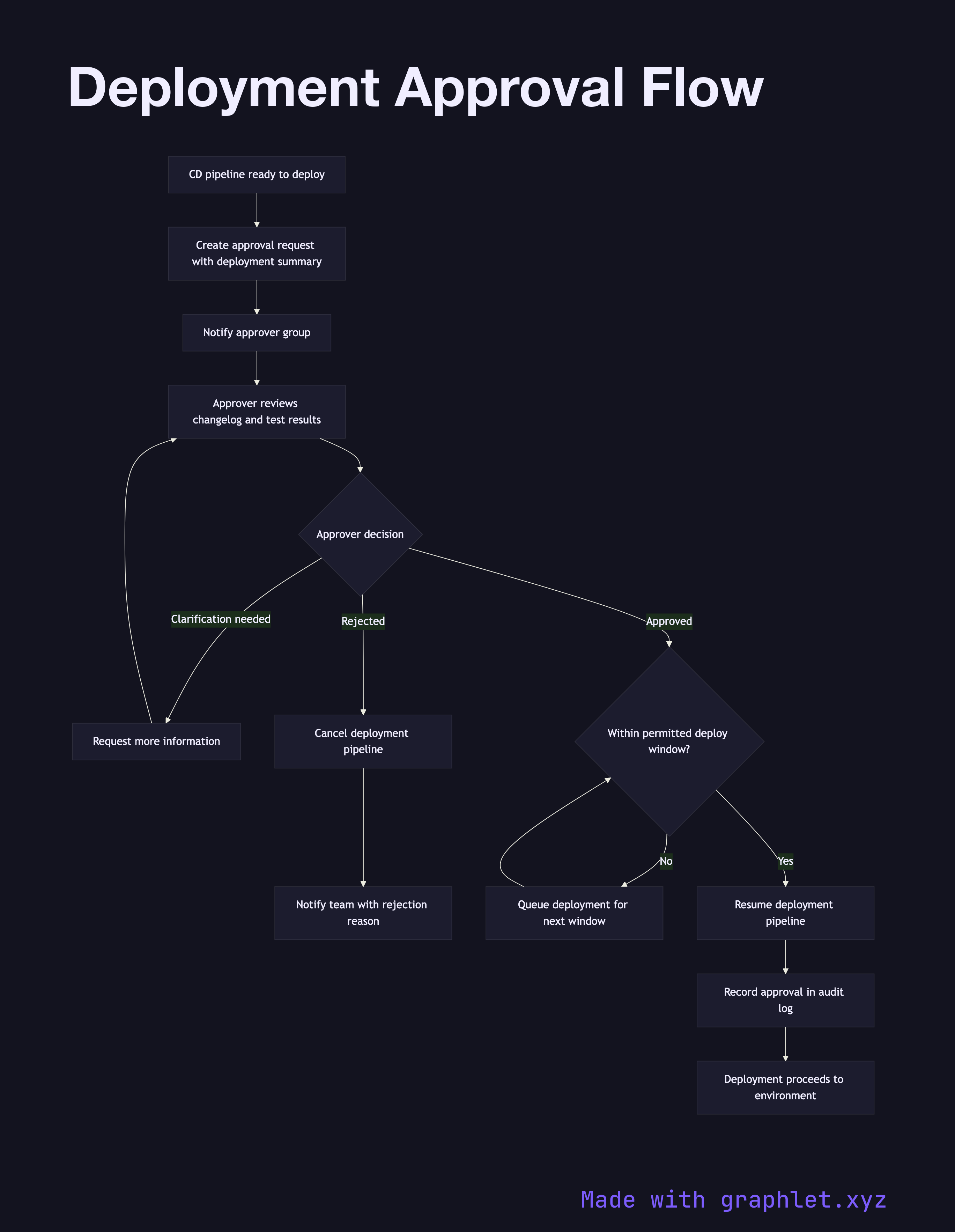
Deployment Approval Flow
flowchart
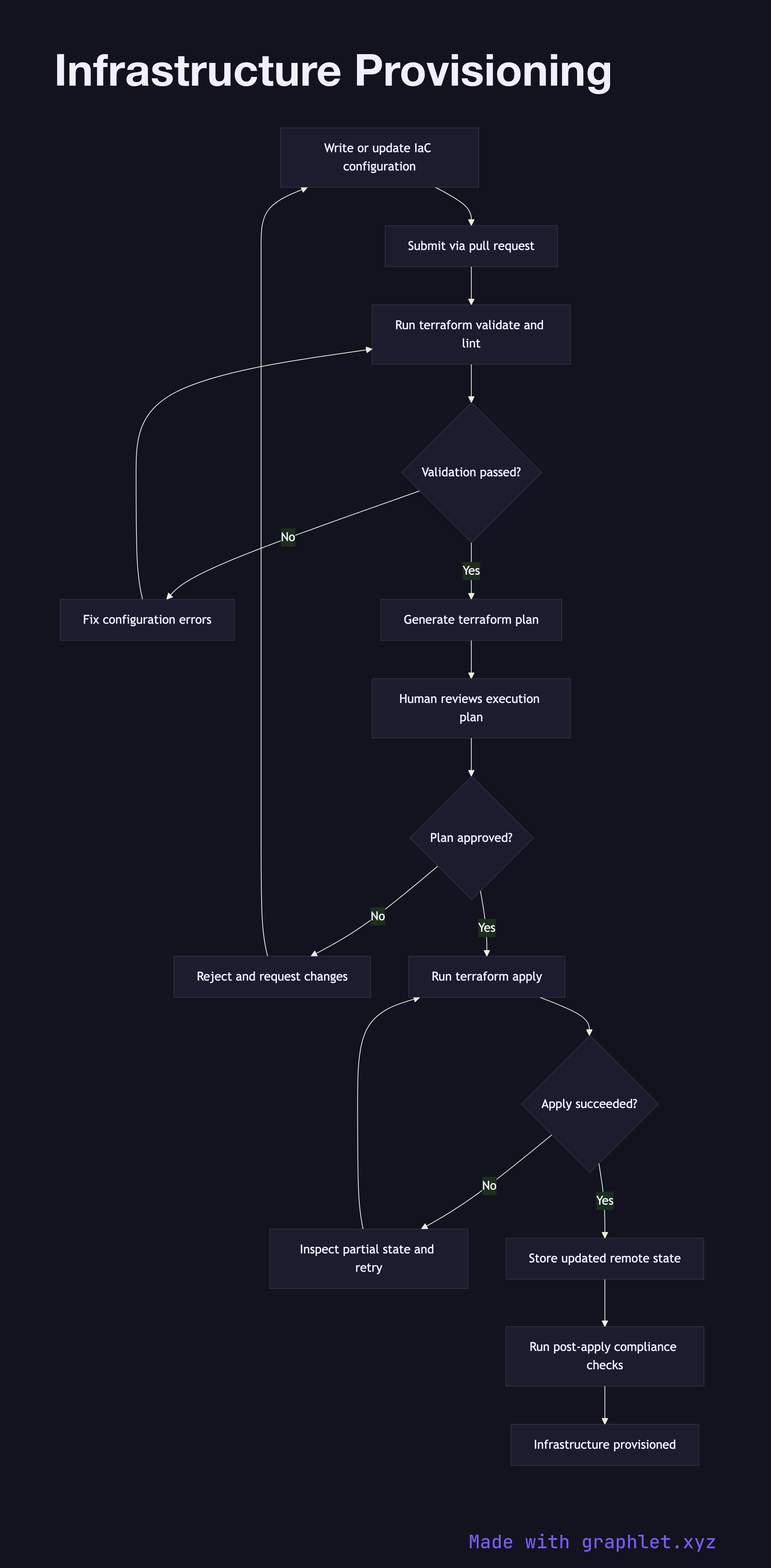
Infrastructure Provisioning flowchart diagram
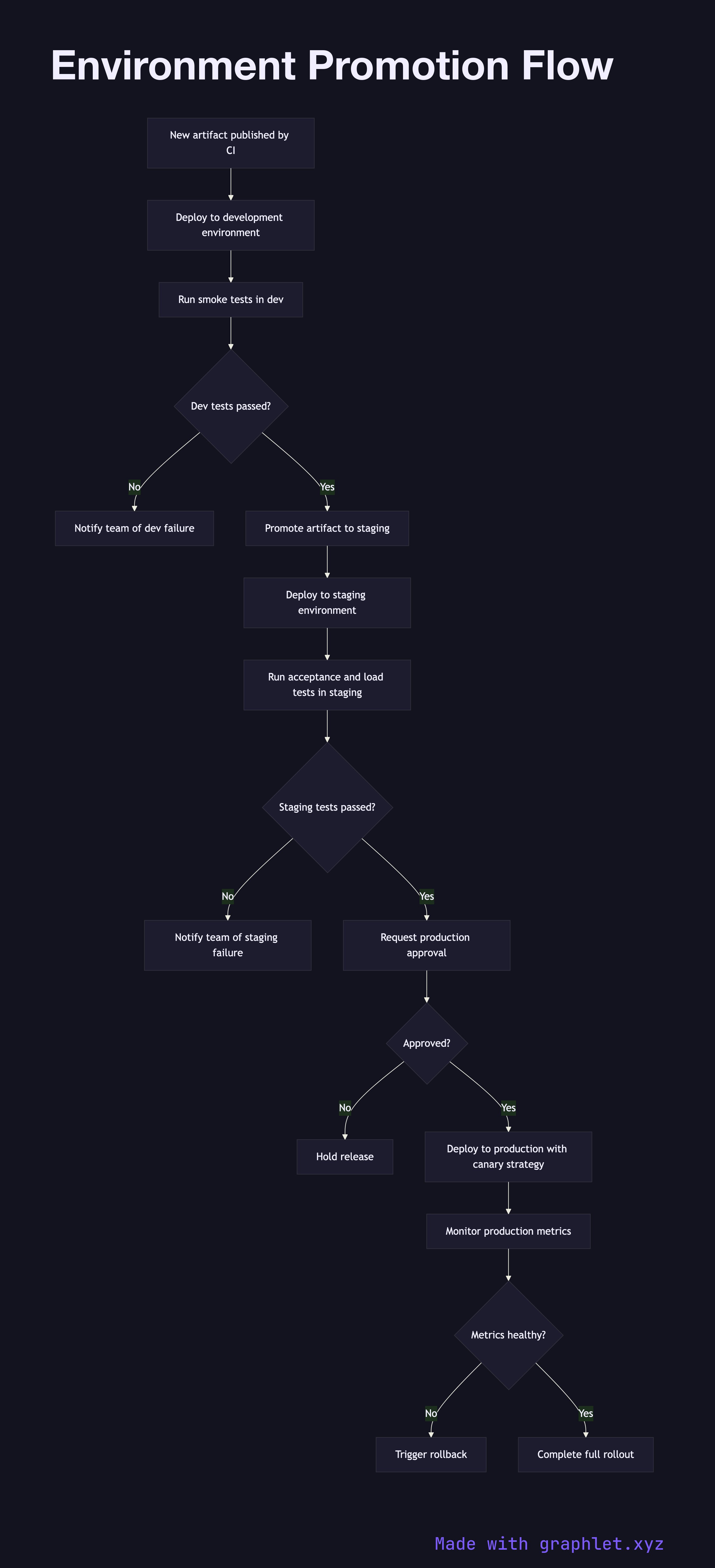
Infrastructure Provisioning
flowchart
Environment Promotion Flow flowchart diagram
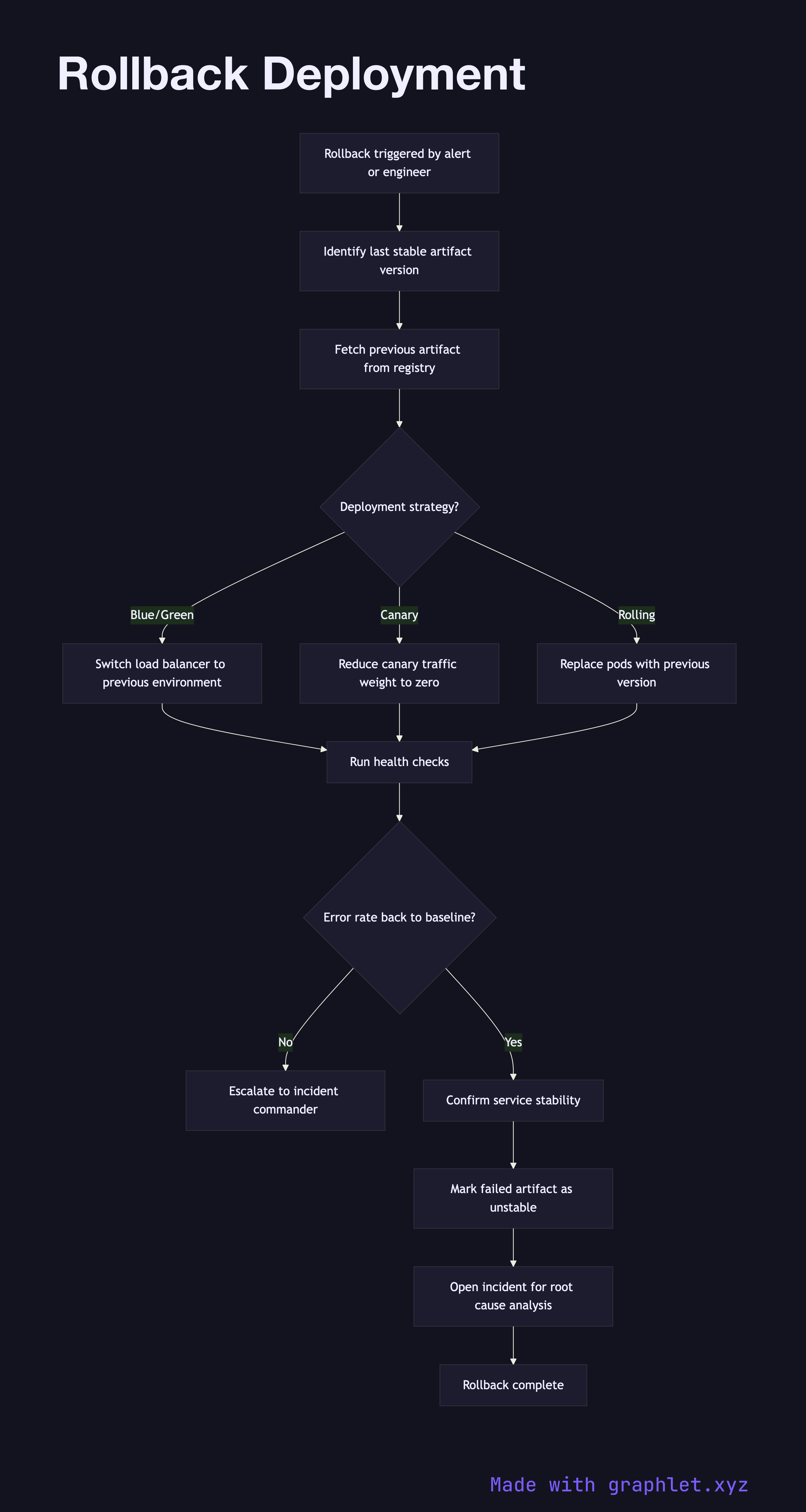
Environment Promotion Flow
flowchart
Rollback Deployment flowchart diagram
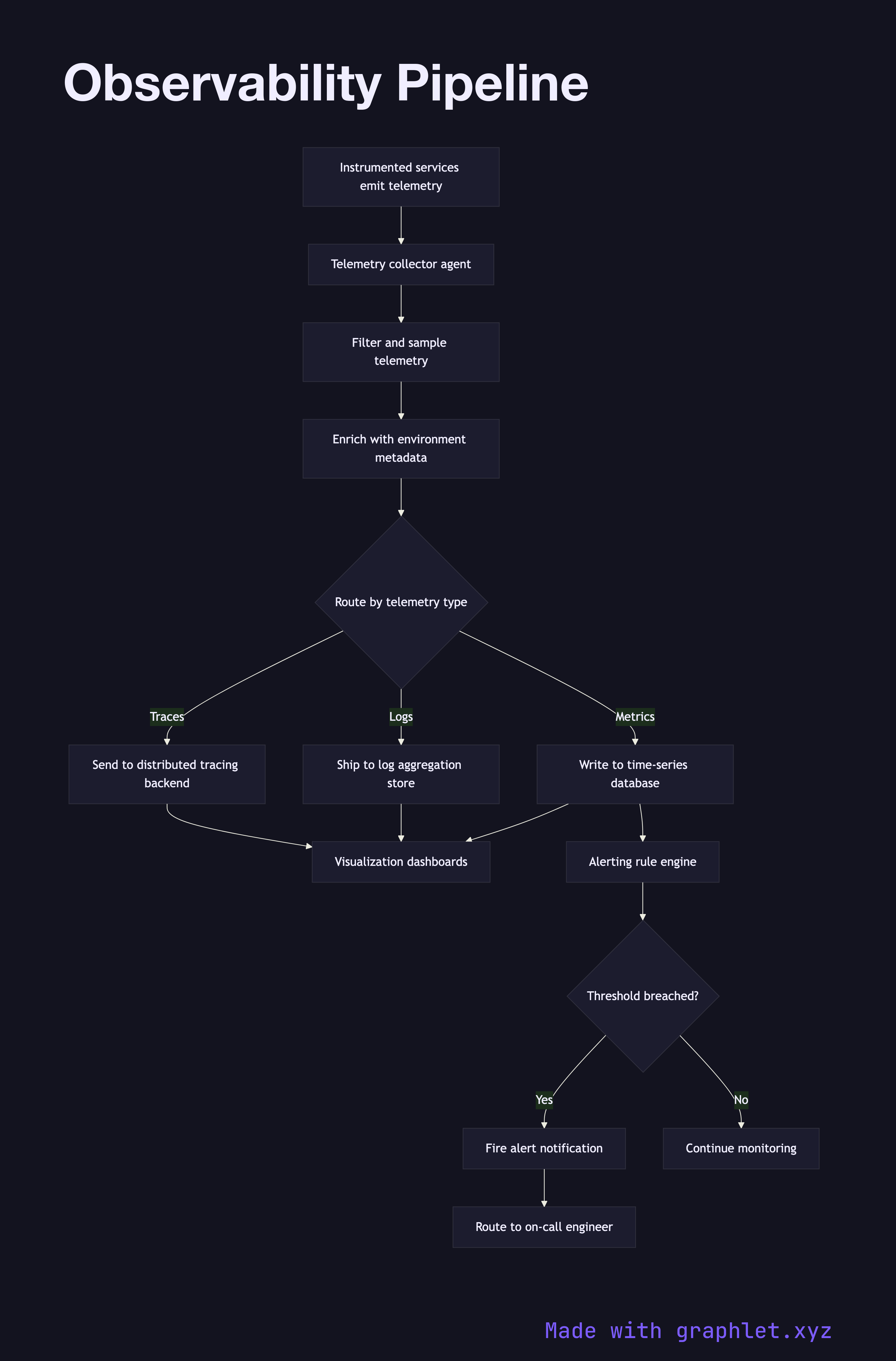
Rollback Deployment
flowchart
Observability Pipeline flowchart diagram
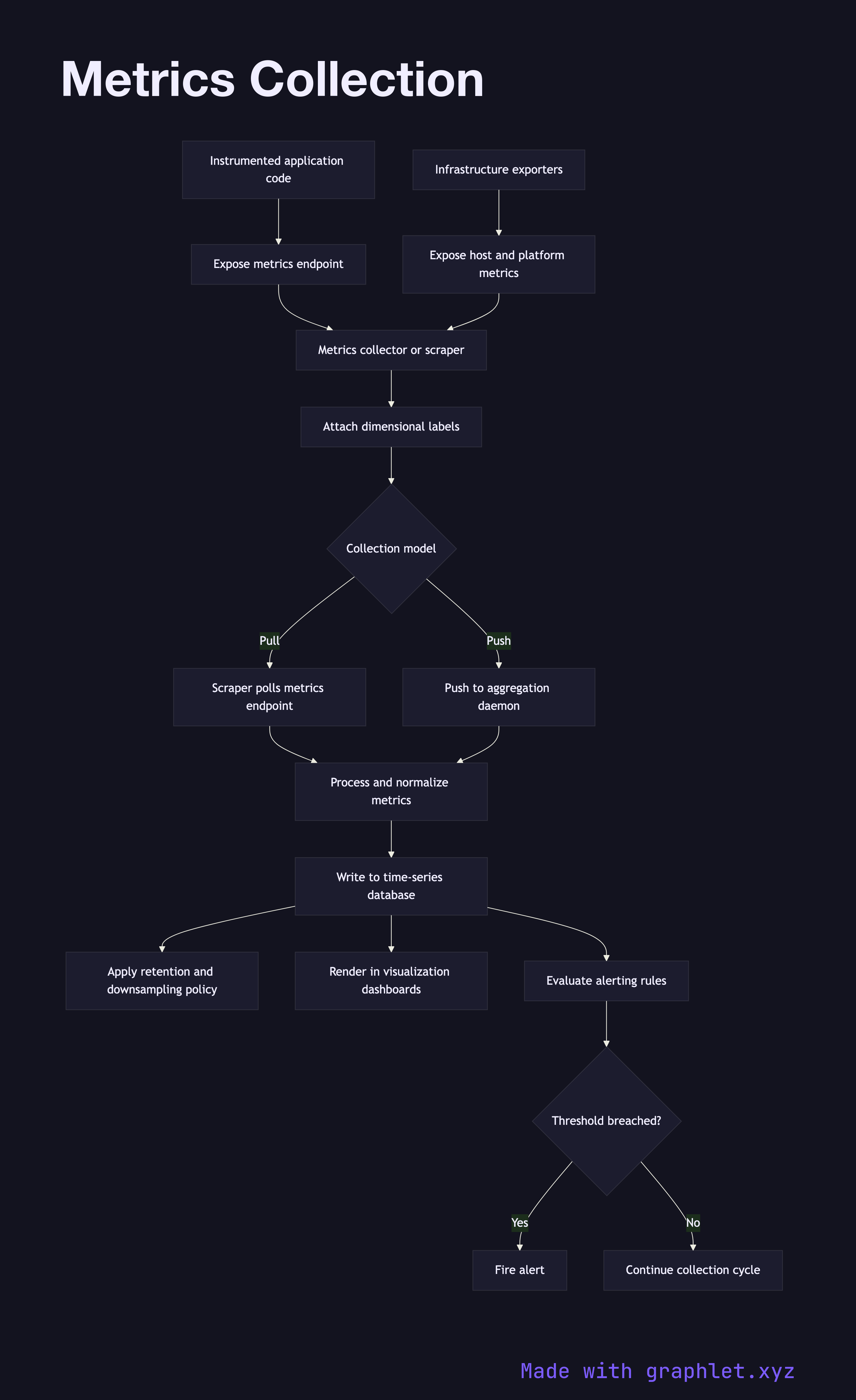
Observability Pipeline
flowchart
Metrics Collection flowchart diagram
Metrics Collection
flowchart
Log Aggregation Pipeline flowchart diagram
Log Aggregation Pipeline
flowchart
Alerting Workflow flowchart diagram
Alerting Workflow
flowchart
Incident Management Flow flowchart diagram
Incident Management Flow
flowchart
Disaster Recovery Plan flowchart diagram
Disaster Recovery Plan
flowchart
Backup Verification flowchart diagram
Backup Verification
flowchart
Infrastructure Drift Detection flowchart diagram
Infrastructure Drift Detection
flowchart
Secrets Rotation Workflow flowchart diagram
Secrets Rotation Workflow
flowchart

Frequently asked questions

A DevOps diagram visualizes a pipeline, workflow, or operational process — such as a CI/CD pipeline, Git branching strategy, or incident response flow — as a flowchart or sequence diagram. These diagrams make abstract automation legible for both engineers and stakeholders.
Mermaid diagrams are written as plain text that renders to a visual chart, making them easy to version-control alongside code. DevOps teams use them to document pipelines, onboard new engineers, and keep runbooks up to date without needing a separate diagramming tool.
The collection spans the full DevOps lifecycle: continuous integration and delivery, Git source control workflows, artifact management, infrastructure as code, environment promotion, observability, alerting, incident management, disaster recovery, and secrets rotation.
CI (Continuous Integration) validates every code change automatically — running tests and building artifacts on each commit. CD (Continuous Delivery/Deployment) takes a validated artifact and automates its release through staging and production environments, often with approval gates between stages.
Infrastructure as code (Terraform, Pulumi) declares and provisions cloud resources — networks, compute, databases — from scratch. Configuration management (Ansible, Chef) installs software and applies settings to existing servers. Modern DevOps teams often use both: IaC to provision infrastructure and configuration management to configure the software running on it.
Free online editor
Edit any diagram in Graphlet
Open, fork, and export to SVG or PNG. No sign-up required.
Open Graphlet →