Deployment Approval Flow
A deployment approval flow is the governance process that requires explicit human or automated authorization before a new version of an application is released to a controlled environment, balancing speed of delivery with risk management.
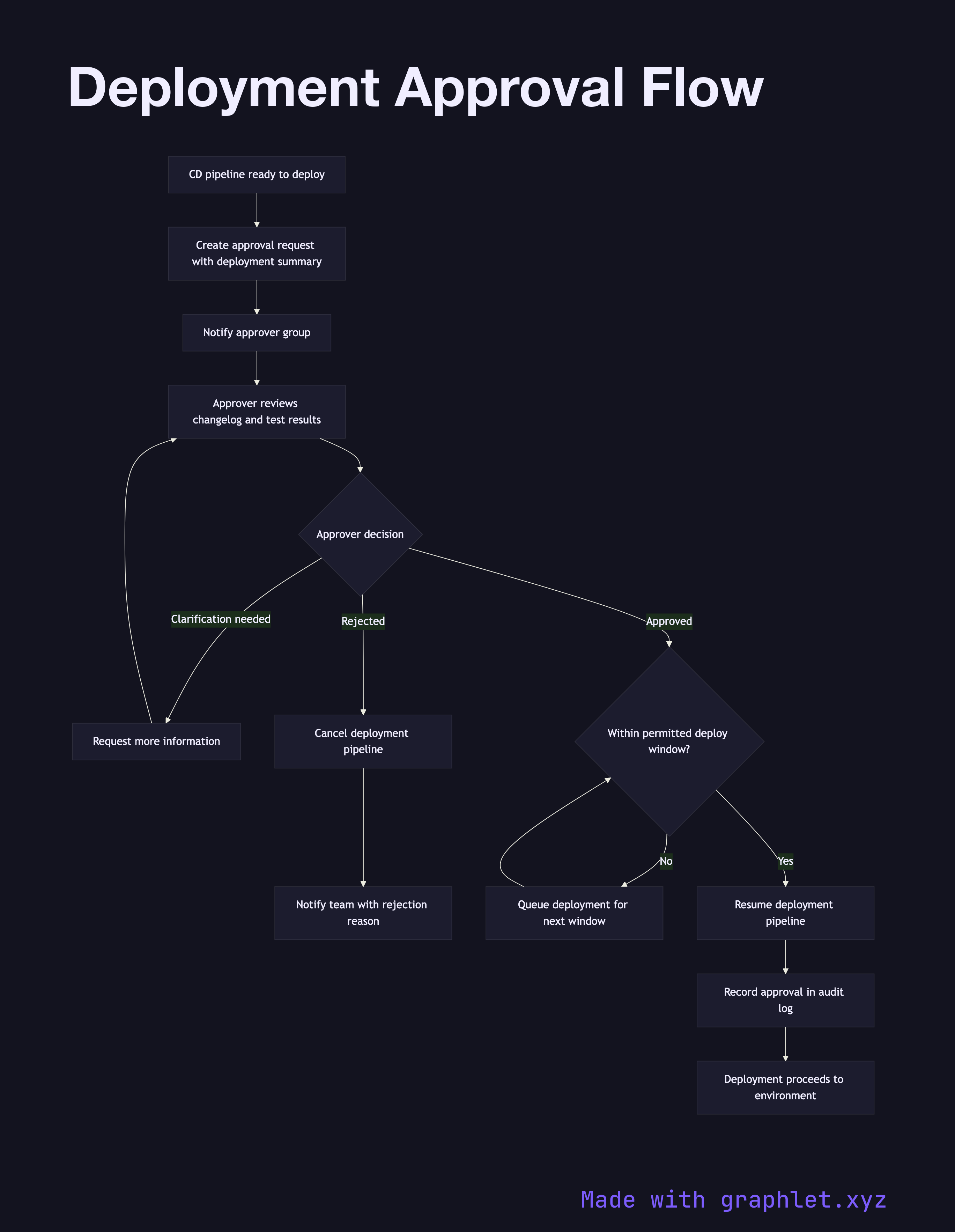
A deployment approval flow is the governance process that requires explicit human or automated authorization before a new version of an application is released to a controlled environment, balancing speed of delivery with risk management.
How the flow works
The flow is triggered when the CD Pipeline completes all automated checks in a lower environment and is ready to promote to a higher one — usually staging-to-production or pre-prod-to-prod. The pipeline pauses and creates an approval request, attaching a deployment summary: the version being deployed, the changelog since the last release, the test results, and the name of the engineer requesting the deployment.
The approval request is routed to the designated approver group. This might be a dedicated release manager, the on-call engineer, a product owner, or an automated policy engine. The approver reviews the attached summary and makes a decision: approve or reject. If the approver needs more information, they can request clarification, placing the request back in a pending state.
If the deployment is rejected, the pipeline is cancelled and the requesting team is notified with the rejection reason, allowing them to address concerns and resubmit. If approved, the pipeline resumes and the deployment proceeds to the target environment.
Some organizations implement time-window constraints — deployments are only permitted during business hours or outside peak traffic periods. The approval flow can enforce these windows automatically, queuing approved deployments until the next permitted window opens.
Capturing every approval decision creates an audit trail that is invaluable for compliance reviews and incident post-mortems.