Multi Tenant Auth
Multi-tenant authentication is the architecture pattern used by SaaS applications to authenticate users from many different customer organizations ("tenants"), each potentially using a different identity system, while keeping their data and identities strictly isolated from one another.
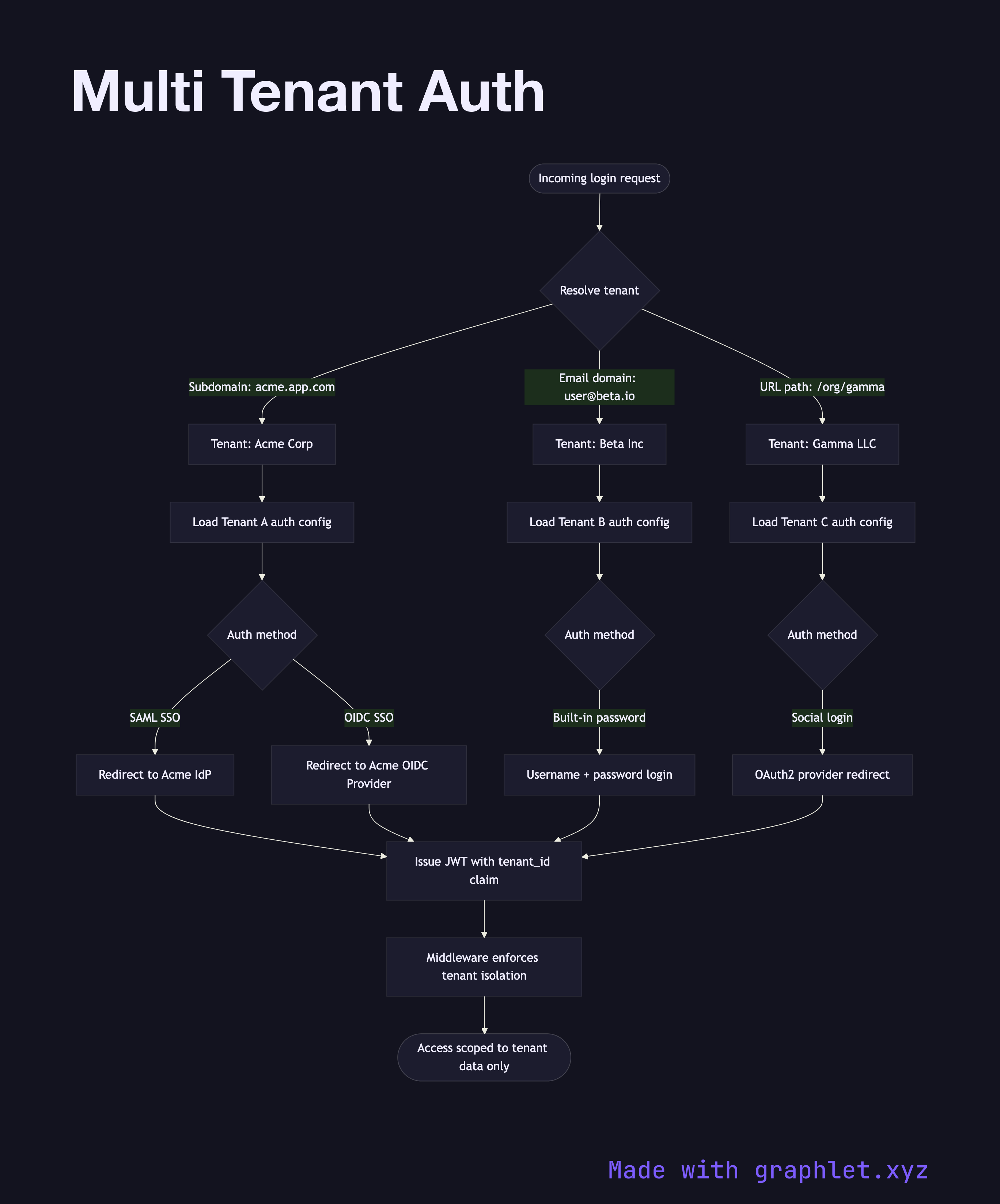
Multi-tenant authentication is the architecture pattern used by SaaS applications to authenticate users from many different customer organizations ("tenants"), each potentially using a different identity system, while keeping their data and identities strictly isolated from one another.
The central challenge is tenant resolution: when a request arrives, the system must determine which tenant the user belongs to before it can authenticate them. Common resolution strategies include subdomain-based routing (acme.yourapp.com routes to the Acme tenant), a login-time domain lookup (the user enters their email and the system derives the tenant from the domain), or an explicit tenant ID in the URL path.
Once the tenant is identified, the authentication configuration for that tenant is loaded. Each tenant may have its own configuration: some tenants use username/password with your app's built-in auth; others bring their own identity provider via SAML Authentication Flow or OpenID Connect Flow (enterprise SSO); others may authenticate via Social Login Flow. The authentication engine routes accordingly.
After authentication, tenant context is embedded in the session or access token — typically a tenant_id claim in a JWT. Every subsequent authorization decision, data query, and audit log entry is scoped to this tenant ID. Middleware enforces that users can only access resources belonging to their own tenant, even if they somehow obtain a valid token intended for another tenant.
Role and permission structures in multi-tenant systems are per-tenant: Tenant A's admin role may have completely different permissions than Tenant B's admin role. The data modeling for this is shown in Role Hierarchy Structure. The overall access decision process is covered in Access Control Decision Flow.