Rollback Deployment
A rollback deployment is the emergency process of reverting a production environment from a failing new version back to the last known-good version, restoring service health as quickly as possible when post-deployment monitoring detects problems.
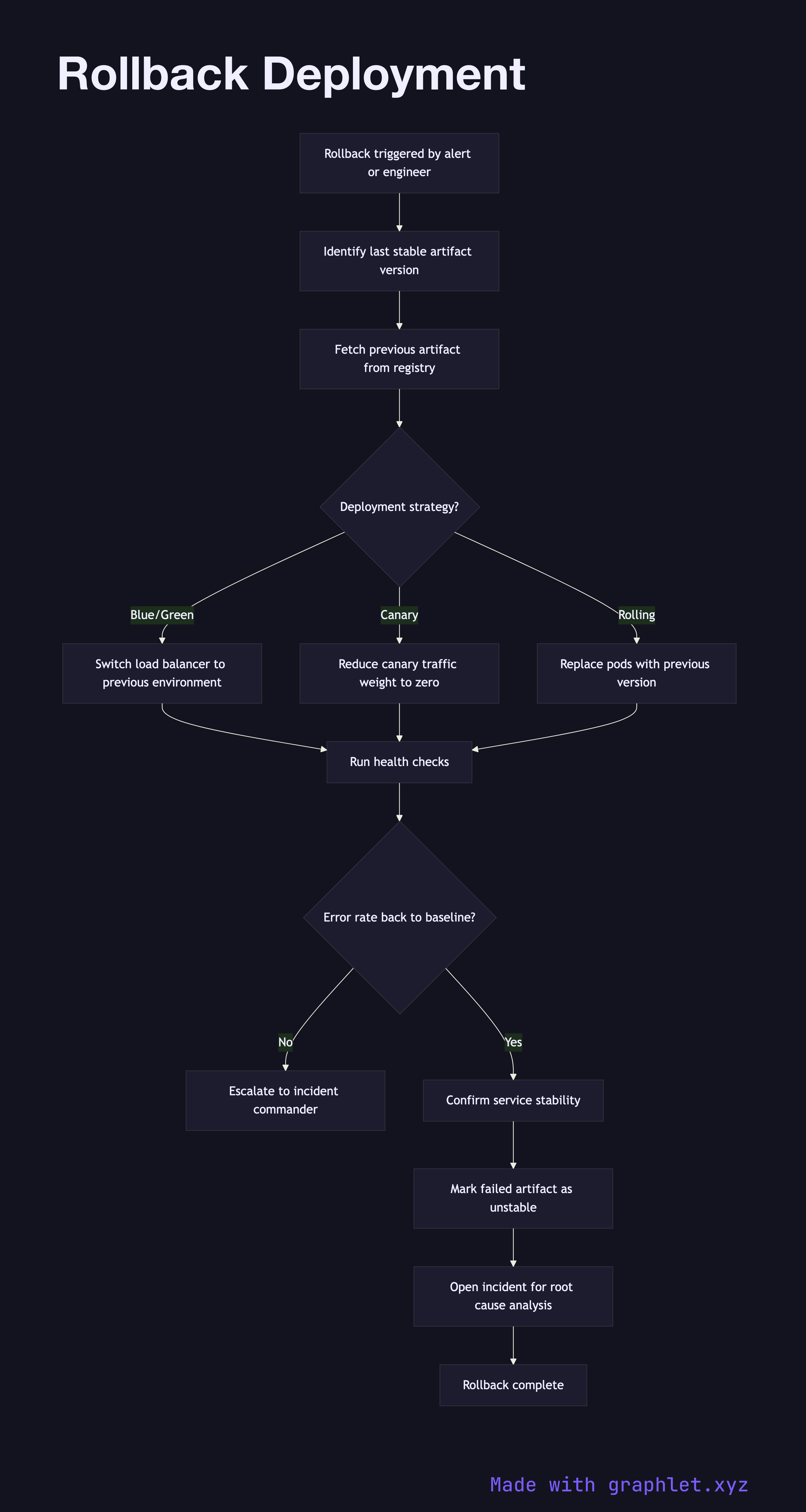
A rollback deployment is the emergency process of reverting a production environment from a failing new version back to the last known-good version, restoring service health as quickly as possible when post-deployment monitoring detects problems.
How the rollback works
A rollback is triggered either automatically — when monitoring thresholds are breached (error rate spike, latency increase, failed health checks) — or manually by an on-call engineer who observes degradation that automated alerts have not yet caught.
The first action is to identify the last stable artifact version. This is retrieved from the release inventory in the Artifact Storage Pipeline, which records the version tag and digest of every previously deployed artifact. The inventory is queried for the deployment immediately preceding the current one.
With the rollback target identified, the deployment system begins shifting traffic back to the previous version. The mechanism depends on the deployment strategy in use: in a blue/green setup, the load balancer route is switched back to the blue environment in seconds. In a canary deployment, canary traffic weight is reduced to zero. In a rolling deployment, pods are progressively replaced with instances of the prior version.
During rollback, monitoring continues in real time. Once the error rate returns to baseline and health checks pass consistently, the rollback is considered complete. The incident remains open — the root cause of the failure must be investigated (see Incident Management Flow) before the new version is re-deployed. The failed artifact is marked as unstable in the release inventory to prevent accidental re-promotion.