Certificate Authority Chain
A Certificate Authority (CA) chain — also called a chain of trust or certificate chain — is a hierarchical sequence of certificates linking an end-entity certificate (issued to a website or service) back to a trusted root certificate that browsers and operating systems ship with.
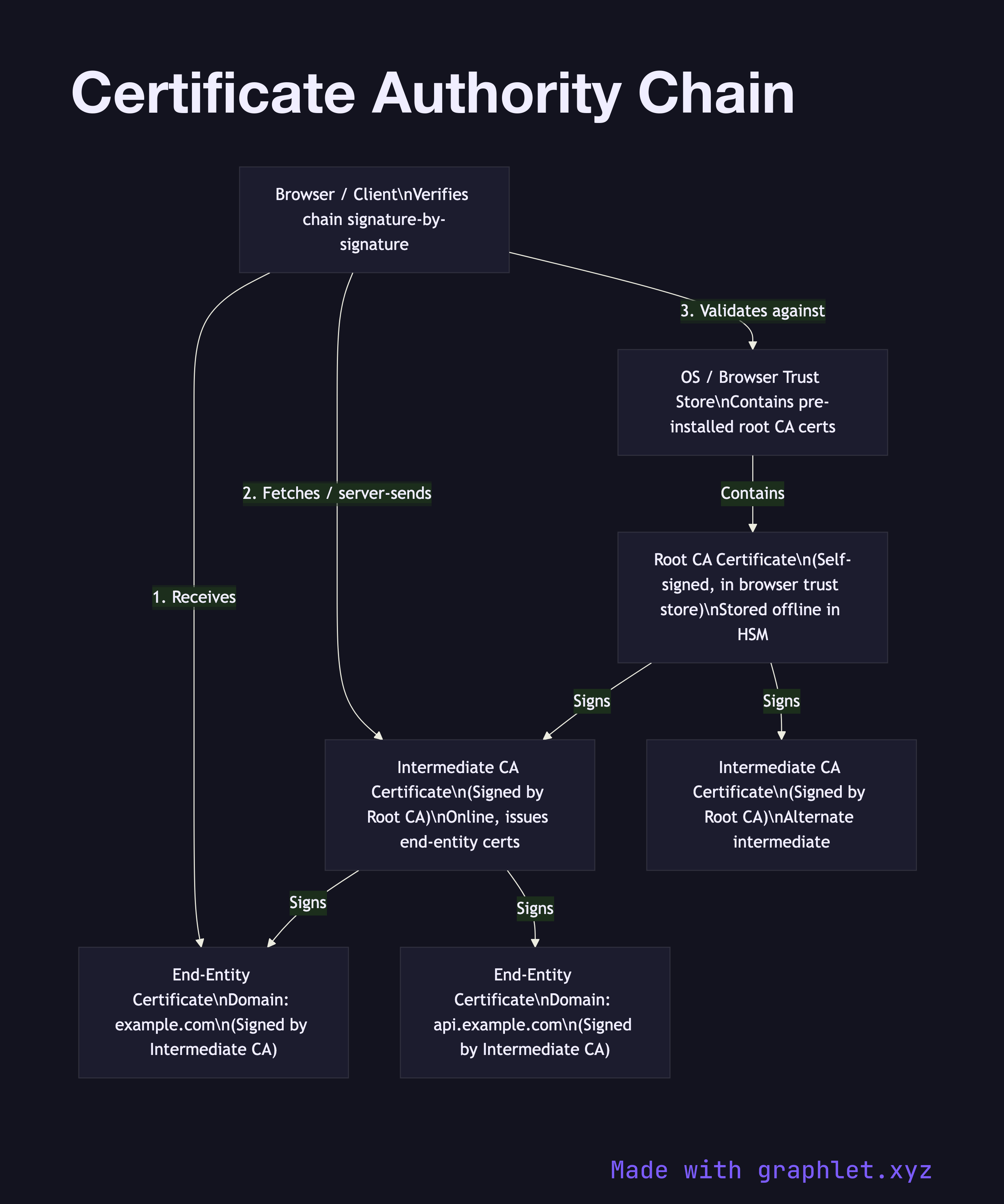
A Certificate Authority (CA) chain — also called a chain of trust or certificate chain — is a hierarchical sequence of certificates linking an end-entity certificate (issued to a website or service) back to a trusted root certificate that browsers and operating systems ship with.
The chain has three tiers. At the top sit root CAs: self-signed certificates issued by organizations like DigiCert, Let's Encrypt, and Comodo that have been audited and accepted into the root stores of major browsers and operating systems. Root CA private keys are kept offline in hardware security modules (HSMs) inside physically secured facilities, because compromising a root CA would invalidate trust for potentially millions of certificates.
Because root keys are kept offline, day-to-day issuance is handled by intermediate CAs. A root CA signs an intermediate CA certificate, delegating the right to issue certificates within defined constraints. Intermediate CAs are online and active, but their certificates can be revoked if compromised without touching the root. Most certificate hierarchies use one or two intermediate CAs between the root and end-entity certificates.
End-entity certificates (also called leaf certificates) are issued by an intermediate CA to a specific domain, organization, or individual. When a server presents its certificate during a TLS handshake, it typically sends its end-entity certificate plus the intermediate CA certificate(s). The browser already has the root CA certificate in its trust store and can walk the chain: verify the end-entity certificate was signed by the intermediate, verify the intermediate was signed by the root, confirm the root is trusted.
If any certificate in the chain is expired, revoked, or has an invalid signature, the entire chain fails. This design means a compromised intermediate CA can be revoked and replaced while the root remains trusted. See TLS Certificate Validation for the runtime validation process, and Digital Signature Workflow for how the signing at each level works.