Networking protocols power every web application, API call, and distributed system you build. Understanding how these protocols work at the packet and message level helps you debug latency, design resilient systems, and make informed architectural decisions.

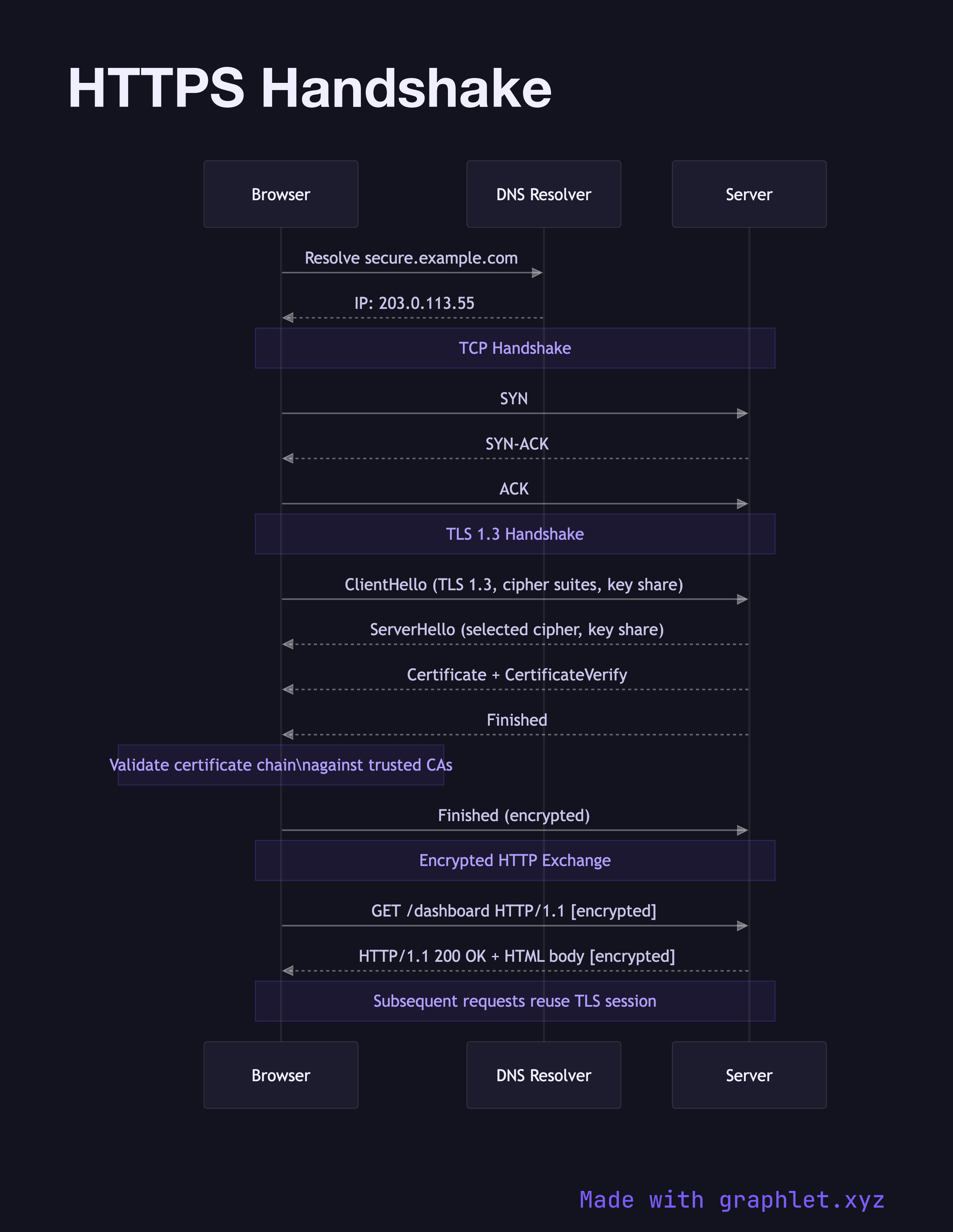
This collection covers the full stack of networking concepts developers encounter day-to-day. Start with the fundamentals: How DNS Works shows the recursive resolution process that turns a hostname into an IP address, while TCP Three-Way Handshake illustrates the connection establishment that underpins reliable transport. For secure communication, TLS Handshake and HTTPS Handshake walk through certificate negotiation and key exchange.

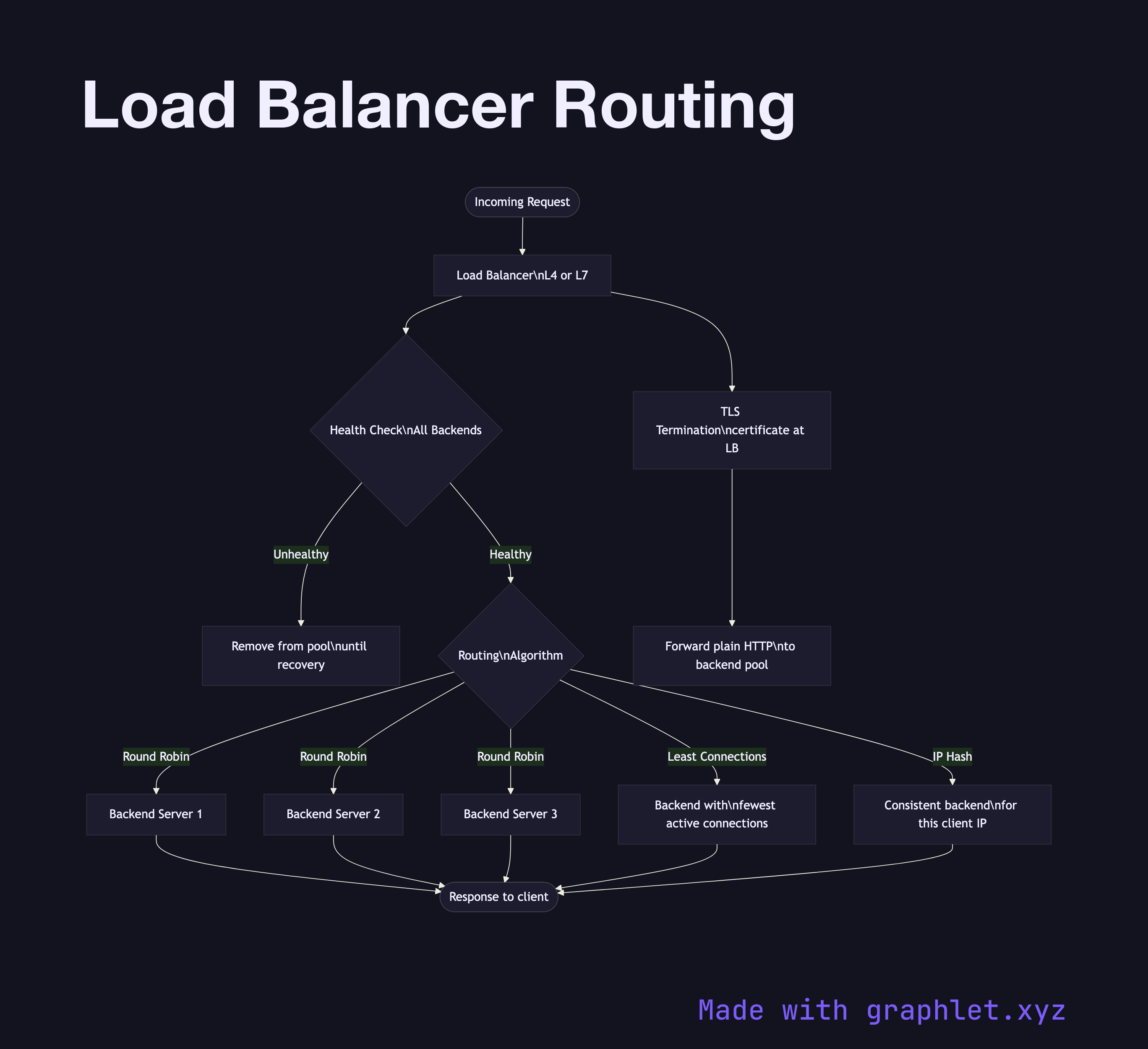
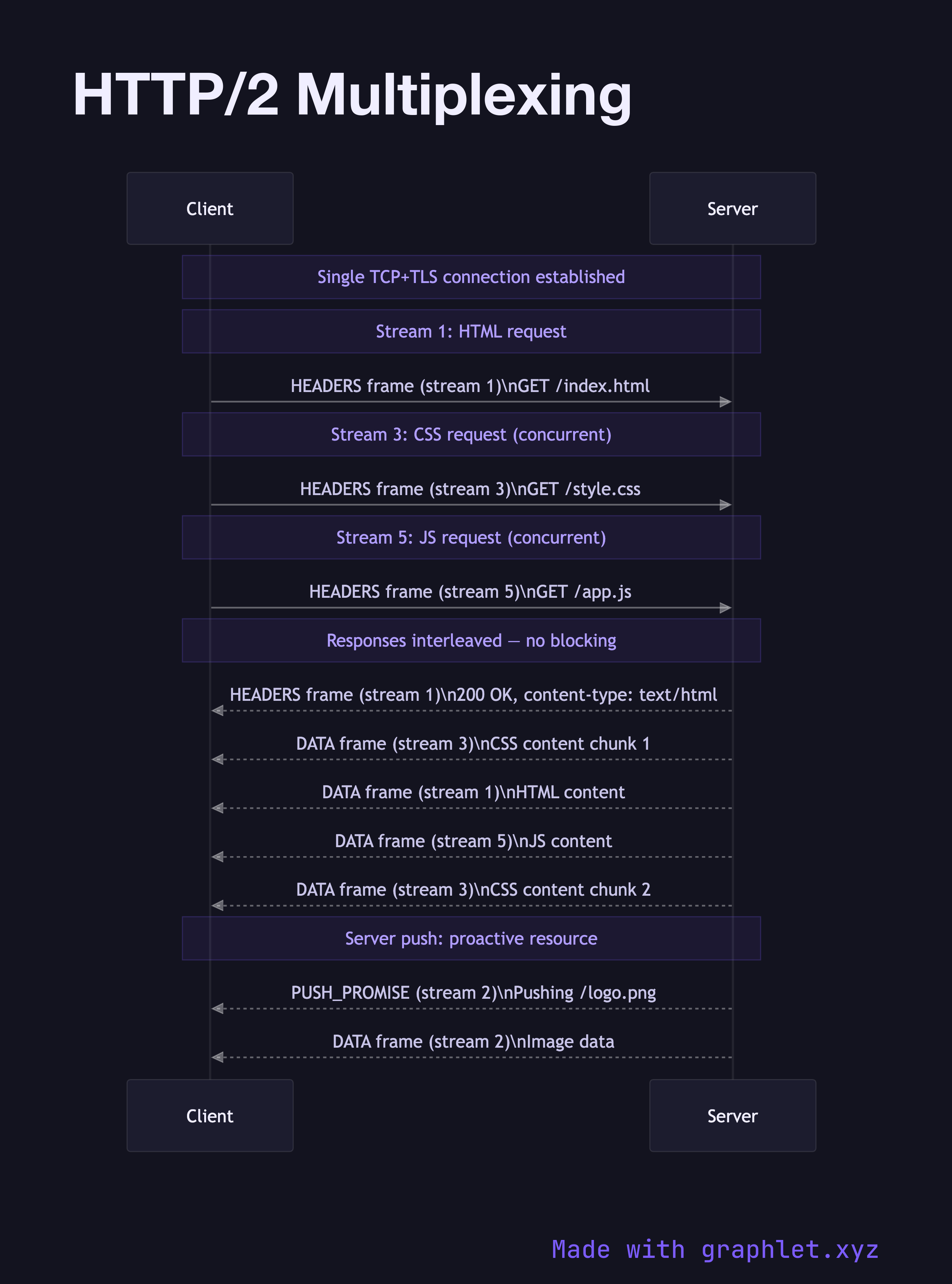
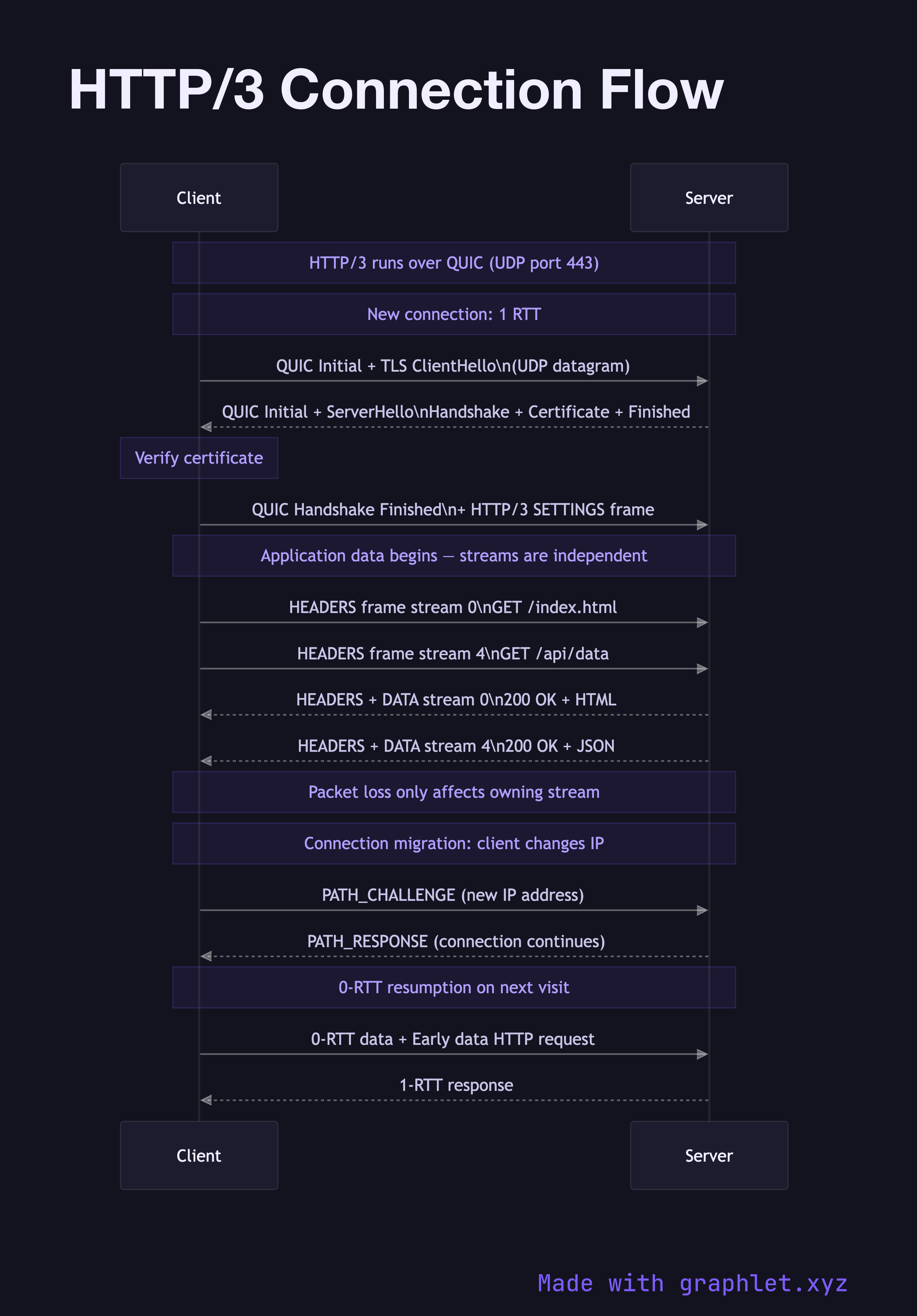
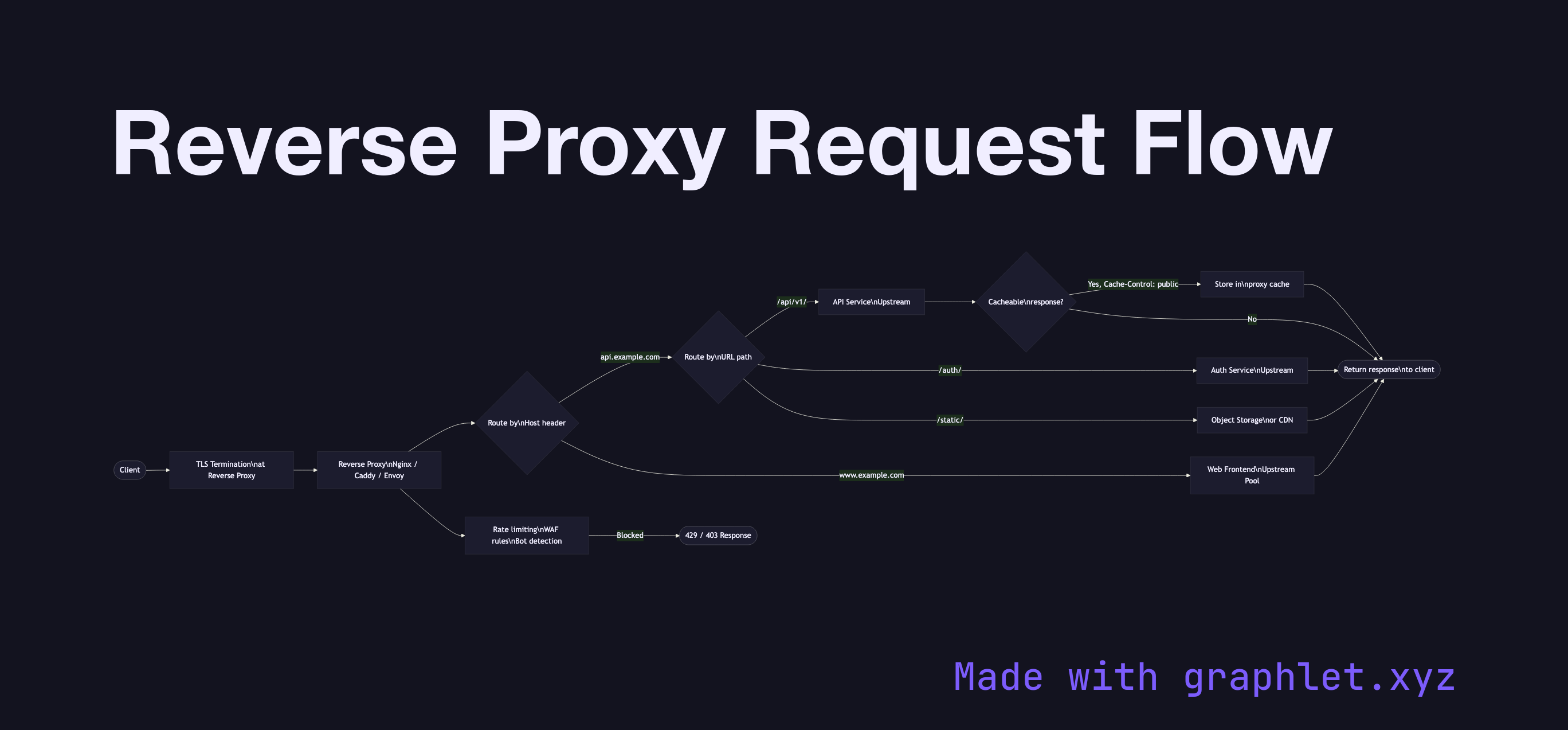
Modern protocol evolution is also well represented: compare HTTP/2 Multiplexing and HTTP/3 Connection Flow to understand how QUIC eliminates head-of-line blocking. Infrastructure diagrams like CDN Request Flow, Load Balancer Routing, and Reverse Proxy Request Flow show how traffic is distributed at scale. Security-focused entries including Firewall Packet Filtering, NAT Translation Flow, and VPN Tunnel Setup round out the collection. Every diagram is free to edit and export directly in Graphlet.

All diagrams 30 examples
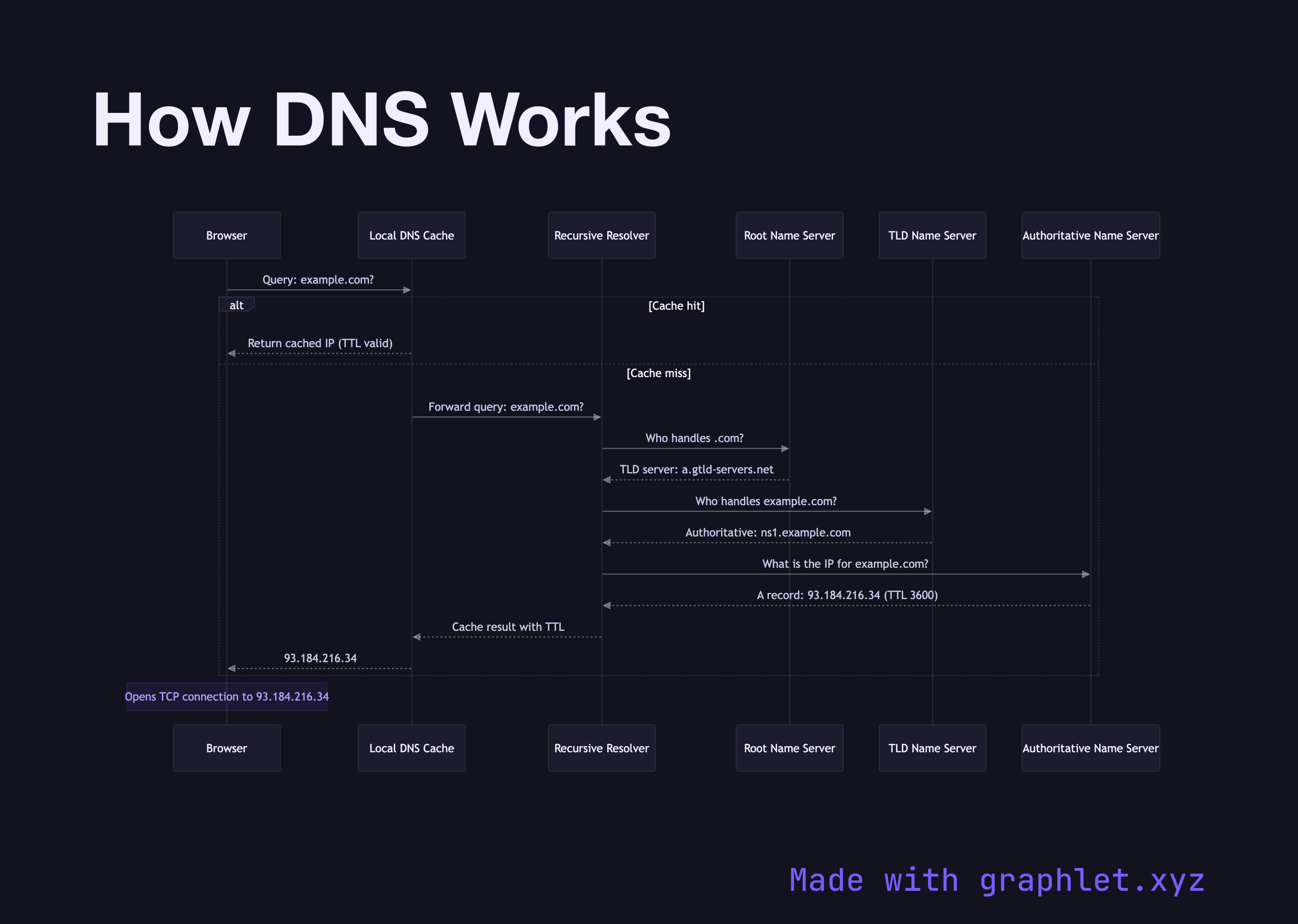
How DNS Works sequence diagram
How DNS Works
sequence
DNS Recursive Resolution sequence diagram
DNS Recursive Resolution
sequence
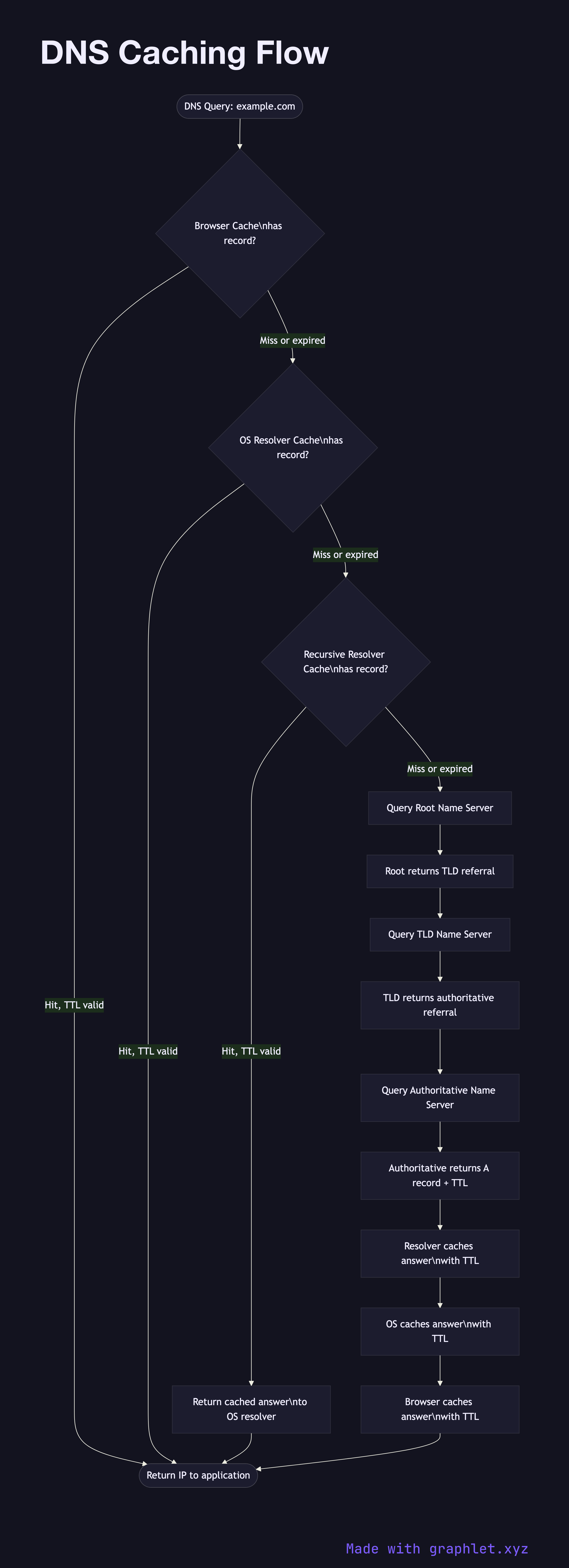
DNS Caching Flow flowchart diagram
DNS Caching Flow
flowchart
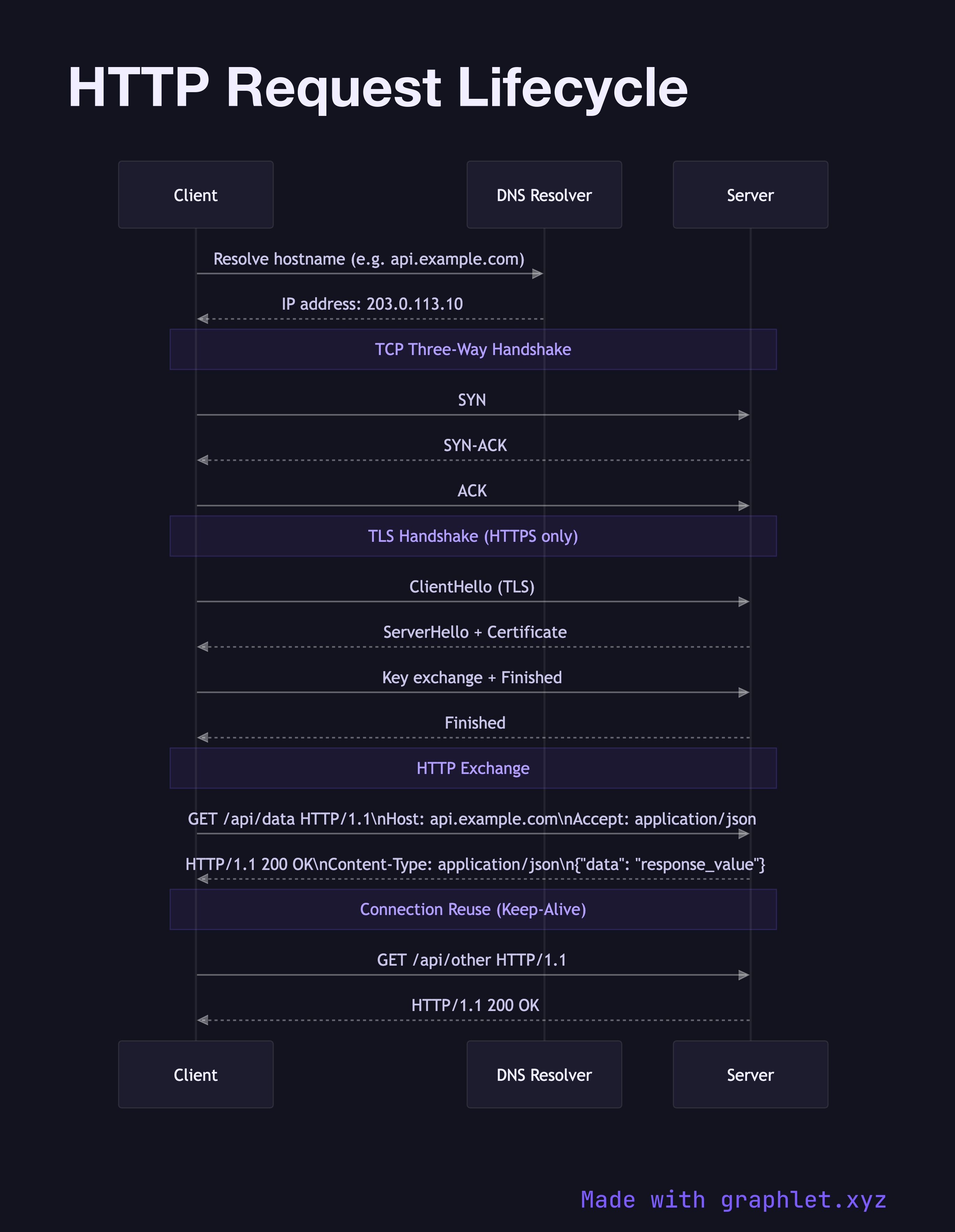
HTTP Request Lifecycle sequence diagram
HTTP Request Lifecycle
sequence
HTTPS Handshake sequence diagram
HTTPS Handshake
sequence
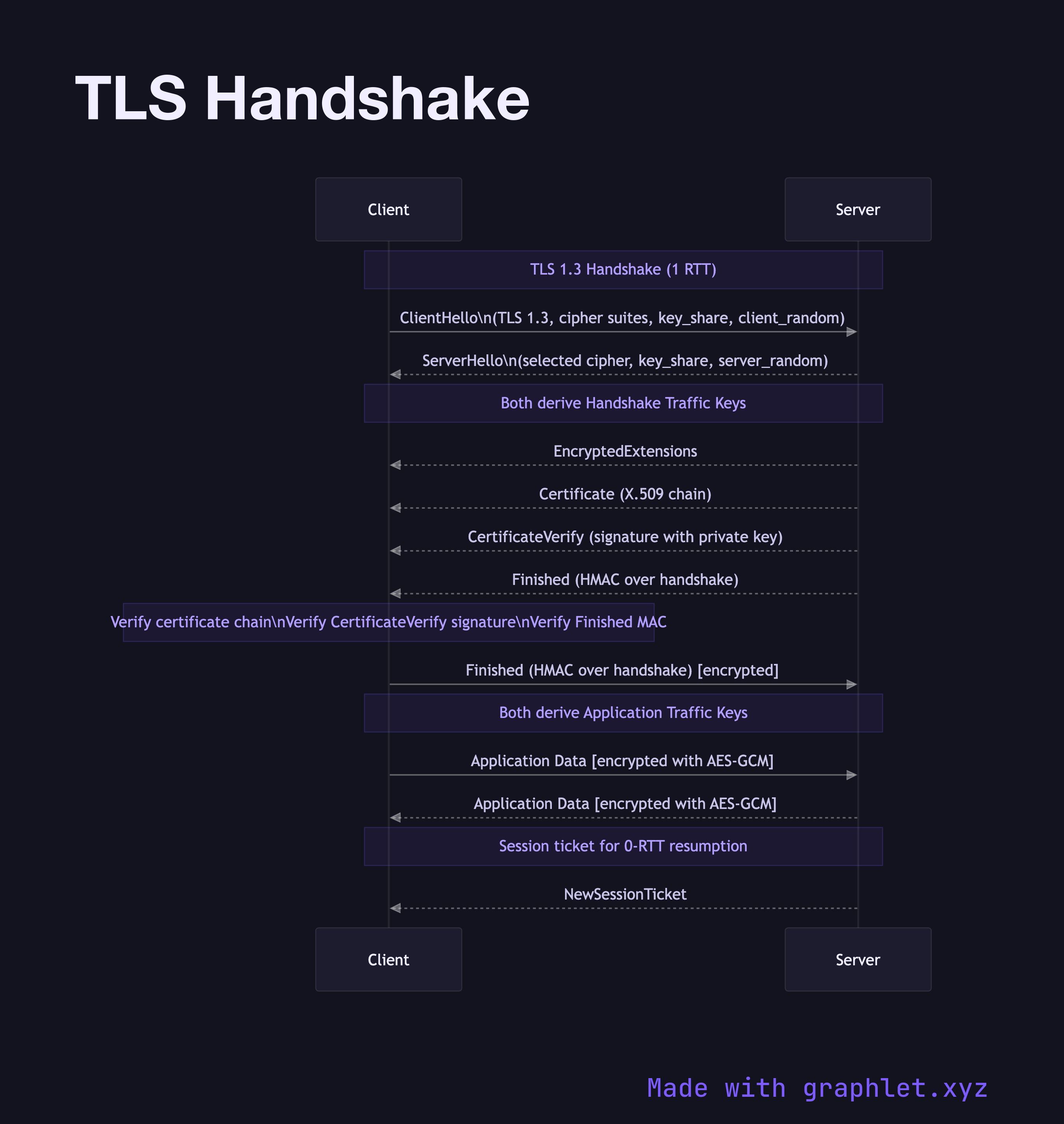
TLS Handshake sequence diagram
TLS Handshake
sequence
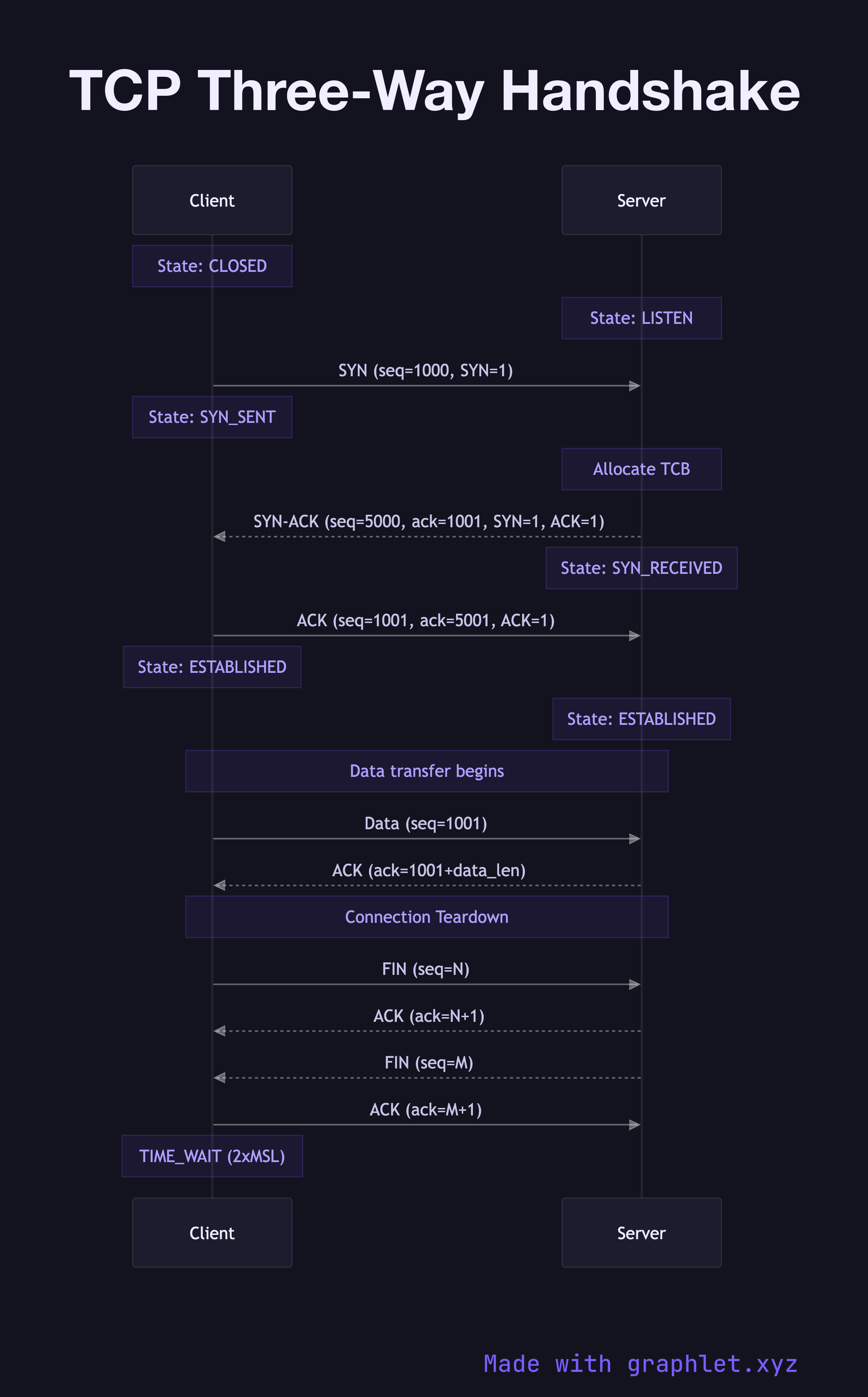
TCP Three-Way Handshake sequence diagram
TCP Three-Way Handshake
sequence
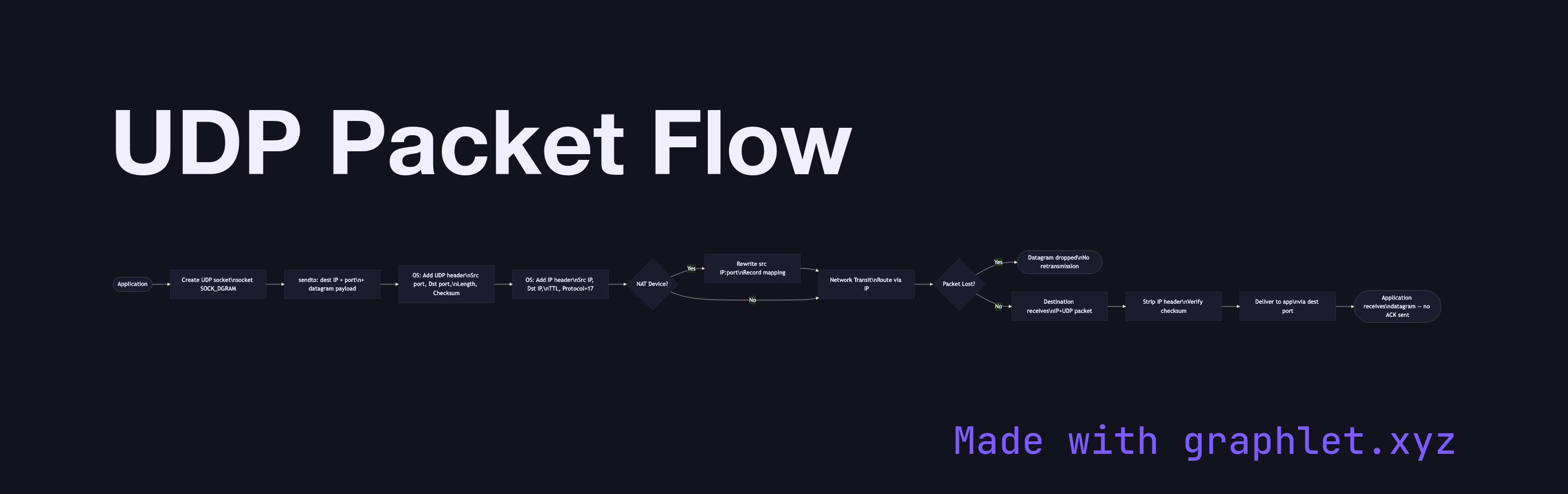
UDP Packet Flow flowchart diagram
UDP Packet Flow
flowchart
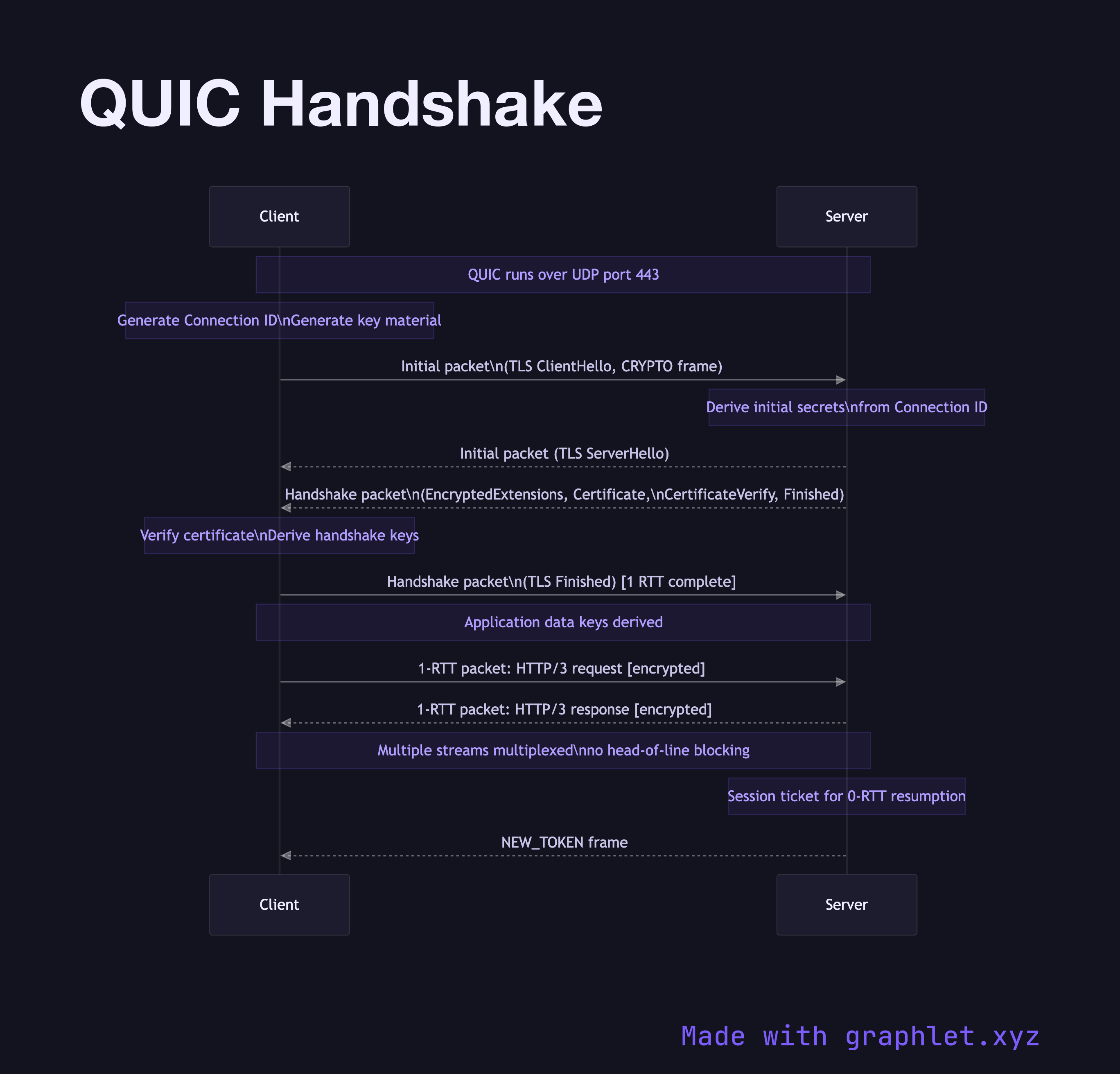
QUIC Handshake sequence diagram
QUIC Handshake
sequence
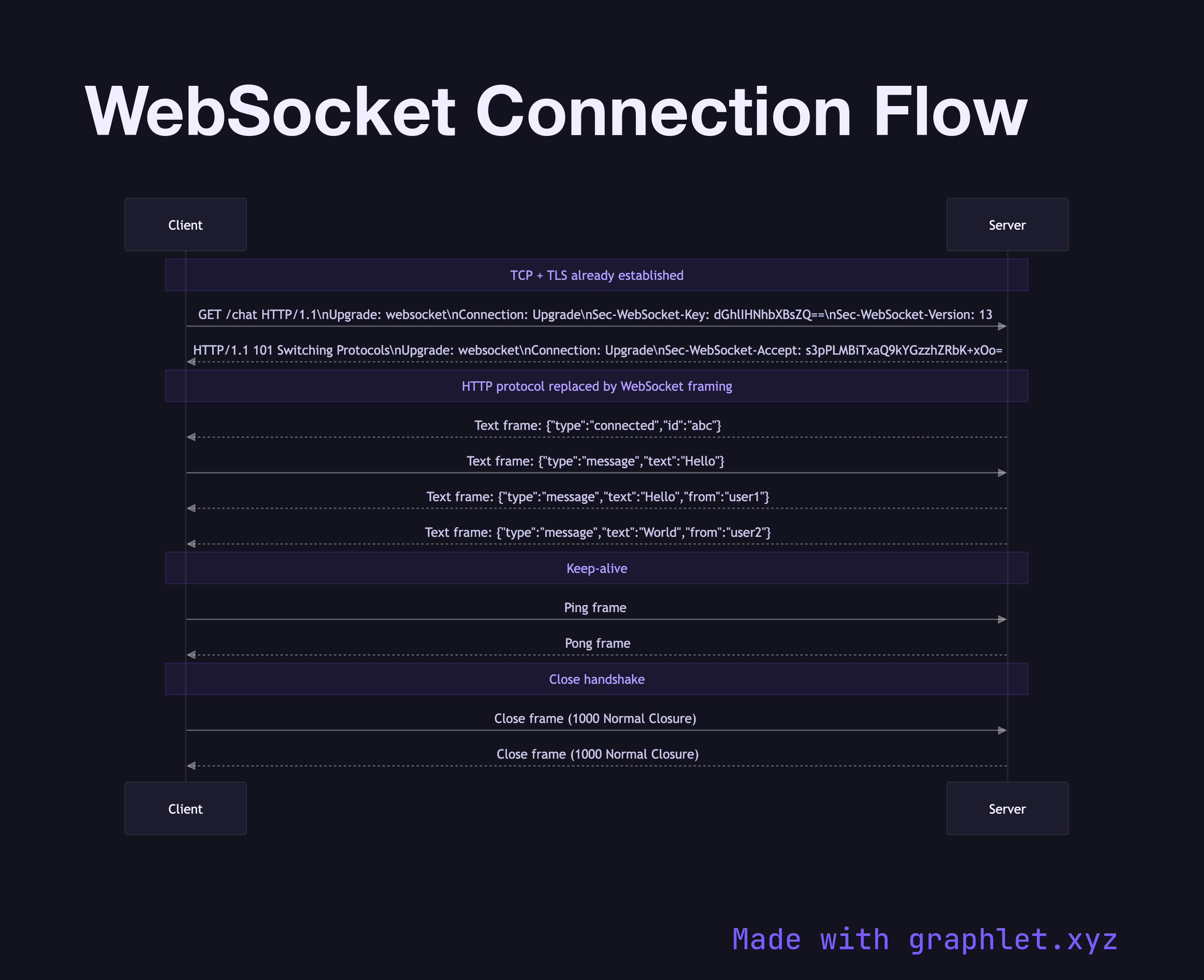
WebSocket Connection Flow sequence diagram
WebSocket Connection Flow
sequence
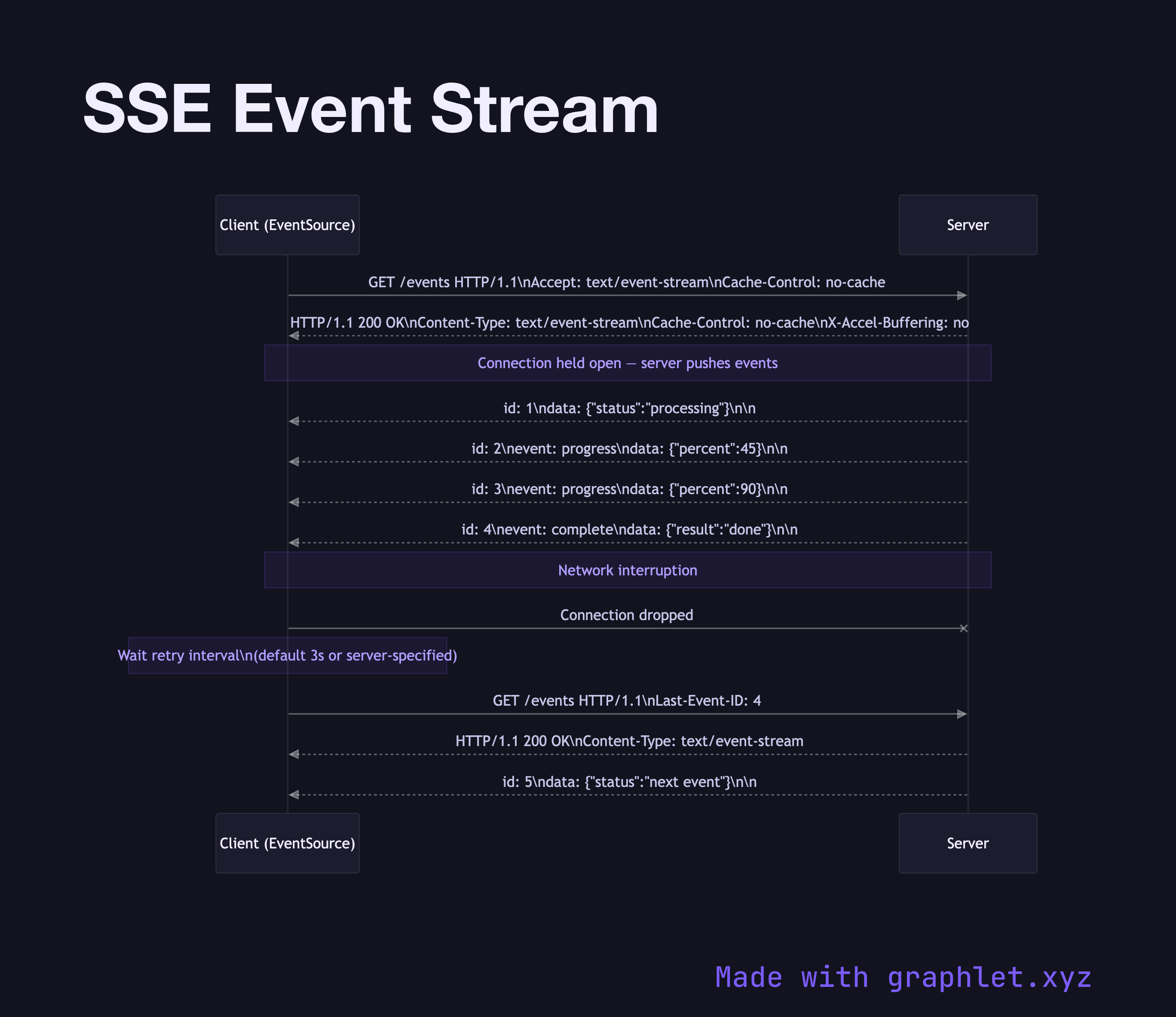
SSE Event Stream sequence diagram
SSE Event Stream
sequence
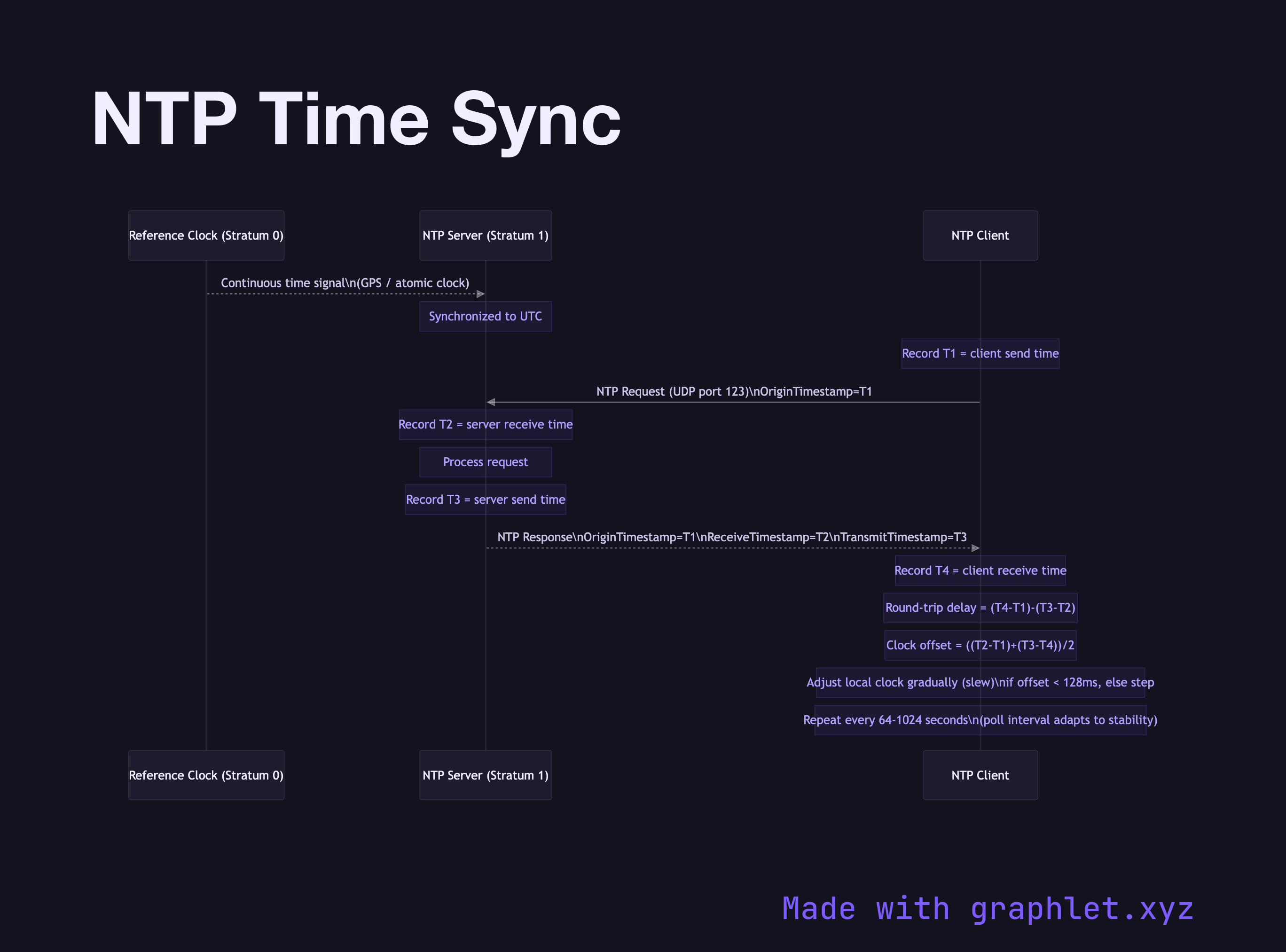
NTP Time Sync sequence diagram
NTP Time Sync
sequence
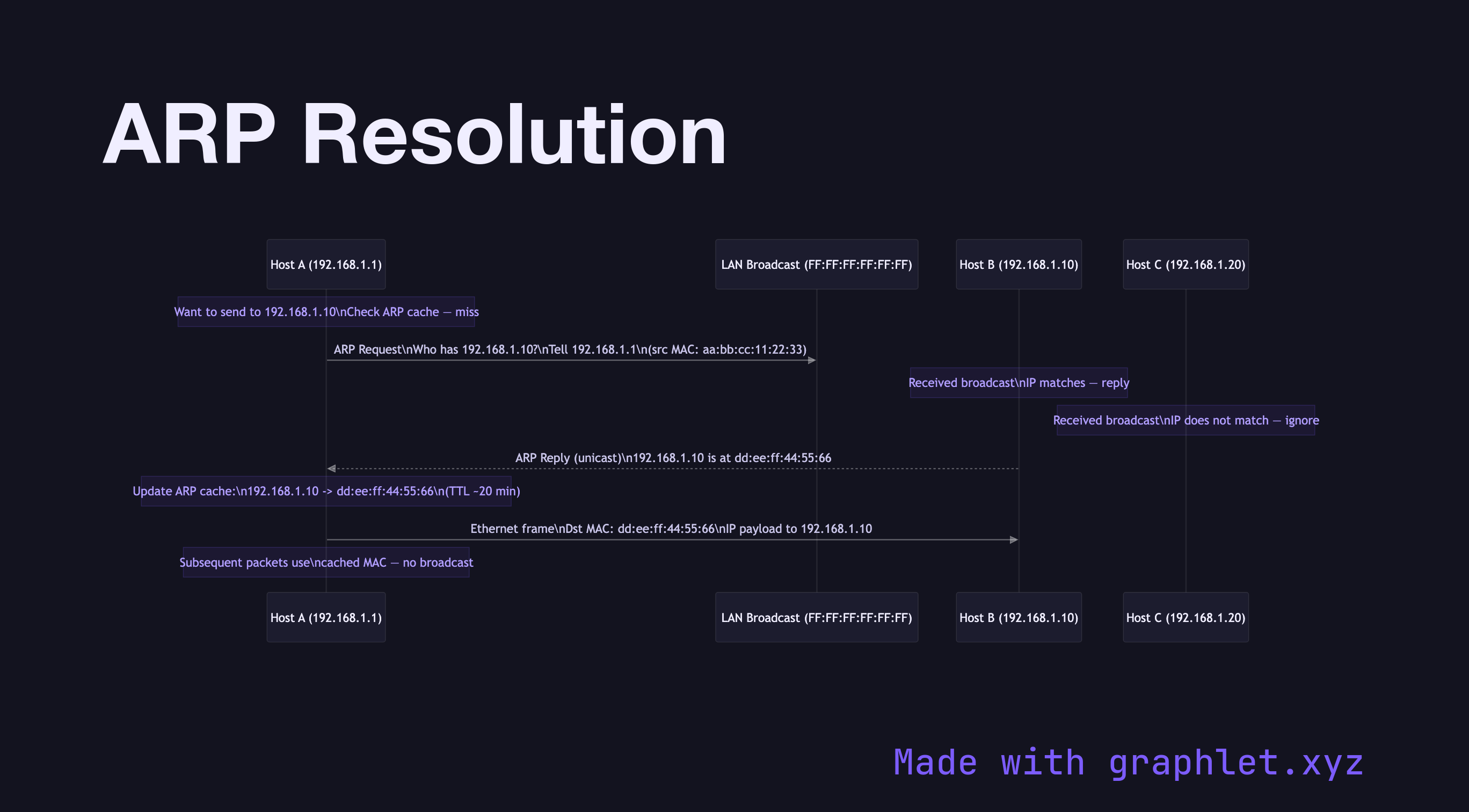
ARP Resolution sequence diagram
ARP Resolution
sequence
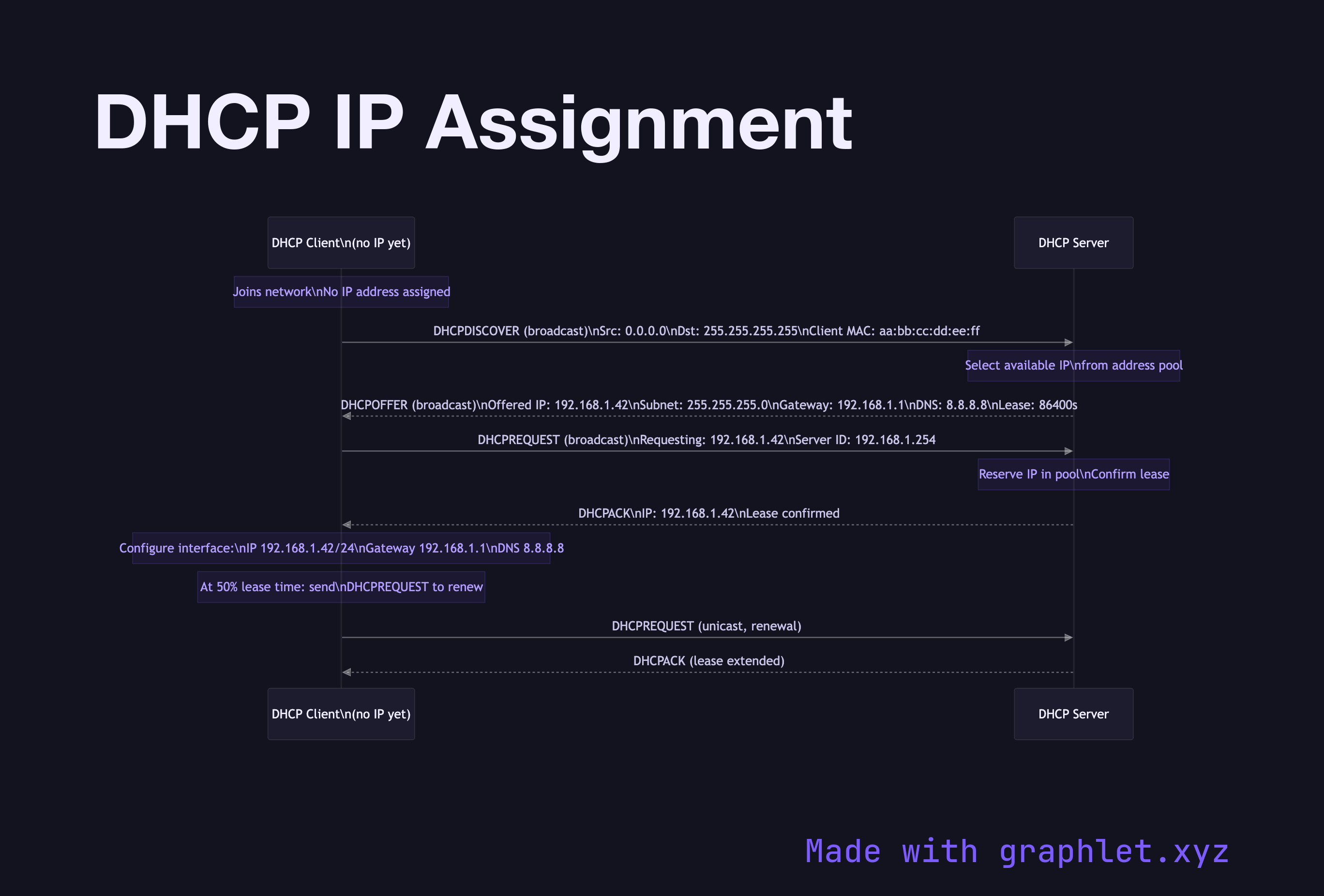
DHCP IP Assignment sequence diagram
DHCP IP Assignment
sequence
CDN Request Flow flowchart diagram
CDN Request Flow
flowchart
Load Balancer Routing flowchart diagram
Load Balancer Routing
flowchart
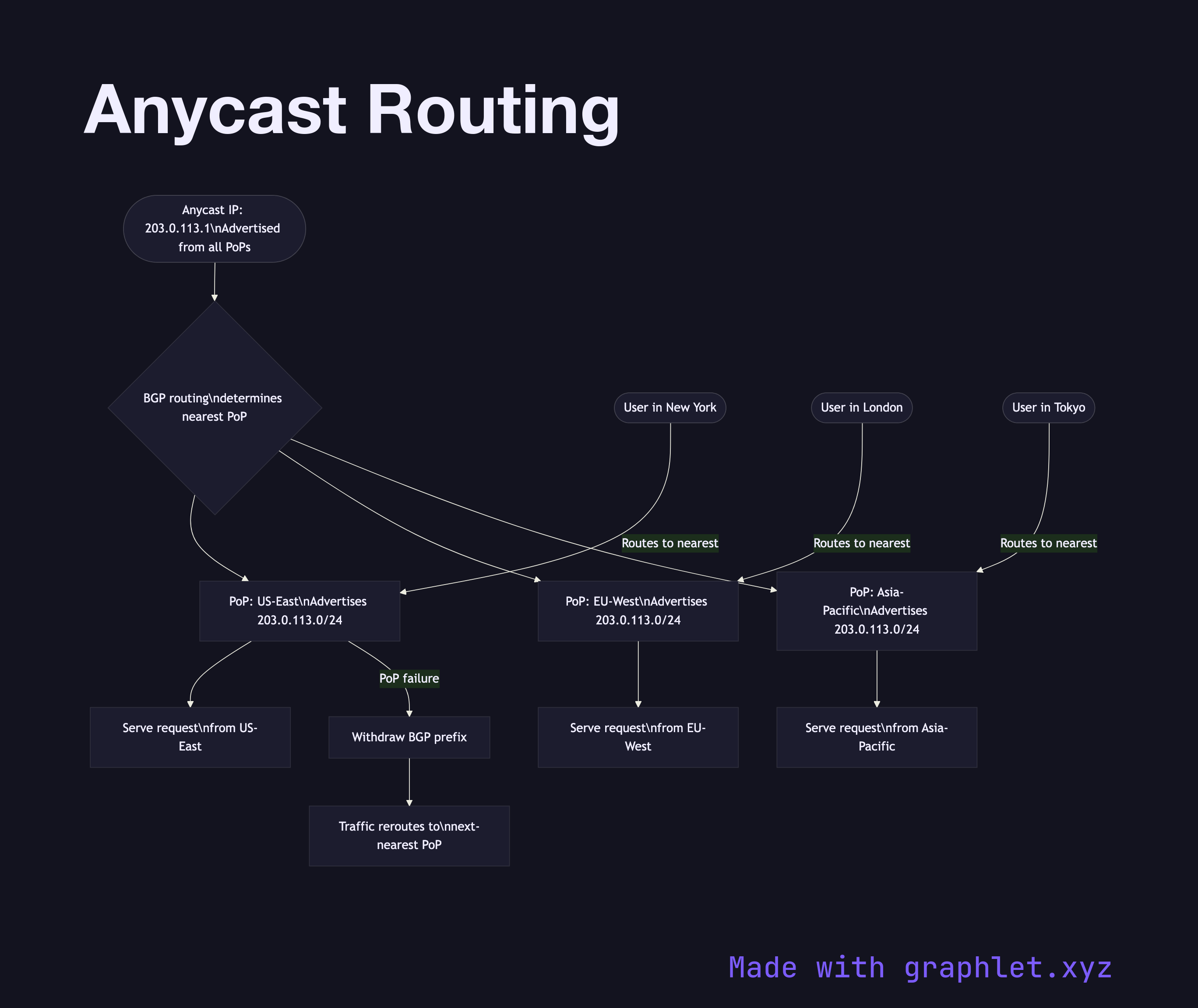
Anycast Routing flowchart diagram
Anycast Routing
flowchart
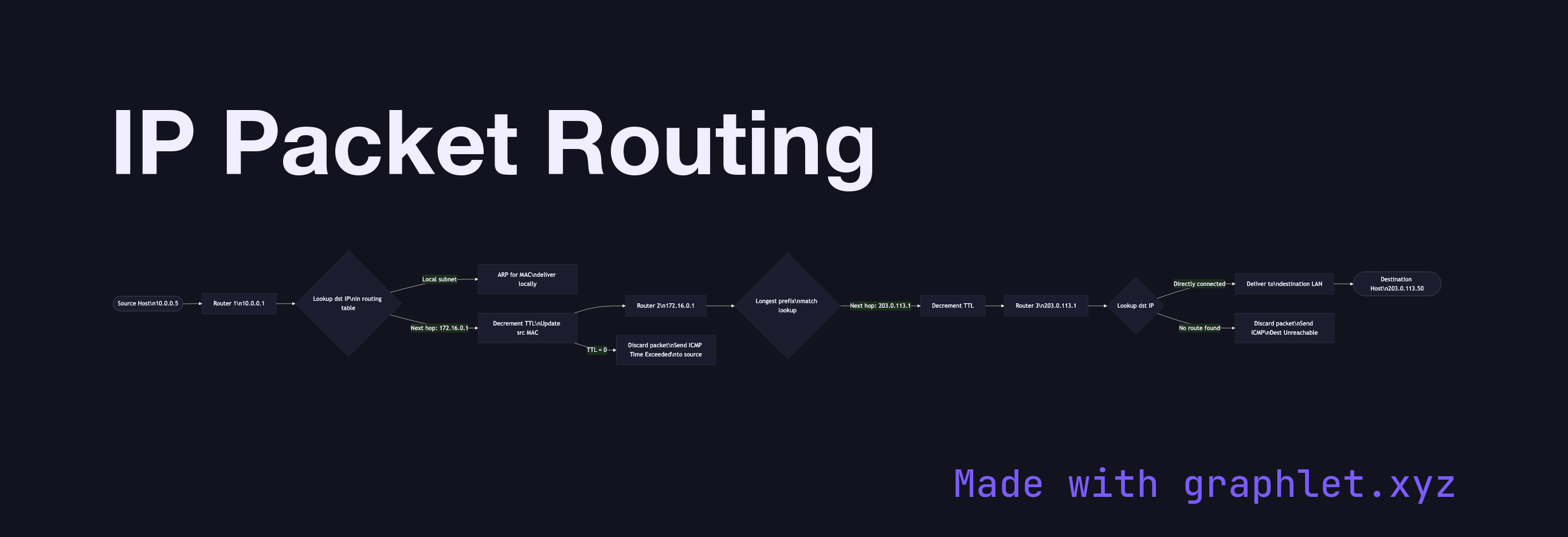
IP Packet Routing flowchart diagram
IP Packet Routing
flowchart
HTTP/2 Multiplexing sequence diagram
HTTP/2 Multiplexing
sequence
HTTP/3 Connection Flow sequence diagram
HTTP/3 Connection Flow
sequence
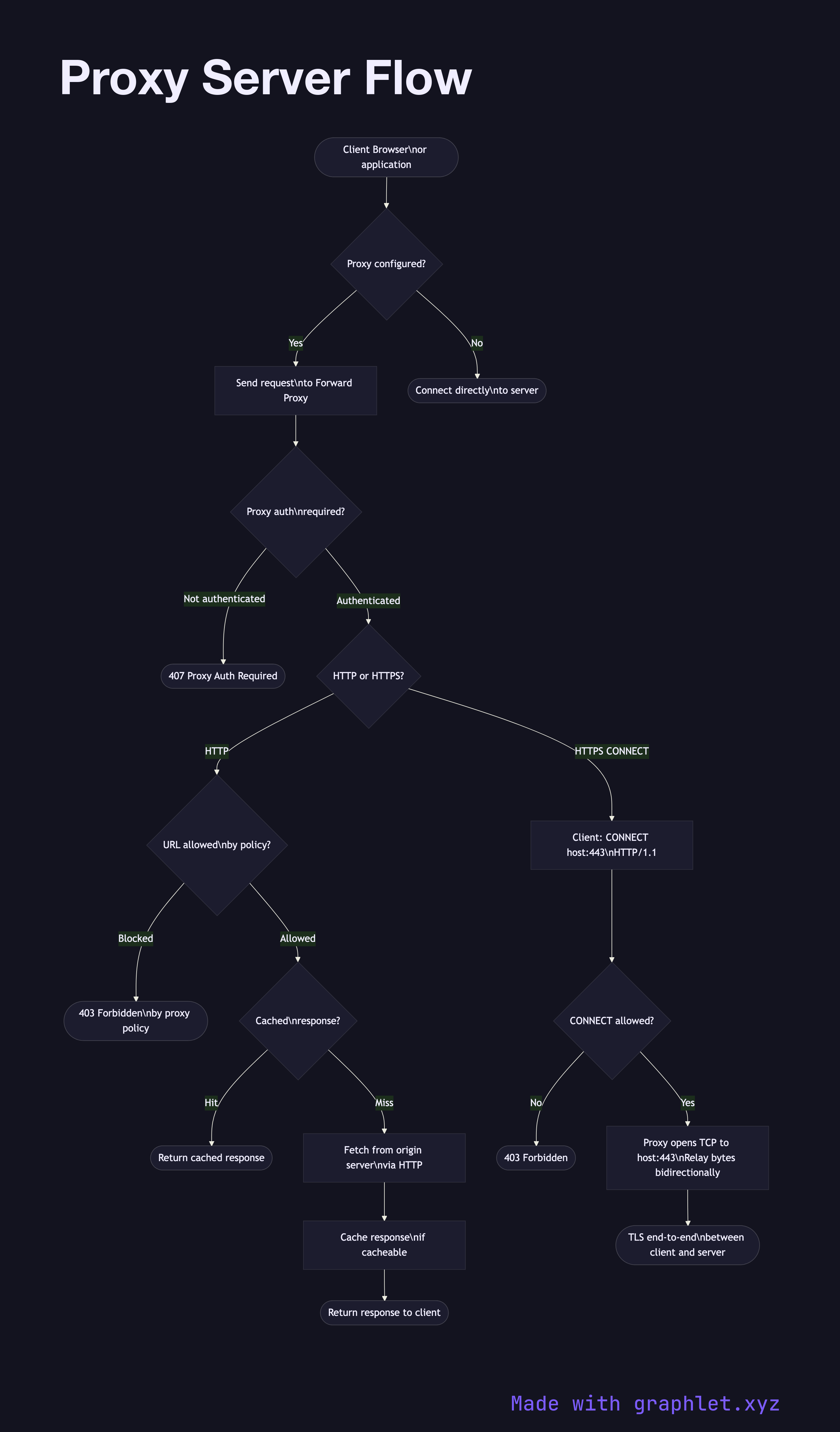
Proxy Server Flow flowchart diagram
Proxy Server Flow
flowchart
Reverse Proxy Request Flow flowchart diagram
Reverse Proxy Request Flow
flowchart
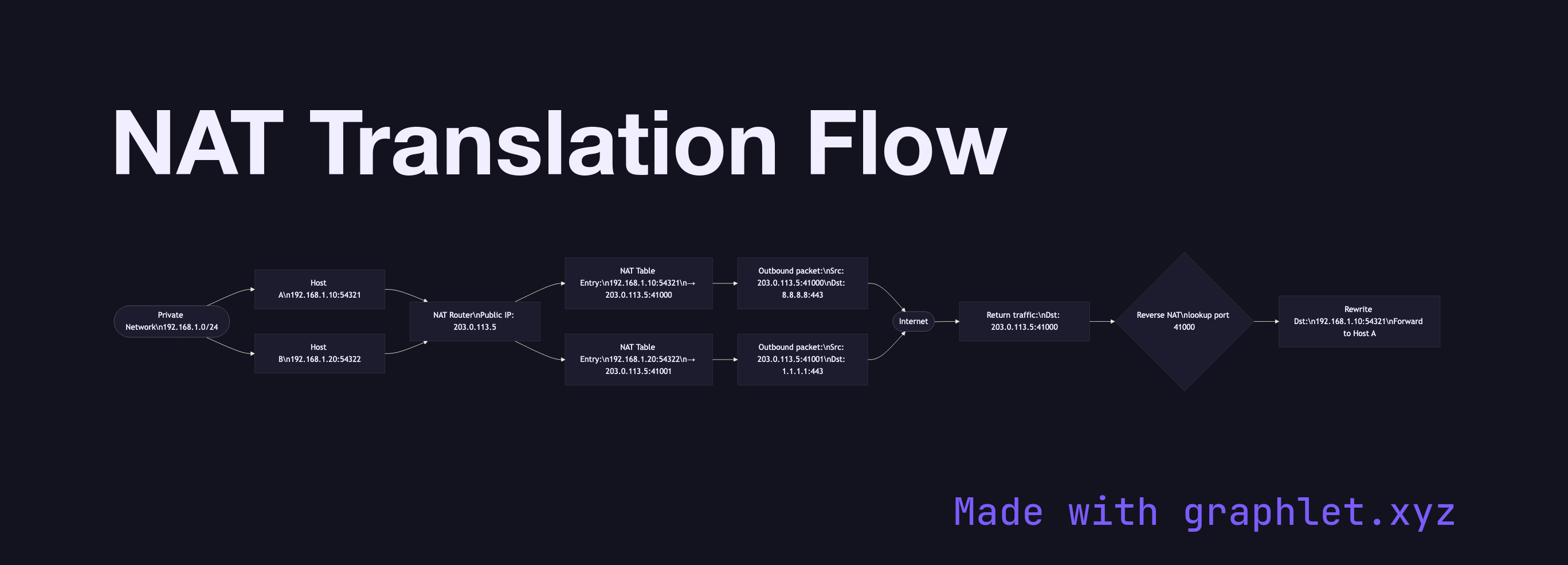
NAT Translation Flow flowchart diagram
NAT Translation Flow
flowchart
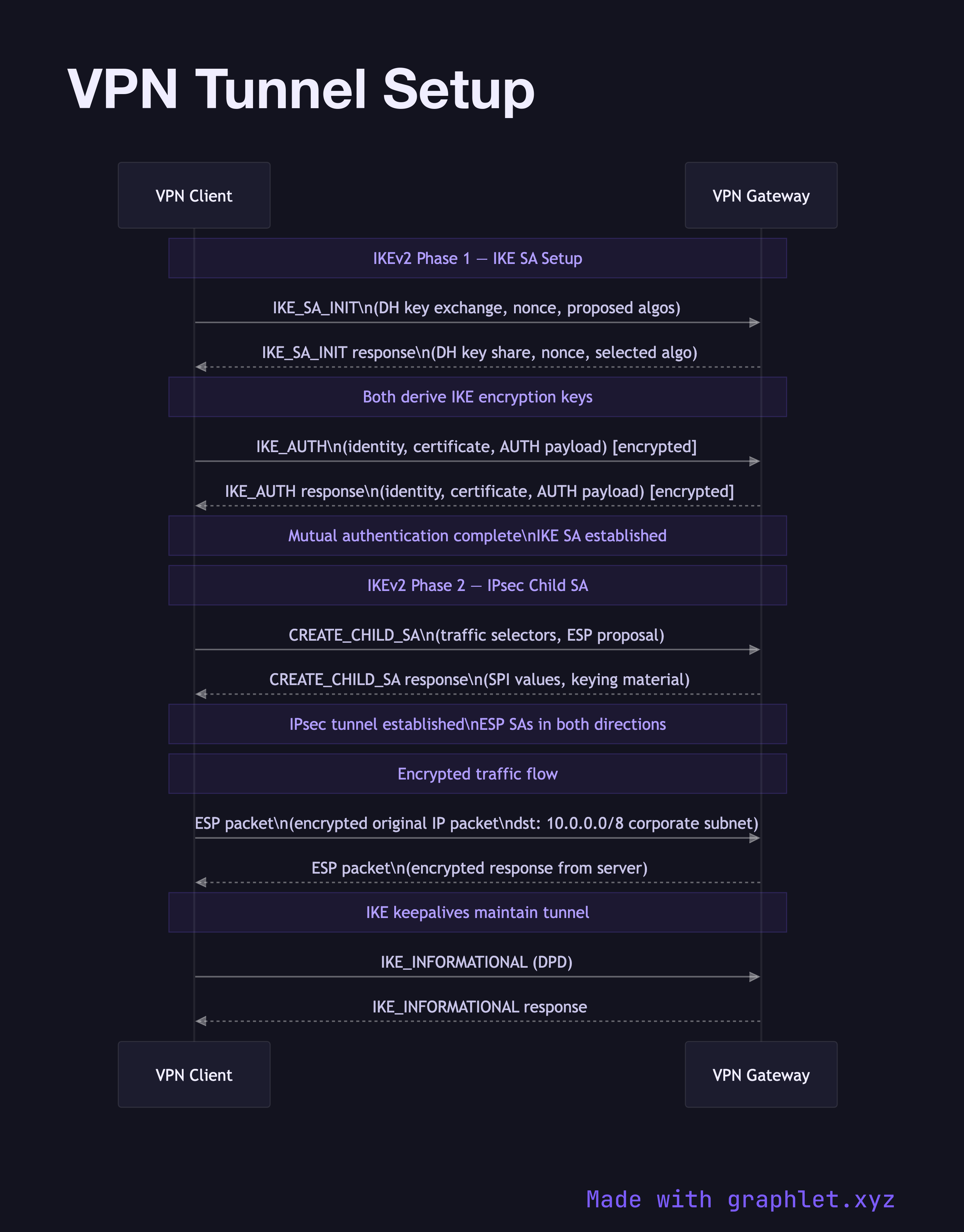
VPN Tunnel Setup sequence diagram
VPN Tunnel Setup
sequence
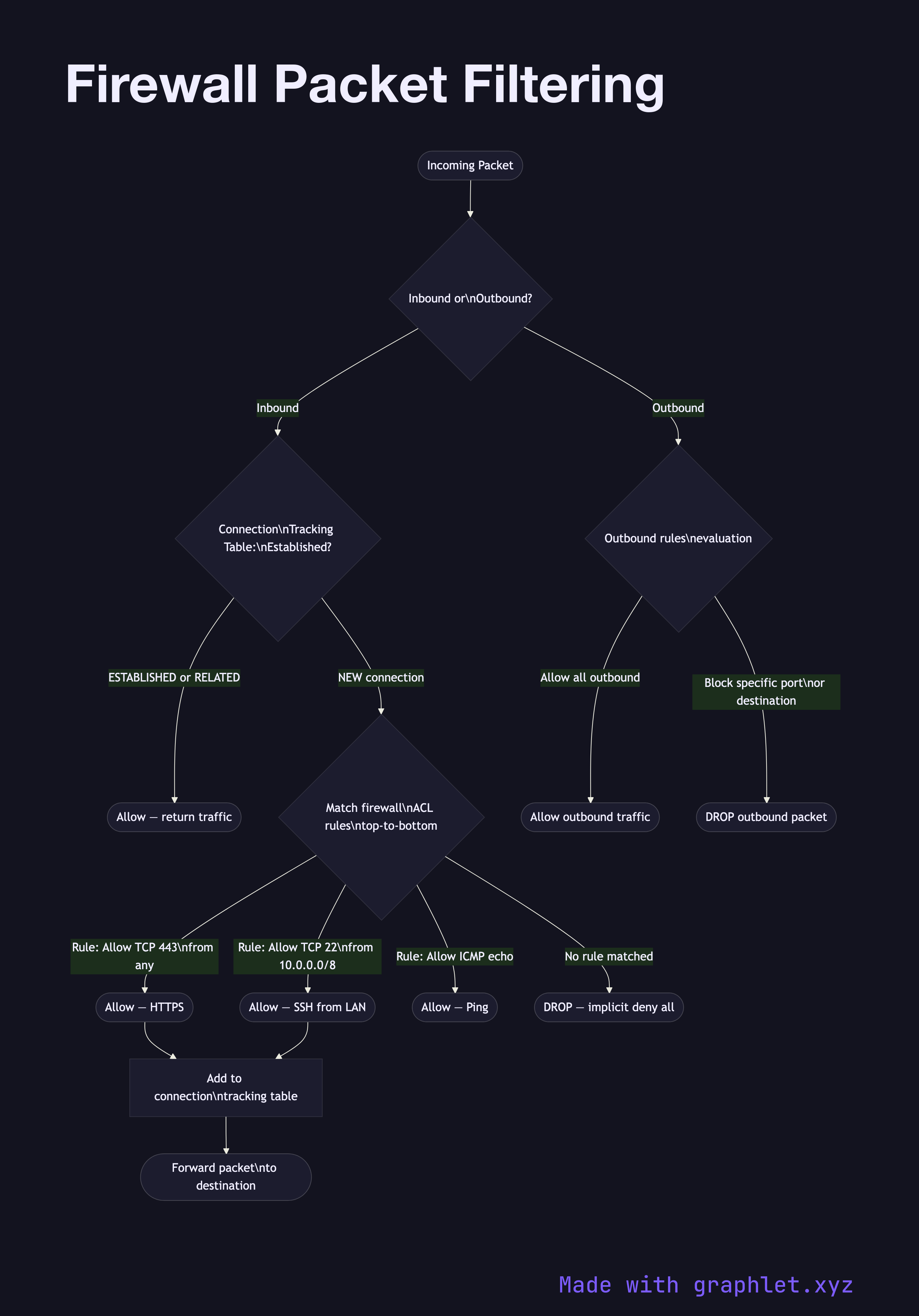
Firewall Packet Filtering flowchart diagram
Firewall Packet Filtering
flowchart
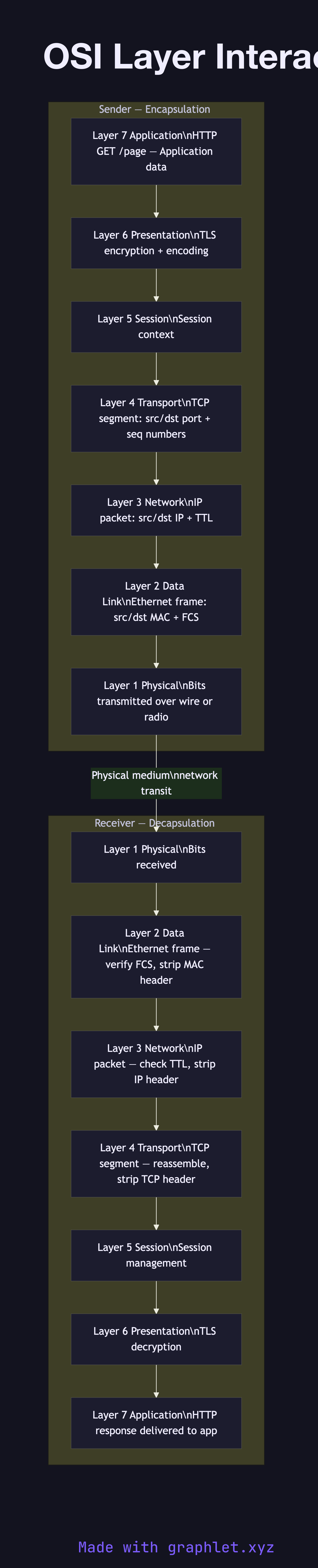
OSI Layer Interaction flowchart diagram
OSI Layer Interaction
flowchart
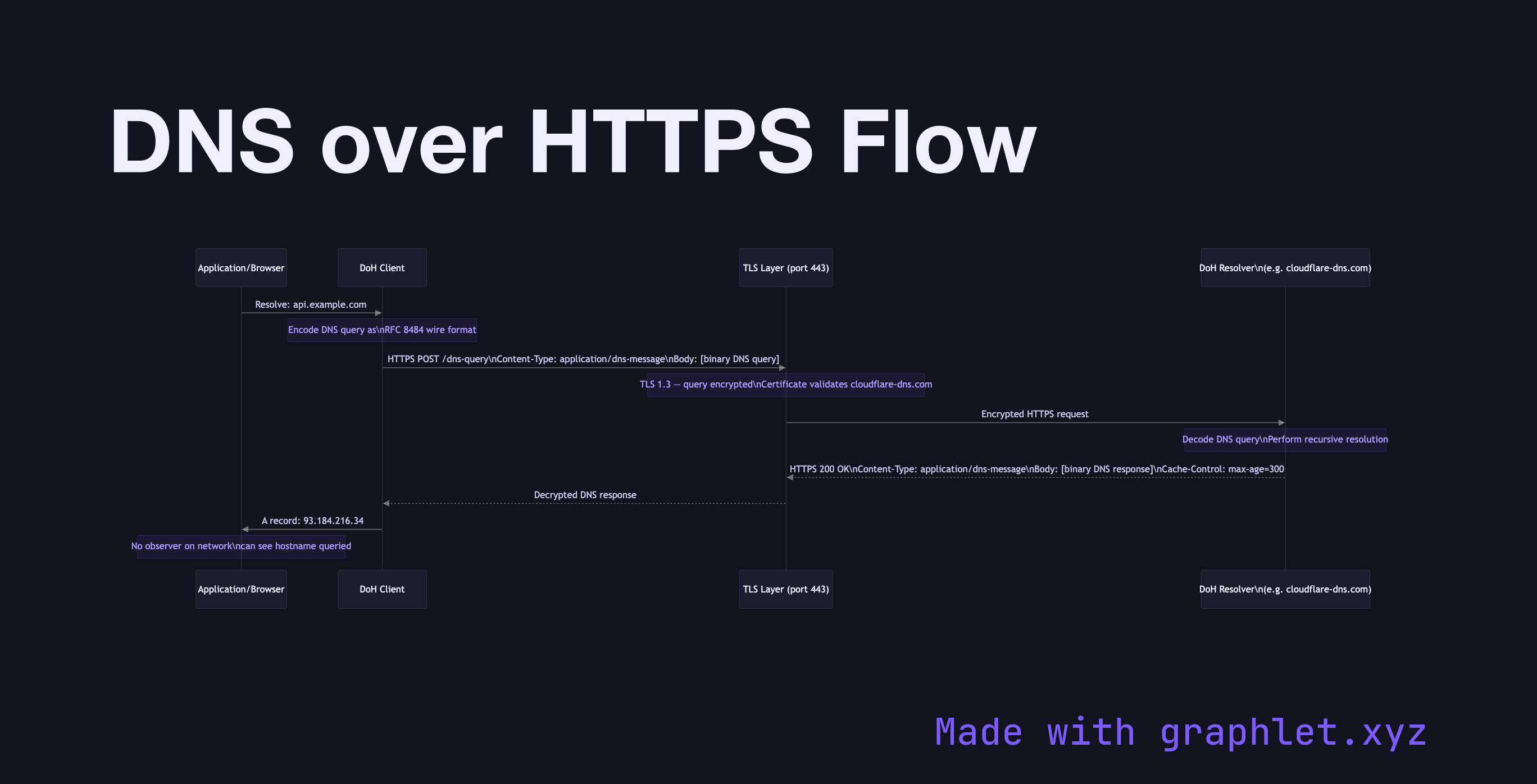
DNS over HTTPS Flow sequence diagram
DNS over HTTPS Flow
sequence
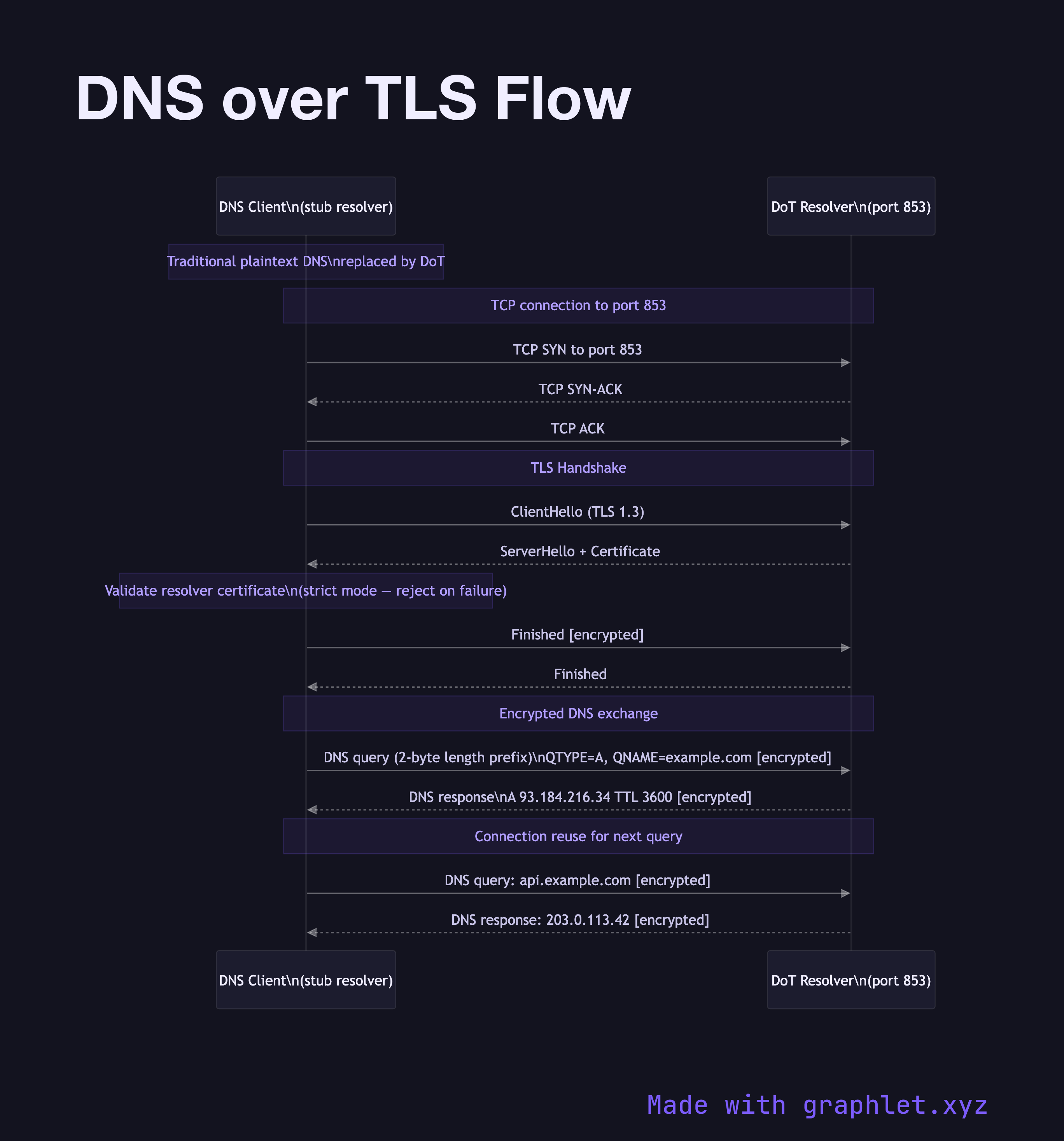
DNS over TLS Flow sequence diagram
DNS over TLS Flow
sequence
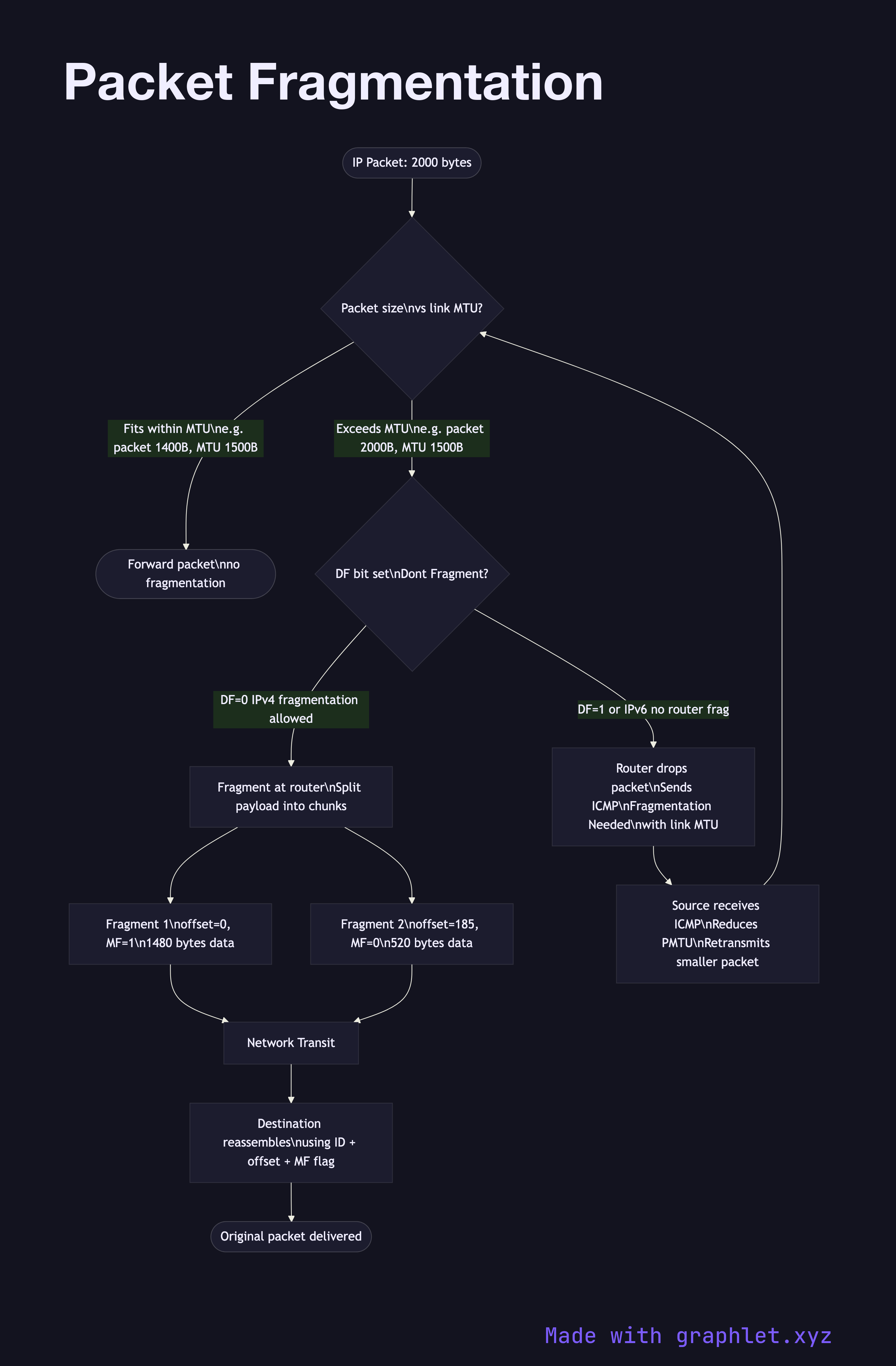
Packet Fragmentation flowchart diagram
Packet Fragmentation
flowchart
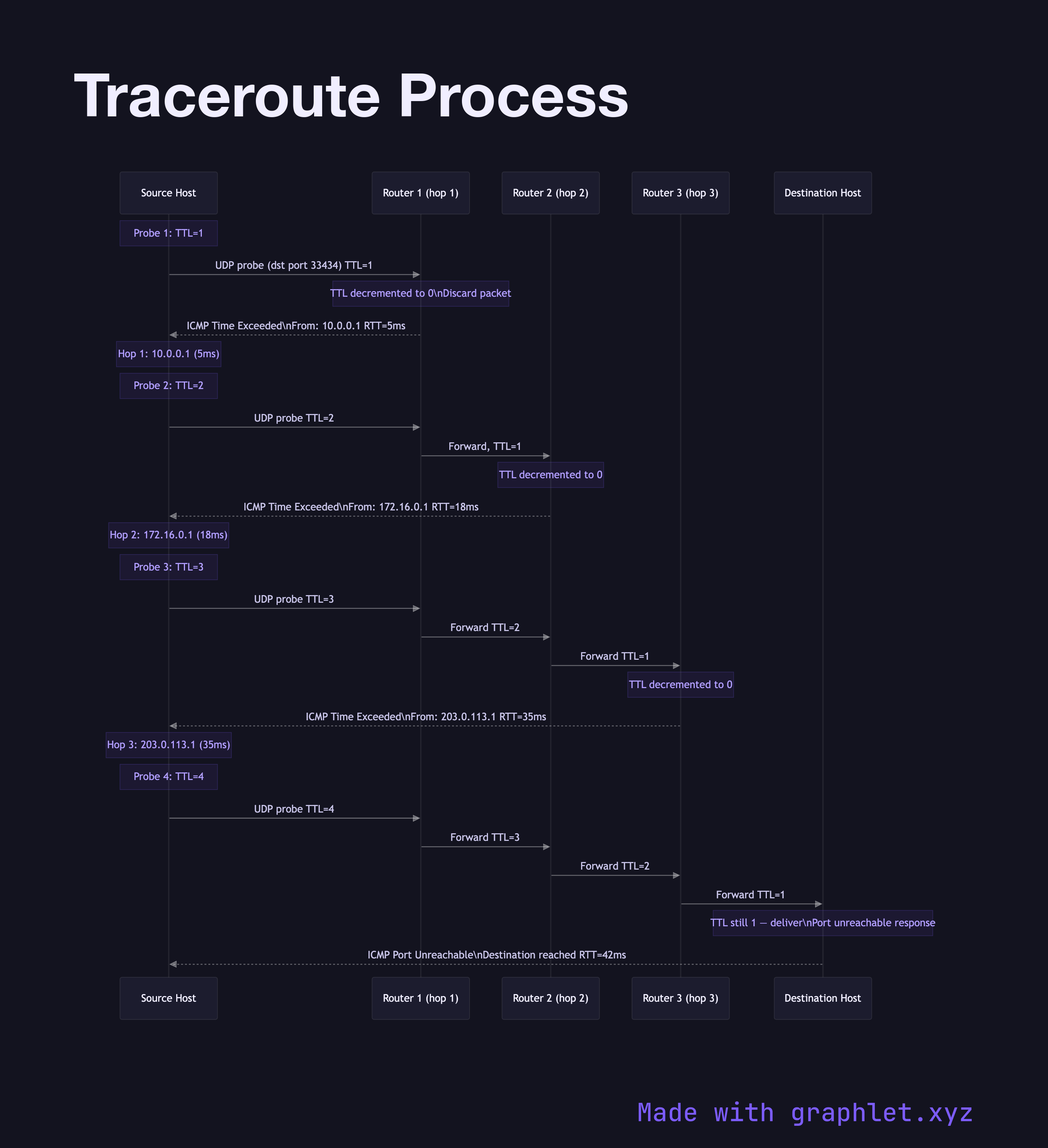
Traceroute Process sequence diagram
Traceroute Process
sequence

Frequently asked questions

This collection includes 30 free Mermaid diagrams covering DNS resolution, recursive lookup, DNS caching, DNS over HTTPS and TLS, TCP three-way handshake, TLS and HTTPS handshakes, QUIC, HTTP/2 multiplexing, HTTP/3, WebSockets, SSE, CDN request flow, load balancer routing, reverse proxy, NAT, VPN tunnel setup, firewall packet filtering, ARP, DHCP, NTP, OSI layer interaction, anycast routing, IP packet routing, traceroute, UDP, and packet fragmentation.
Use a sequence diagram to show the stub resolver querying a recursive resolver, which walks the DNS hierarchy from root servers to TLD servers to the authoritative name server. The [DNS Recursive Resolution](/diagrams/networking/dns-recursive-resolution) and [How DNS Works](/diagrams/networking/how-dns-works) diagrams in this collection are fully editable starting points.
A sequence diagram works best for TLS. Map participants as Client and Server, then show the ClientHello, ServerHello, Certificate, CertificateVerify, and Finished message exchange. The [TLS Handshake](/diagrams/networking/tls-handshake) diagram here models TLS 1.3 and is ready to edit in Graphlet.
A forward proxy diagram shows client requests flowing outward through the proxy to the internet, with the proxy acting on behalf of clients. A reverse proxy diagram shows inbound client requests hitting the proxy first, which then routes to backend servers — hiding server topology. Compare [Proxy Server Flow](/diagrams/networking/proxy-server-flow) and [Reverse Proxy Request Flow](/diagrams/networking/reverse-proxy-request-flow) for side-by-side reference.
Use a **sequence diagram** for protocol exchanges with ordered message passing between named participants (e.g., TCP handshake, TLS, DNS). Use a **flowchart** for decision-based or branching flows (e.g., CDN cache hit/miss, firewall rule evaluation, NAT translation). Most diagrams in this collection follow this convention.
Free online editor
Edit any diagram in Graphlet
Open, fork, and export to SVG or PNG. No sign-up required.
Open Graphlet →